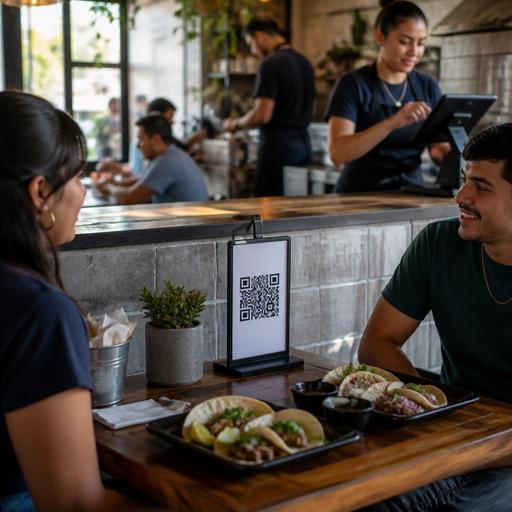
Bilingual Spanish-English Menu Workflows for U.S. Restaurants
Building bilingual Spanish-English menu workflows for U.S. restaurants is no longer just a branding choice in many markets. It is an operations decision that affects ordering speed, guest confidence, staff training, modifier accuracy, and how smoothly your POS, QR menu, takeout flow, and delivery app listings stay aligned. For operators serving bilingual communities in places like Los Angeles, Houston, Miami, Chicago, Phoenix, San Antonio, and parts of New York, the question is not simply whether to translate a menu. The better question is how to create a repeatable workflow so guests and staff see the same item names, options, and expectations across every ordering channel.
A neighborhood taqueria may need Spanish-first item names with English descriptions. A fast-casual bowl concept in Texas may want equal weight for both languages on its QR ordering page. A hotel restaurant in Southern California may need bilingual room-service menus while keeping POS reporting consistent in one language for back-office control. In each case, the menu workflow matters more than the translation file alone.
Start with one source of truth for item names and modifiers
The biggest bilingual menu mistake is treating each channel separately. Operators update the printed menu, then forget the QR menu. They revise the delivery app title, but not the POS button label. They translate entrees, but not add-ons like extra salsa, no onion, side salad, or protein upgrades. That creates order mistakes at the pass, confusion at the counter, and inconsistent guest expectations.
Instead, build one internal menu structure that includes:
- Primary item name used for POS reporting and kitchen production
- Guest-facing English name
- Guest-facing Spanish name
- Short descriptions in both languages
- Modifier groups in both languages, such as spice level, side choice, protein, and add-ons
- Allergy or ingredient notes written clearly and reviewed carefully
For example, a Chicago quick-service torta shop might keep an internal POS item called Torta Milanesa Chicken, while the guest sees Torta de Milanesa de Pollo in Spanish and Breaded Chicken Torta in English. The kitchen display system should still receive a clean, standardized production line so expo and cooks are not sorting through multiple naming styles during a rush.
If you operate multiple locations, assign one person or team to approve naming conventions. That matters when one store writes fries, another writes papas fritas, and a third writes side fries. Standardization helps inventory mapping, sales analysis, and training.
Design for ordering clarity, not word-for-word translation
Literal translation often causes friction. Guests need ordering clarity more than textbook accuracy. In U.S. restaurant settings, some food terms are best left in Spanish because they are already familiar, while others need a short explanation. Think about how your actual guests order at the register or from a server.
For instance, a Los Angeles pupuseria may keep revuelta as the item name but add a plain-language description in English and Spanish. A Miami cafeteria might list croqueta preparada with a short explanation rather than forcing an awkward translation. A Phoenix Sonoran hot dog stand may preserve regional language while clearly labeling toppings and optional modifiers.
Useful menu writing practices include:
- Keep item names culturally recognizable when that supports guest confidence.
- Translate descriptions for clarity so new guests understand ingredients and format.
- Use the same modifier order everywhere, such as protein, side, spice, extras, then notes.
- Avoid crowding screens with long duplicate text on QR menus and online ordering pages.
- Test with real staff and regulars before rolling out chain-wide.
This is especially important in fast-casual and QSR environments where order speed matters. A bilingual menu should reduce questions at the counter, not create a longer line. If your staff keeps explaining the same item all day, the menu still needs work.
Make bilingual workflows work across dine-in, takeout, and delivery
Many operators think about bilingual menus only in the dining room, but the harder challenge is channel consistency. The guest may first find you on a delivery app, then reorder through your direct online ordering link, then dine in and scan a QR menu at the table. If language presentation changes each time, trust drops.
Consider a Houston taco shop with dine-in, takeout, curbside pickup, and delivery apps. The most effective workflow usually includes:
- QR menus with a clear language toggle or side-by-side structure that stays easy to scan on mobile
- Direct online ordering that mirrors in-store categories and modifier logic
- Delivery marketplace listings reviewed for truncated names, missing accents, and broken descriptions
- Pickup shelves and curbside labels that stay simple enough for runners and guests to match correctly
- Printed backup menus for guests who prefer them or need a non-digital option
ADA-minded access matters here too. If you rely heavily on QR ordering, make sure guests still have a practical alternative, such as a printed menu or staff assistance. Digital menus should be easy to navigate, readable on common smartphones, and structured clearly. Operators should verify current accessibility expectations and local requirements with qualified advisors or official guidance when needed.
For bars, food trucks, airport concessions, and stadium venues, bilingual menus can also support faster line movement. A food truck in San Antonio might use a QR code near the window for ordering ahead, while the physical board keeps top sellers in both languages. An airport grab-and-go concept may need especially concise bilingual labels because guests are making fast decisions under time pressure.
Train staff on language workflow, not just language skills
A bilingual menu does not require every employee to be fully bilingual, but it does require a reliable service workflow. That means hosts, cashiers, servers, bartenders, and expo staff should know how the menu appears in each channel and how to confirm orders clearly.
For example, a diner in New Jersey serving a bilingual neighborhood might train servers to repeat back high-risk modifiers in the guest's preferred language when possible: egg temperature, meat doneness, side choice, and drink refills. A counter-service bakery in California might create a quick reference sheet so staff can match common pastry names, milk options, and warming requests across the POS and display case.
Focus training on:
- How items appear in the POS versus how guests say them
- How to confirm modifiers without slowing down the line
- How to handle phone orders when item names vary by language
- How to explain service charges, tips, and taxes in a clear operational way on checks and receipts
On payment topics, keep language precise. In the U.S., sales tax, service charges, and tips are not interchangeable, and the way they appear on a check can affect guest understanding and staff workflows. Operators should confirm current federal, state, and local rules, including tip reporting and wage-related practices, with qualified advisors and official guidance.
Audit and maintain the menu like an operating system
Once a bilingual menu launches, the real work is maintenance. Seasonal specials, price changes, 86 items, limited-time offers, and new combos can quickly break consistency. The best operators schedule a recurring menu audit instead of waiting for guest complaints.
A practical monthly audit can review:
- Category order across POS, QR, direct ordering, and delivery apps
- Modifier accuracy for add-ons, combo upgrades, and substitutions
- Description consistency in English and Spanish
- Receipt and kitchen ticket readability for staff execution
- Chain-wide updates for multi-location brands and franchise operations
If you are a chain or franchise group, document who controls translations, who approves menu pushes, and how stores report problems. If your brand falls under menu labeling rules or other federal, state, or local requirements, such as chain-related FDA menu labeling context, verify current obligations with official guidance and qualified advisors before making labeling decisions.
The goal is simple: guests should be able to order confidently in English or Spanish, and your team should be able to produce, pack, ring in, and report those orders without extra friction. That is what turns a bilingual menu from a nice idea into a stronger operating system for dine-in, takeout, and digital ordering.
Restomas can help operators keep bilingual QR menus, ordering flows, and location-level menu updates more consistent across service channels.
