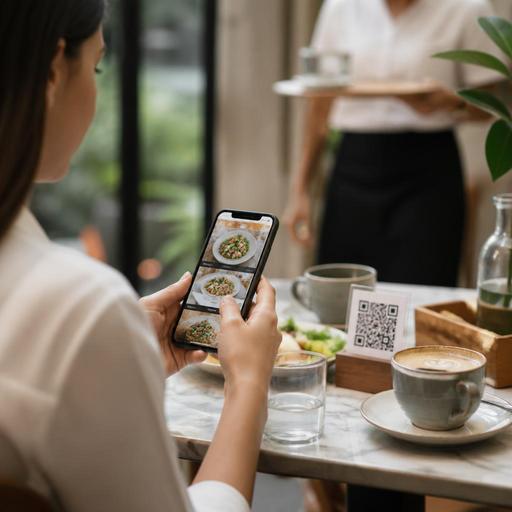
Optimizing QR Menu Category Order From Real Guest Scanning Patterns
Many restaurants focus on menu design, pricing, and food photography, but QR menu category order often gets less attention than it deserves. In practice, the sequence of categories inside a digital menu can shape what guests notice first, how quickly they decide, and whether they move smoothly from browsing to ordering. When owners review real guest scanning behavior instead of relying on assumptions, they often find that the category order they thought was logical for staff is not always the easiest path for customers.
In a printed menu, guests usually scan a full spread with their eyes. In a digital menu, especially on a phone, they move through a narrower space and make faster judgments. That changes how category order should work. A menu that starts with the wrong section can create friction, slow ordering, and bury profitable or signature items. A better sequence does not need to be complicated. It needs to reflect how guests actually arrive, browse, compare, and choose.
Why guest scanning behavior should shape menu structure
Restaurant owners often organize categories around kitchen stations or internal logic: starters, mains, grills, desserts, drinks. That structure is familiar, but guest behavior can be more situational. A lunch guest may want fast combinations. A tourist may look for house specialties first. A family may scan drinks and kids' items early to settle the table. A cafe guest may jump directly to cold beverages before food.
Digital browsing reveals these patterns more clearly because guests interact one step at a time. If your first visible categories do not match their intent, they may scroll too much, miss key items, or delay ordering. This does not mean every menu should abandon classic structure. It means category order should be tested against actual use.
Consider a few practical examples:
- Casual burger restaurant: putting sides before burgers may make internal sense if combos are built later, but guests usually want to confirm the core product first.
- Seafood venue: listing beverages first can distract from fresh catch or house platters that define the concept.
- Breakfast cafe: placing desserts above coffee and breakfast sets may slow guests who came for a clear morning decision.
- Family restaurant: hiding kids' meals too deep in the menu can create back-and-forth at the table.
The key lesson is simple: category order should reduce effort, not merely mirror the kitchen or accounting structure.
What restaurants can learn from common digital browsing patterns
Most guests do not browse every category in order. They scan with intent. Some want reassurance, some want speed, and some want inspiration. A practical category sequence supports all three behaviors without overwhelming the screen.
1. Reassurance-first behavior
Some guests open a QR menu to confirm that the restaurant has what they expect. In this case, leading with the most representative category can lower hesitation. A steakhouse should not make guests hunt for steaks. A sushi restaurant should not bury signature rolls under side dishes and bottled drinks.
2. Speed-first behavior
Many guests, especially at lunch or during busy service, want a fast path to ordering. They respond well when the top categories help them make a near-complete choice quickly. Examples include lunch specials, combo meals, chef recommendations, or bestsellers. These categories can work well near the top if they are genuinely useful and not overloaded.
3. Exploration behavior
Other guests enjoy browsing. For them, category order should still feel intuitive. Signature items, seasonal dishes, or house specialties can appear early to guide discovery. But too many special categories at the top can create confusion. If everything is featured, nothing feels clearly prioritized.
A balanced menu often starts with one of these paths:
- Core demand first: the main reason most guests came.
- Decision shortcut second: combos, recommendations, or specials.
- Supporting categories next: starters, sides, drinks, desserts.
This order is not universal, but it is often more effective than defaulting to a traditional sequence without review.
How to reorder menu categories in a practical, low-risk way
You do not need a full rebrand to improve digital menu flow. Small structural changes can make a noticeable difference in browsing and ordering behavior. The safest approach is to start with observation, then make one or two focused changes.
Review where guests hesitate
Look for signs of friction in daily service. Are guests asking servers where to find popular dishes? Are they scrolling for too long before ordering? Do they miss profitable add-ons because those categories appear too late? These are strong clues that category order may not match guest expectations.
Promote the category that answers the main visit intent
Ask a simple question: when guests scan your menu, what are they most likely trying to find first? For a pizza concept, the answer is probably pizza, not appetizers. For a specialty coffee bar, it may be hot drinks in the morning and cold beverages later in the day. For a kebab shop, it may be wraps, plates, or meal deals depending on the location and time.
Use temporary category positions for peak periods
Different dayparts can justify different category order. A brunch menu and a dinner menu should not necessarily lead with the same sections. If your platform allows flexible menu management, you can place breakfast sets first in the morning, lunch combos at midday, and premium mains in the evening. This keeps the menu relevant without changing the entire structure permanently.
Keep supporting categories visible but secondary
Drinks, desserts, kids' meals, and extras matter, but they should usually support the main decision unless your concept revolves around them. The goal is not to hide them. The goal is to place them where they fit the guest journey naturally.
Category order mistakes that create avoidable friction
Many menu problems come from good intentions applied in the wrong order. Watch for these common mistakes:
- Leading with low-priority categories: bottled drinks, sauces, or miscellaneous items appear before the main offer.
- Too many featured sections: bestsellers, new arrivals, chef picks, promotions, and seasonal items all compete at the top.
- Duplicated logic: the same items appear in multiple categories, making guests unsure where to look.
- Kitchen-first organization: categories follow prep stations rather than customer decision flow.
- Ignoring device behavior: long scroll paths make simple choices feel harder on mobile screens.
One useful test is to ask whether a first-time guest can find your top five most important items or item groups within a few taps and without asking staff for help. If not, your category order likely needs refinement.
Turning menu insights into better guest experience and smoother operations
Better category order is not only about sales presentation. It can improve the guest experience and support smoother operations. When guests find what they want faster, servers spend less time explaining menu navigation and more time on hospitality. Order accuracy can improve because guests are selecting from clearer paths. Upselling also feels more natural when add-ons and complementary categories appear at the right moment rather than as an afterthought.
For example, if a guest chooses a burger first, a well-placed sides or drinks category becomes a logical next step. If the menu starts with beverages and sauces, that same guest may not build a complete order as easily. Likewise, if a cafe places pastries close to coffee instead of far below lunch items, attachment opportunities become more intuitive.
This is where digital menu tools become especially useful. Restaurants can test category sequences, adjust by daypart, highlight signature sections, and keep the browsing path aligned with real service needs. With a platform like Restomas, operators can manage those menu changes more easily across service periods while keeping the guest journey clear and consistent.
Menu category order seems like a small detail, but in digital ordering it has a direct effect on clarity, speed, and confidence. Start with how guests actually scan, not how the back office thinks. Then make the path to the right choice shorter, simpler, and more natural.
Restomas helps restaurants adapt digital menus quickly, making it easier to align category order with guest behavior and daily operations.
