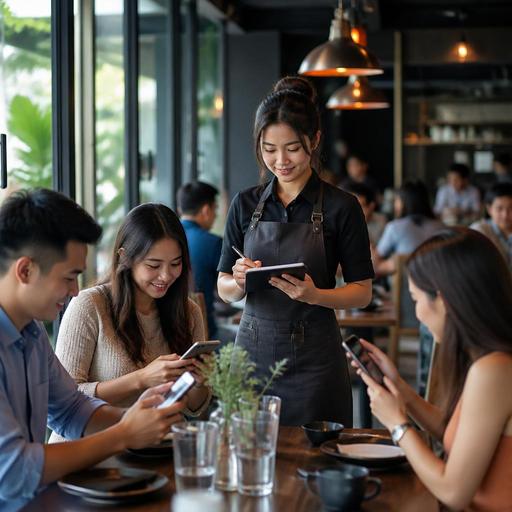
How to Cut Restaurant Order-Taking Time Without Hurting Service
Reducing restaurant order-taking time is not just about telling staff to move faster. In most restaurants, slow ordering happens because the operation creates friction: menus are hard to scan, servers repeat the same explanations, table status is unclear, modifiers are inconsistent, and the kitchen receives orders in a format that invites mistakes. If you want faster service without making guests feel rushed, the answer is better restaurant operations.
When order-taking becomes smoother, the benefits spread across the business. Guests spend less time waiting to place an order, staff feel more in control during busy periods, and the kitchen receives cleaner tickets. The goal is not speed for its own sake. The goal is to remove avoidable delays while keeping the experience attentive and professional.
Start by finding where the ordering delay actually happens
Many owners say, “Taking orders takes too long,” but the real issue often starts earlier. A guest may need extra time because the menu is unclear. A server may be delayed because they are waiting for table reassignment. A cashier may need to ask follow-up questions because item options are not standardized.
Before changing your process, map the order-taking journey from the guest perspective and the staff perspective. Look at what happens from the moment the guest sits down to the moment the order reaches the kitchen or bar.
- At seating: Does the guest receive the menu immediately, or do they wait for it?
- During menu review: Are popular items, add-ons, and dietary notes easy to find?
- At ordering: Does the server need to explain the same details repeatedly?
- At entry: Are modifiers, side choices, and cooking preferences easy to enter correctly?
- At handoff: Does the kitchen receive a clear, structured ticket?
A casual dining restaurant, for example, may discover that the biggest delay is not the server’s walking speed but the fact that guests keep asking what comes with each main course. If side dishes, sauces, and extras are not presented clearly, every table turns into a longer conversation. That is an operations problem, not a staff effort problem.
Make the menu easier to order from
One of the fastest ways to shorten ordering time is to improve menu usability. Guests order faster when they can understand choices quickly and confidently. This applies to printed menus, digital menus, QR menus, and counter displays.
Remove decision friction
Too many similar items, unclear naming, and scattered modifier information slow down the order. If a burger comes in four versions but each one requires a separate explanation, the menu is doing extra work for the staff.
Instead, group items logically and present choices in a consistent structure. For example, show the base item first, then list available add-ons, side options, and upgrade choices in the same order each time. A guest who understands one section can move through the rest of the menu faster.
Answer common questions on the menu itself
If guests regularly ask whether a dish is spicy, vegetarian, served with rice, or available in different sizes, that information should be visible before the server arrives to take the order. Clear descriptions reduce the back-and-forth that slows table turns.
Digital menus are especially useful here because they let restaurants update descriptions, availability, and modifier options without reprinting materials. A QR menu can also help guests start browsing as soon as they sit down, which shortens the gap before the order is placed.
Highlight quick-to-decide categories
Not every guest wants a long discovery process. Lunch diners, office workers, and families often appreciate sections such as “most ordered,” “staff picks,” or “lunch combinations.” These sections guide decisions and reduce hesitation without limiting choice.
Standardize the order flow for staff
Even a strong menu will not solve delays if every team member takes orders differently. Order-taking becomes faster when the restaurant defines a repeatable flow that works during both quiet and busy shifts.
A simple order sequence can make a major difference:
- Greet and confirm whether guests are ready or need a minute.
- Start with drinks if that fits the concept.
- Take the full order in a set category order, such as starters, mains, sides, desserts.
- Confirm key modifiers once, clearly.
- Repeat the order back only where accuracy matters most.
- Send the order immediately instead of batching too many tables together.
This kind of structure reduces mental load for staff. It also helps new team members perform more consistently. In a fast casual setting, the same principle applies at the counter: a standardized sequence prevents missed upsells, repeated questions, and payment delays.
Restaurants should also decide which decisions belong to the guest and which should be pre-configured operationally. If every order requires too many open-ended questions, the system is too loose. For example, if 90 percent of a lunch plate always comes with the same side, make that the default and offer alternatives only when needed.
Use technology to remove avoidable waiting
Technology should reduce operational friction, not add another layer of complexity. The best tools shorten the path between guest intent and kitchen action.
Let guests begin before staff arrive
QR menus and digital ordering flows can help guests review options, note preferences, and decide earlier. Even when a server still completes the order, the table is more prepared. This is especially helpful during rush periods when the first staff interaction may be delayed by a few minutes.
Connect front-of-house and kitchen more clearly
When orders are entered into a structured digital system, the kitchen receives cleaner information. That means fewer verbal clarifications, fewer returns to the table, and less time spent correcting mistakes. If an item is unavailable, the system should make that visible immediately so staff do not waste time offering dishes that cannot be sold.
Keep menu updates synchronized
One common source of delay is the mismatch between what the menu shows and what the kitchen can produce. If a sauce is out, a side is unavailable, or a lunch item has ended, staff lose time explaining substitutions. A centralized menu management approach helps keep ordering faster because guests see current options and staff work from the same information.
This is where platforms such as Restomas can support operations naturally: by helping restaurants manage QR menus, organize item availability, and keep ordering information aligned across service touchpoints.
Train for speed with clarity, not pressure
Some restaurants respond to slow ordering by pushing staff to move faster, but pressure without structure usually creates errors. Better training focuses on clarity, confidence, and decision support.
Teach staff how to guide the order, not just record it. For example, instead of asking broad questions such as “What would you like?” a server can narrow the process helpfully: “Would you like to start with drinks while you choose your mains?” or “Our grilled chicken bowl and pasta are the quickest lunch choices today.” That approach feels supportive rather than rushed.
Role-play also helps. Practice common slow scenarios:
- Guests who are undecided between similar items
- Families ordering for children with substitutions
- Large groups with split timing
- Guests with allergy or ingredient questions
Managers should watch for where staff hesitate. Is the delay caused by poor menu knowledge, uncertainty about modifiers, or weak device familiarity? Targeted coaching solves these issues faster than general reminders to “speed up.”
Measure the process and improve one bottleneck at a time
Reducing order-taking time is an operations discipline. It improves when you review the process regularly and fix one bottleneck at a time. You do not need complicated analytics to start. Observe service, ask staff where delays occur, and review common guest questions.
Focus on practical improvement areas such as:
- Menu sections that trigger the most confusion
- Items with too many modifiers
- Tables that wait too long before first contact
- Frequent out-of-stock explanations
- Order entry steps that create repeat corrections
For example, if the lunch rush slows down at the point of choosing side dishes, reduce unnecessary side combinations or present them more clearly. If large tables take too long because orders are entered after the full round is collected, test sending courses or seat positions in stages. Small operational changes often create meaningful time savings because they remove repeated friction from every shift.
Faster ordering should feel smoother to the guest, not colder. The best restaurants reduce order-taking time by making decisions easier, communication clearer, and systems more reliable. When the menu is well structured, staff follow a consistent flow, and digital tools support accuracy, service becomes both faster and calmer.
If you are refining your restaurant operations, Restomas can help you organize digital menus and ordering workflows in a way that supports speed and clarity across the guest journey.
