Tasks slip when it gets busy
Nothing reminds the person and nothing warns the supervisor. The round that was due at two is remembered at six.
Plan recurring work once and assign it to a person or a team. Staff start each task when they arrive, tick the checklist and send photos, and AI compares the photos with how the area should look. When the AI is unsure, your supervisor decides.
Runs inside the Restomas app on iOS and Android. No extra device, nothing else to install.
Opening routines, closing checks, restroom rounds and equipment inspections live on paper or in a group chat. When something is skipped, nobody can tell when, where or by whom.
Nothing reminds the person and nothing warns the supervisor. The round that was due at two is remembered at six.
A tick shows that someone said the work was finished. It does not show they were in the room, or what the room looked like afterwards.
Problems surface when a guest complains, an inspector arrives or the next shift walks in. By then the evidence and the chance to fix it quietly are gone.
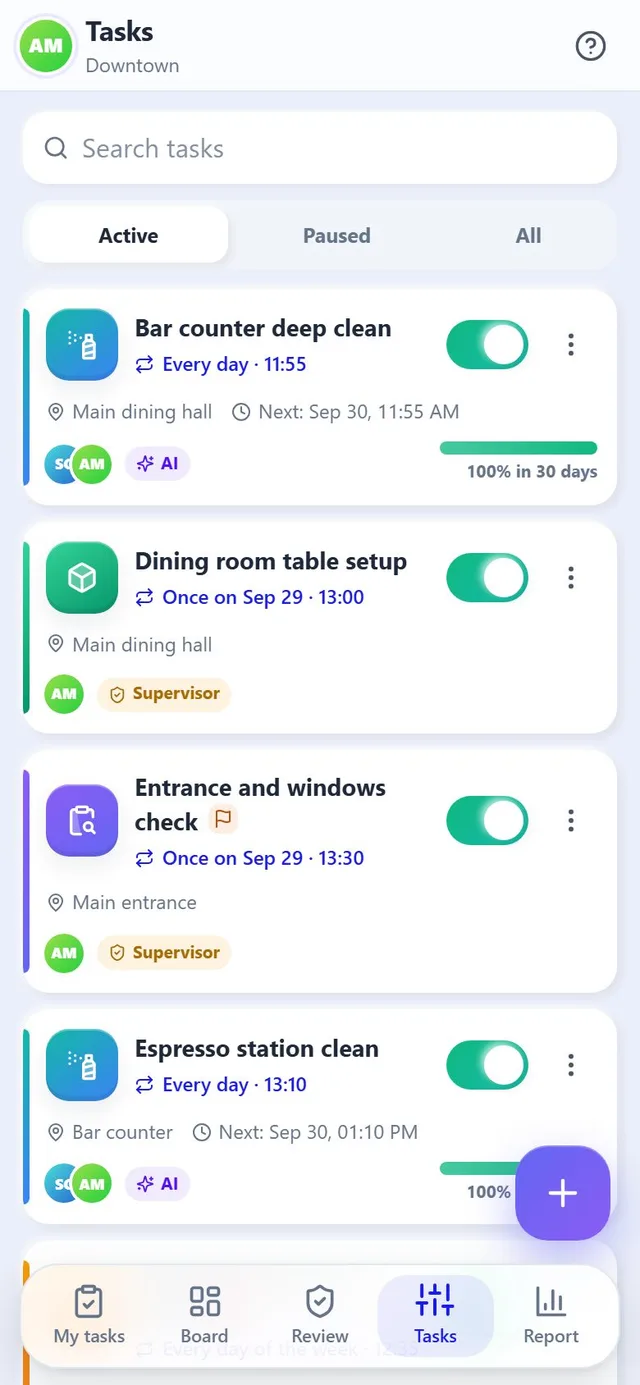
You define a task a single time. From then on each day's tasks are created automatically, people are notified and results land where they are needed.
What, where, when and how often. Once, daily, weekly or monthly, with repeats during the day if needed.
One person or a whole team. Everyone gets a notification in their own language.
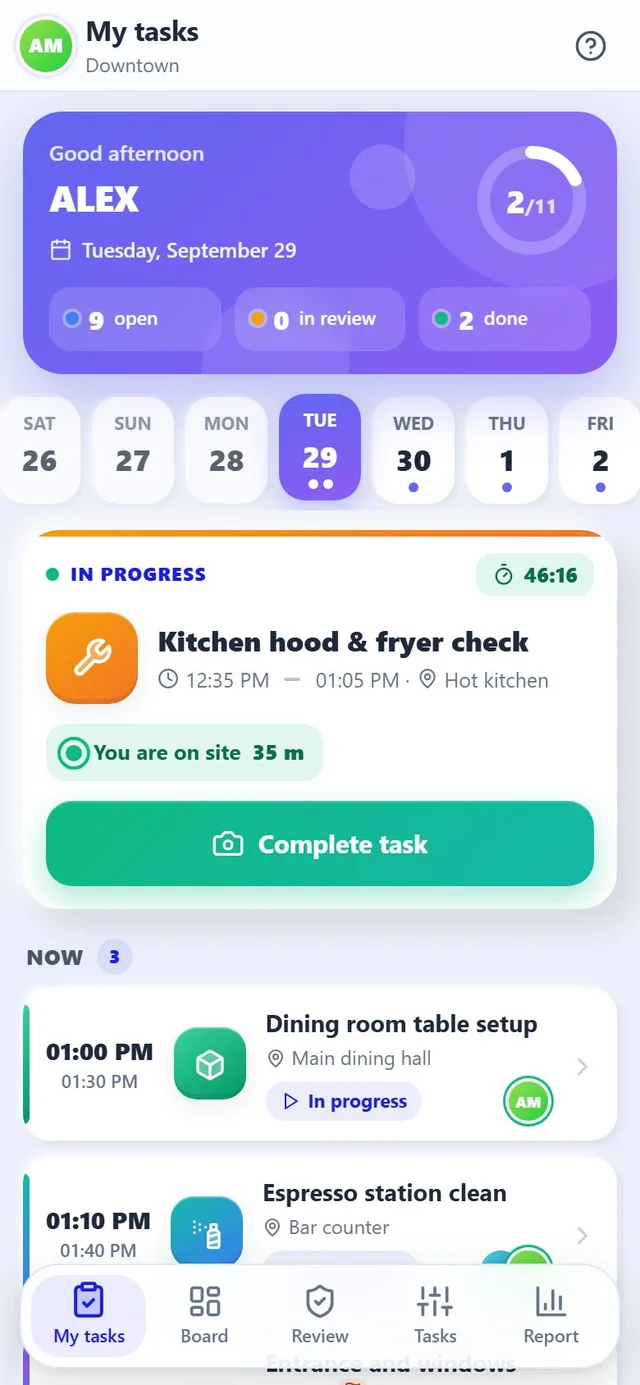
The task starts by itself when the person reaches the area, or with a single tap on "I'm here".
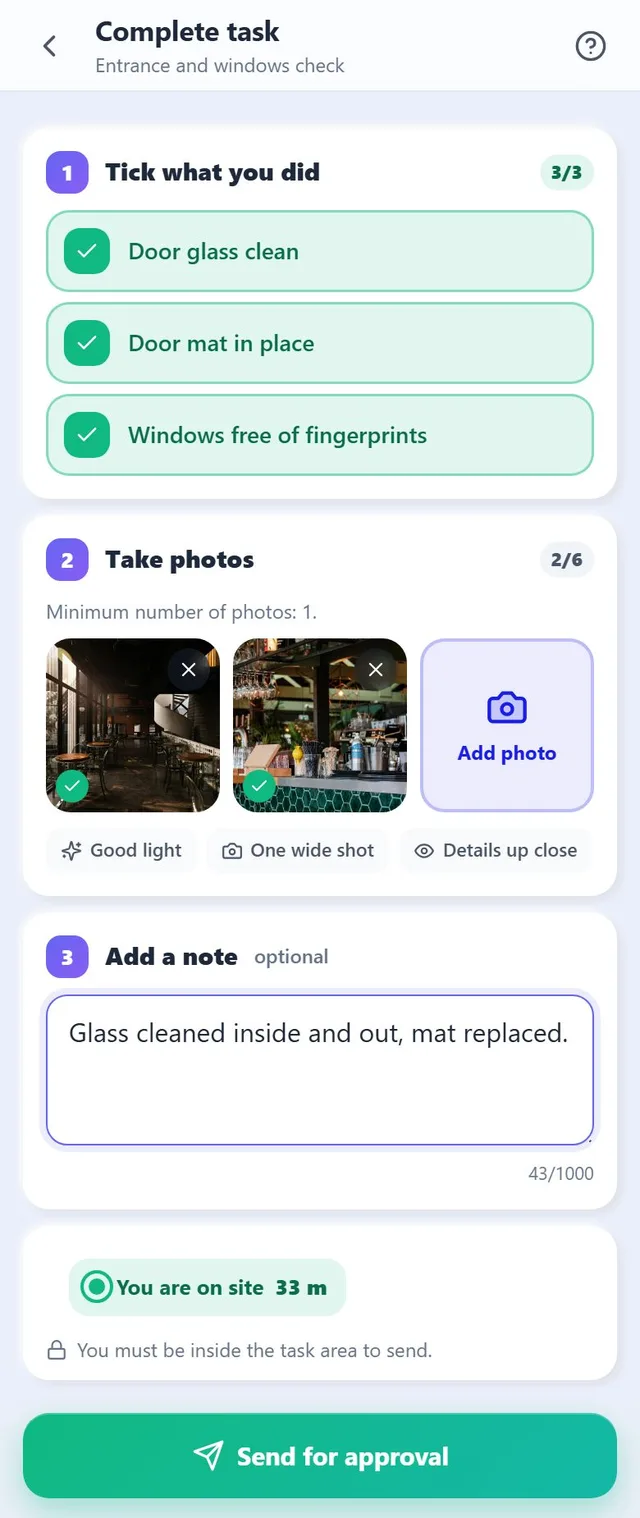
Tick the checklist, take photos and add a note. The location is recorded again when the proof is sent.
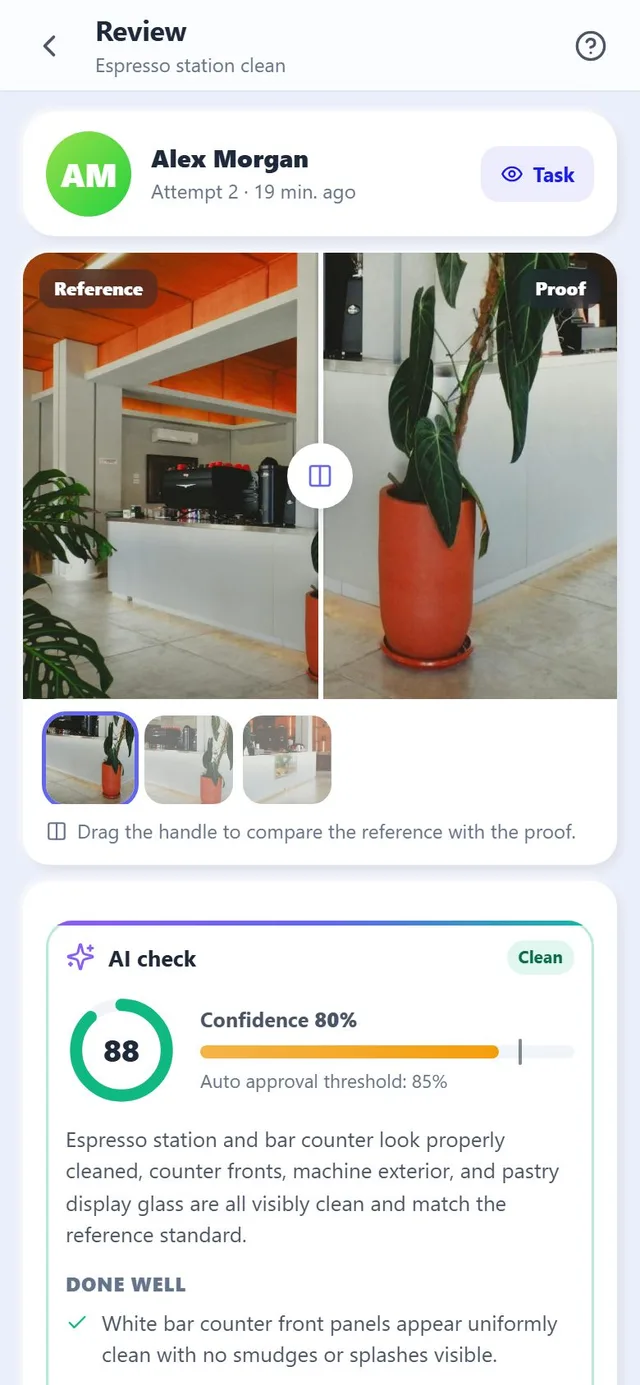
The photos are compared with the reference and scored from 0 to 100 with a confidence level.
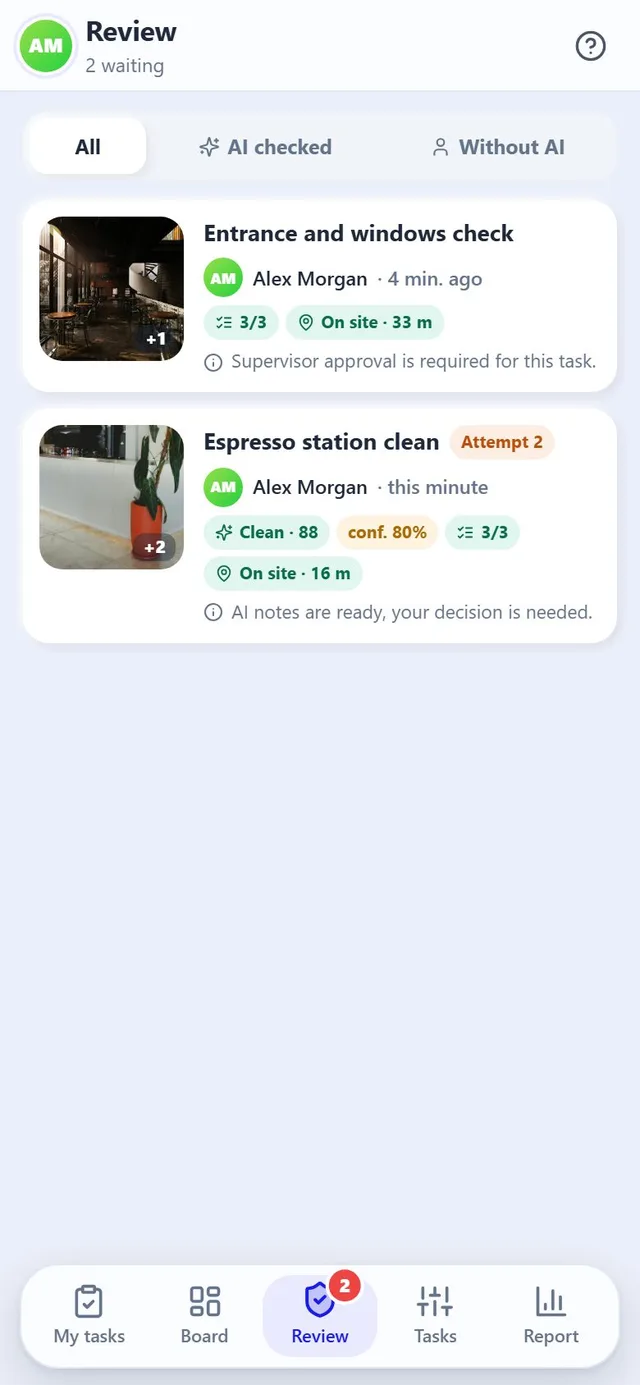
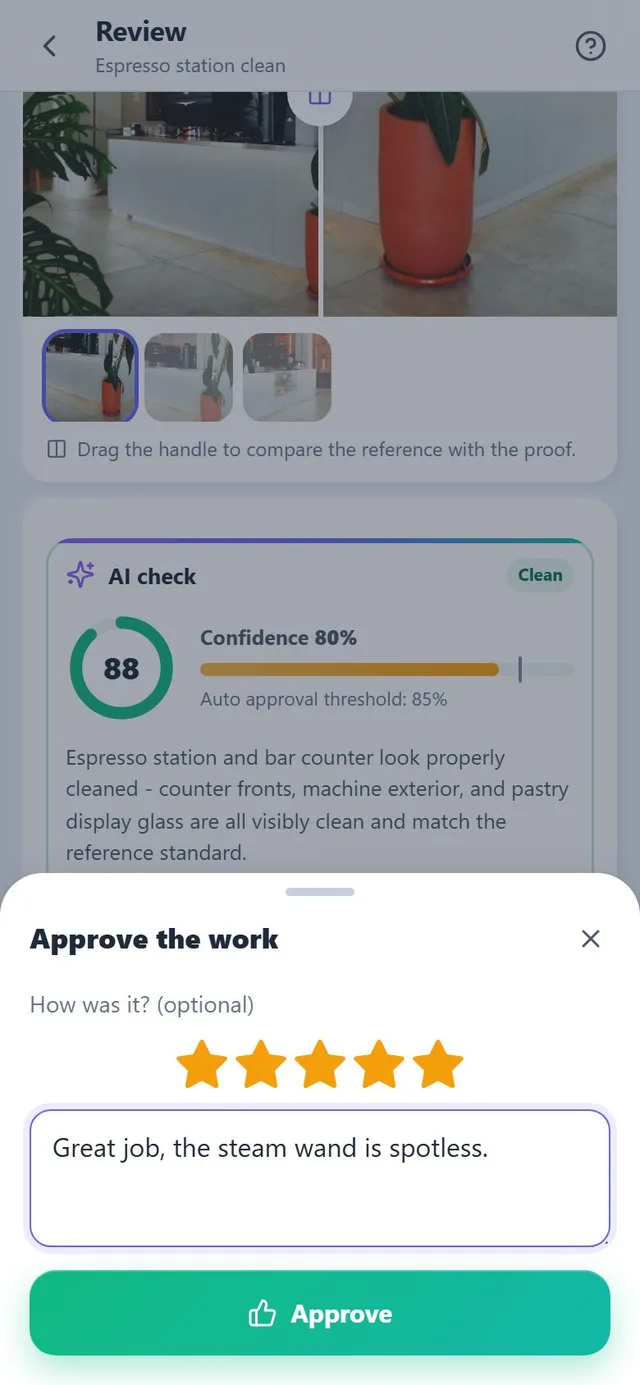
Automatically above the threshold, or by the supervisor with a rating or a note.
Staff open Shift Tasks inside the Restomas app they already use. The most urgent task sits on top, with a single button that says exactly what to do next.
Reference photos show the accepted state of each area. When proof arrives, the AI compares it with the reference, reads the checklist and the instructions, and returns a score from 0 to 100 with a confidence level and named findings.
Each AI check uses a small amount of your Restomas AI credit. When the credit runs out, tasks are never blocked: the work simply goes to the supervisor without the AI check and the owner is notified.
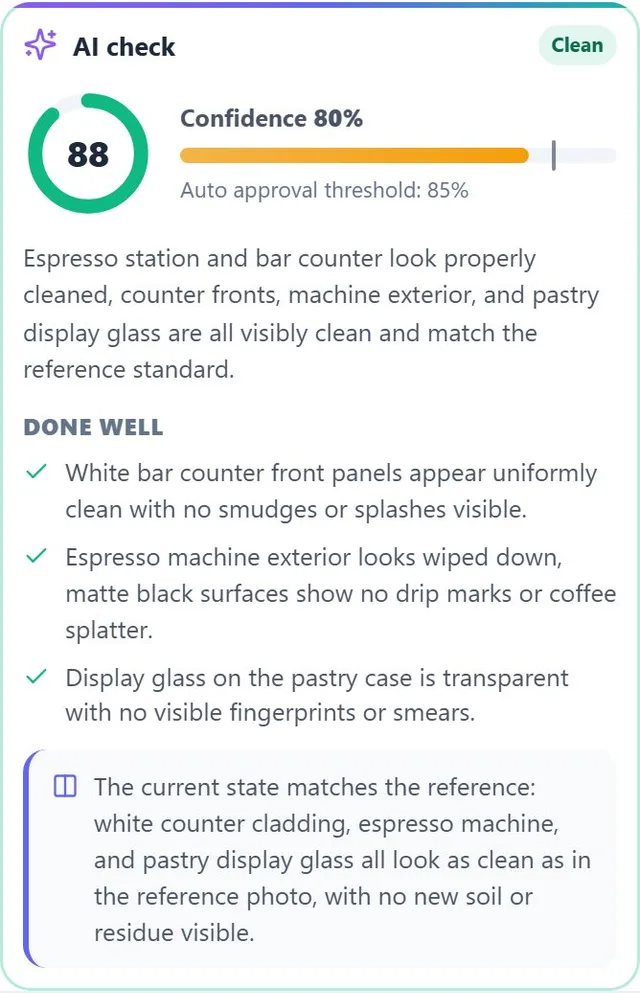
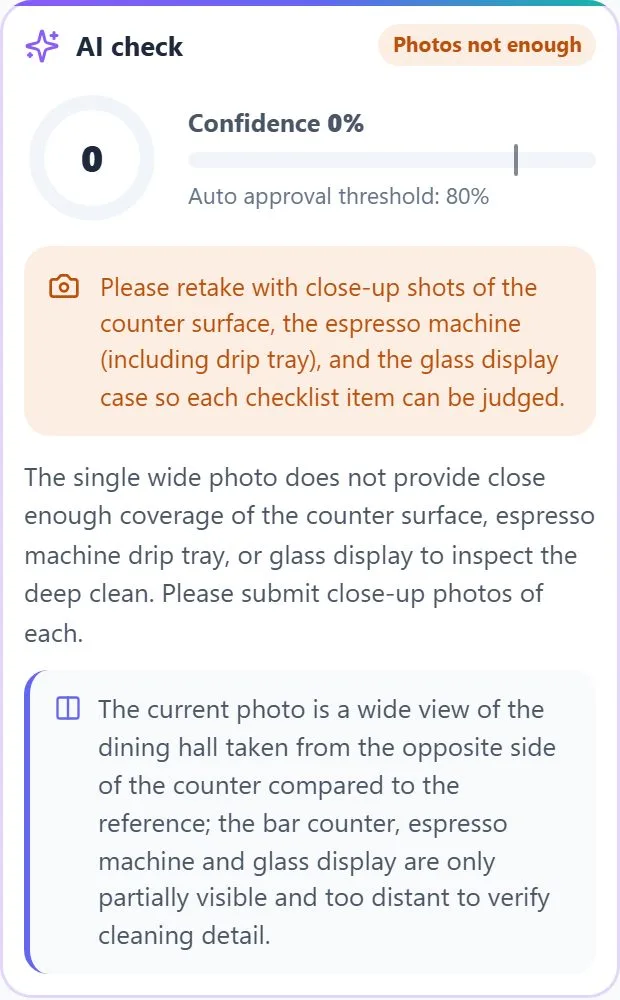
Only the records that need a human decision reach the Review tab. Each one says why: supervisor approval required, AI notes ready, or new photos requested.
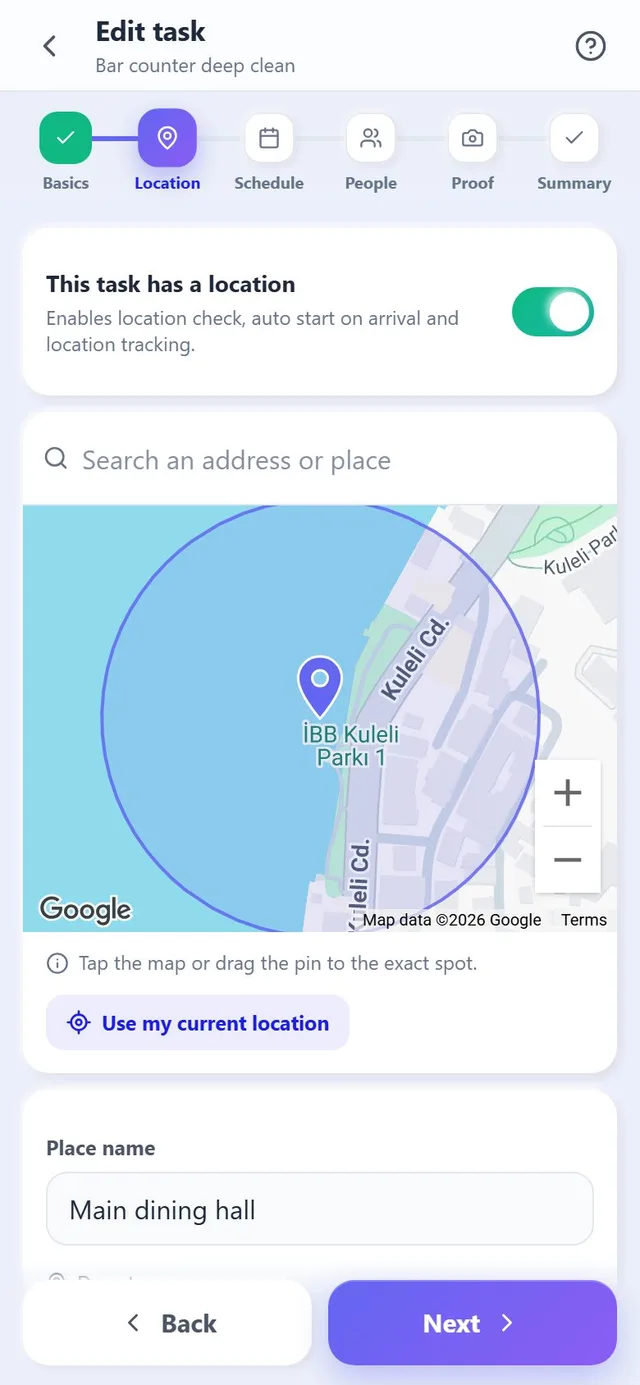
A six step wizard covers the basics, the location, the schedule, the people, the proof rules and a summary. Saving creates today's and tomorrow's tasks immediately.
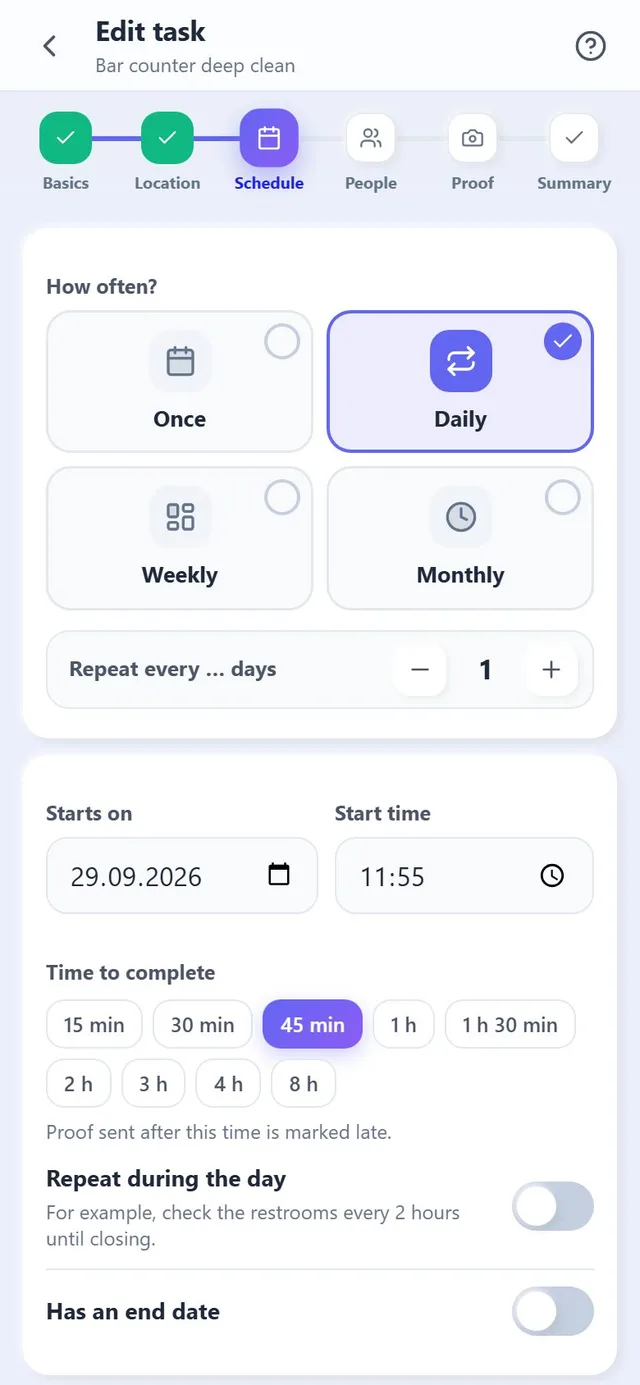
Once, daily, weekly or monthly, plus repeats during the day, such as a restroom round every two hours from opening to closing.
Search an address or drop the pin, set the area from 20 to 2000 metres and choose the location rule.
A shared task is one job for the team. An individual task gives each person their own copy and their own proof.
One switch stops new tasks from being created. Settings and history stay in place until you switch it back on.
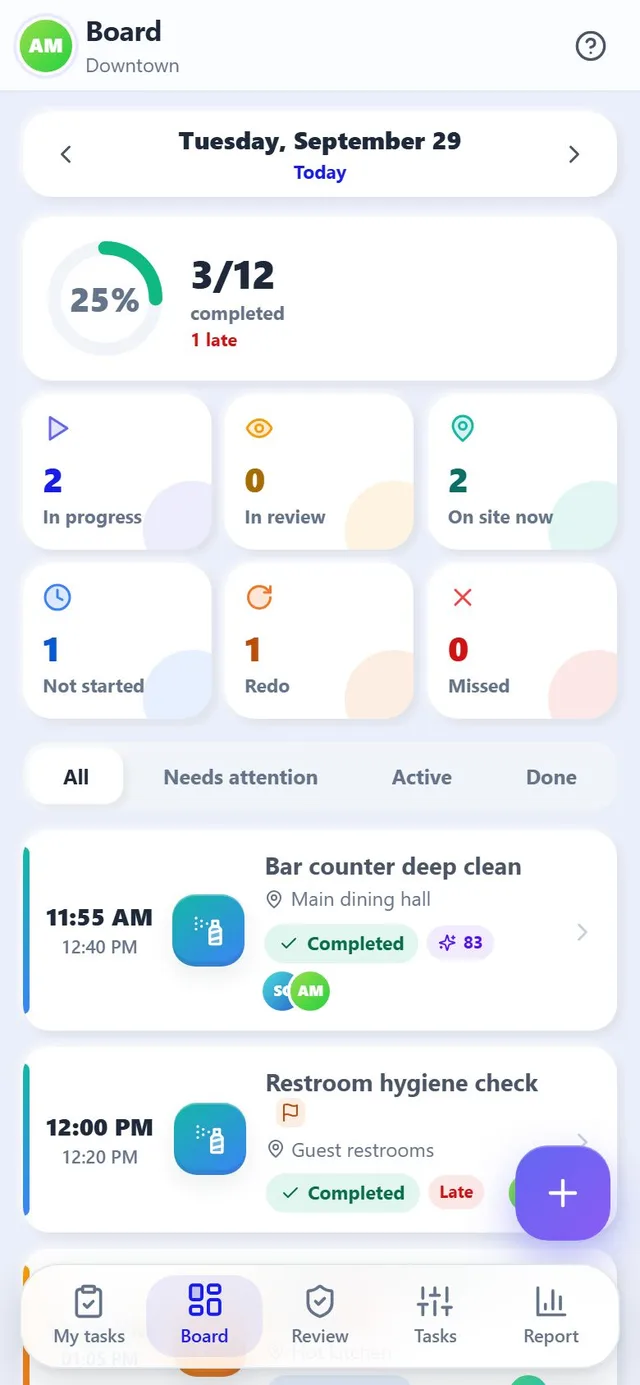
Counters for in progress, in review, on site now, not started, redo and missed, with filters for what needs attention.
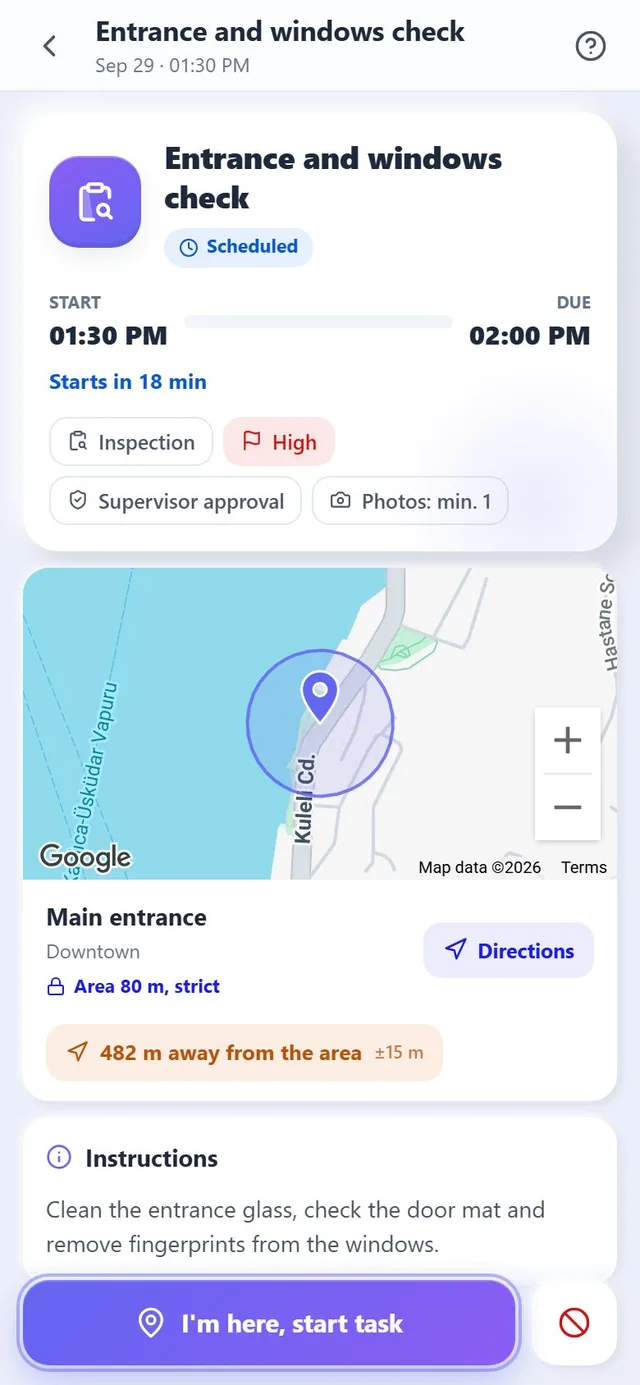
Not every task needs the same strictness. The rule belongs to the task, so a restroom round and a delivery handover can behave differently.
The task can be started anywhere. Starting outside the area is allowed but marked, and the supervisor sees it.
The task can only be started and completed inside the area. The app shows the distance until the person arrives.
For work that has no fixed place. Time, checklist, photos and approval still apply.
Privacy by design Location is read only while Shift Tasks is open on the screen and only for tasks the person has started. Nothing is recorded in the background or after the proof is sent.
The mode is set per task, so a simple routine and a critical inspection can live side by side.
The task is completed as soon as the proof is sent. For simple routines.
Every submission waits for the supervisor. For work that is hard to judge from photos alone.
Most tasks are approved automatically and only doubtful ones reach the supervisor. For everyday work with a clear standard.
The AI prepares its notes and the supervisor always decides. For important areas.
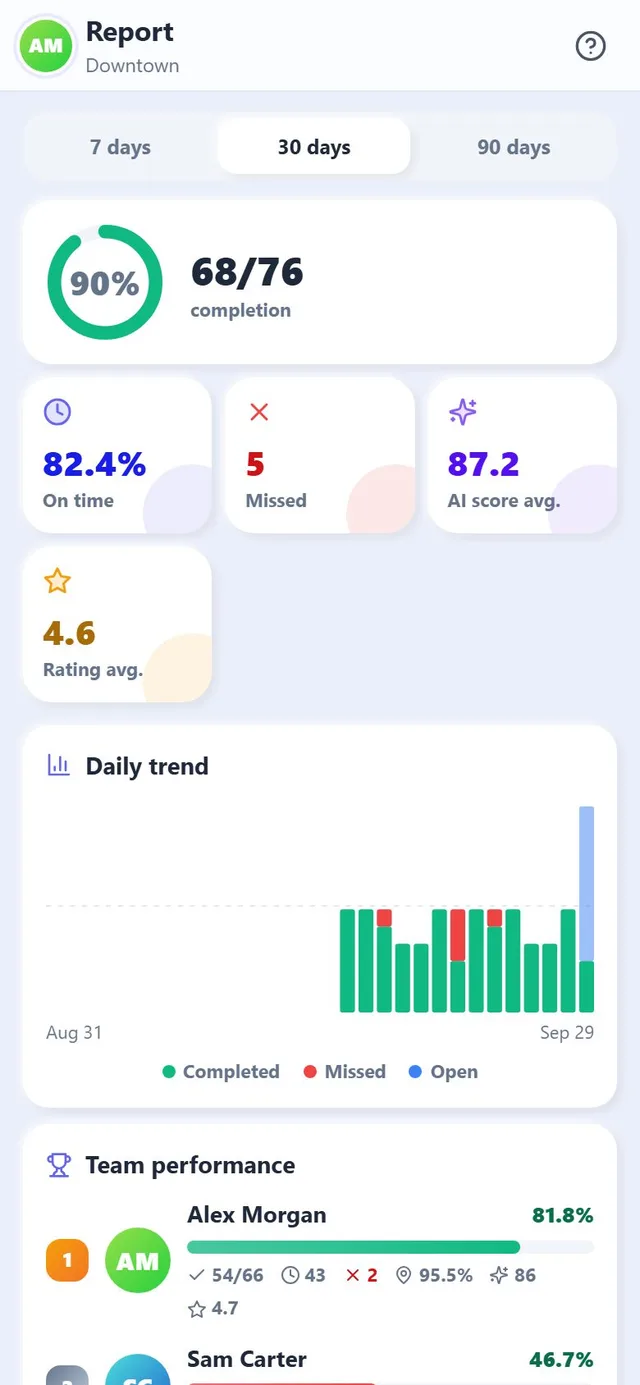
The Report tab shows the last 7, 30 or 90 days for the selected branch. Completion counts only tasks whose time has passed, so work still in progress never lowers the rate.
How much of the planned work was done, how much of it on time, and how many tasks were missed.
The average AI score of the checked photos and the average star rating given by supervisors.
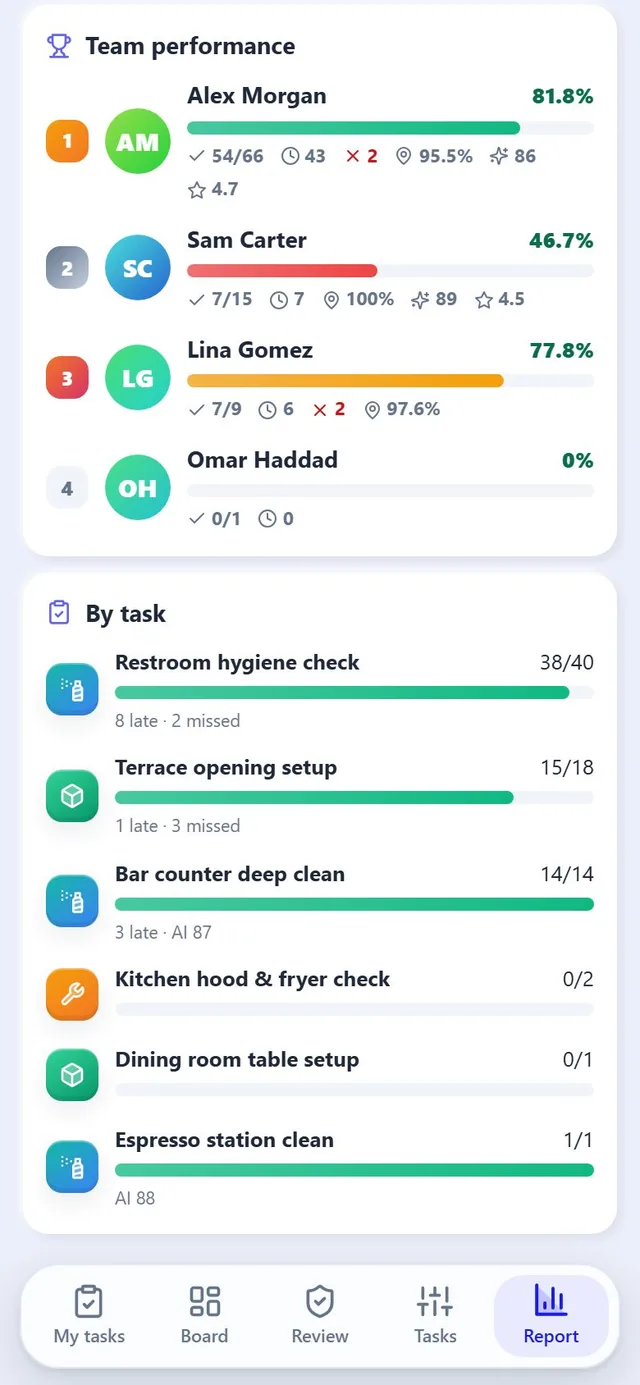
People ranked by completed tasks, with on time count, missed tasks, share of location checks inside the area, AI score and rating.
Which tasks are often late or missed, so you can adjust times or staffing.
Notifications arrive through the Restomas app. Tapping one opens the right task.
Designed for chains from day one, not adapted later.
Schedules, missed tasks, daily boards and report periods follow the branch's local time.
Tasks, AI notes and notifications appear in each person's language, including right to left layouts.
Tasks, areas, people and AI lessons belong to the branch, so one location never inherits another's exceptions.
Shift Tasks runs on the same accounts, branches, roles and notifications as everything else you use in Restomas.
Photo based cleaning inspections with a monthly hygiene score. The same AI eye, focused on cleaning.
ExploreThe same AI layer that writes your menu, campaigns and content also checks your shift work.
ExploreOrders, kitchen, stock, payments, loyalty and reporting in one place, on one login.
ExploreThe things teams ask us before they switch Shift Tasks on.
No. Location is read only while Shift Tasks is open on the screen and only for tasks the person has started. Nothing is recorded in the background or after the proof is sent.
The task can still be started and completed unless it uses the strict rule. The supervisor sees that the location was missing. Indoors, stepping near a window for a moment usually restores the signal.
On a shared task anyone on the team sends it once for everyone. On an individual task each person sends their own.
Proof can be sent until the task closes, that is the due time plus the late tolerance. After that the task is marked missed and the team, the creator and the supervisor are notified.
The AI note says what is missing, for example a close up of a specific surface. New photos in good light from the reference angle usually pass on the next attempt.
Yes. Changes apply to future occurrences right away. Tasks already started or sent keep their original settings, so nothing is lost.
Shift Tasks is part of the core platform, so there is no separate licence. Only the AI photo check consumes credit from your shared AI balance, and the operation never stops when that runs out.
Set up your first task today. Your team's phones do the rest.
Start free No credit card required to set up. Shift Tasks is included in the Restomas app.