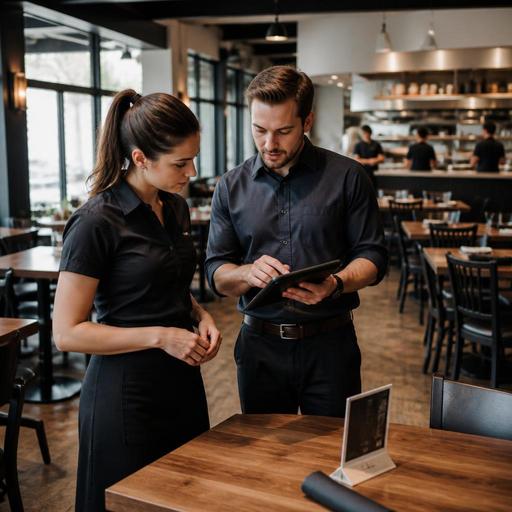
How U.S. Restaurants Onboard Servers Faster With Digital Menu and POS Training
Training new servers is expensive when it pulls managers off the floor, slows down service, and creates avoidable check errors. A faster digital menu and POS training process helps U.S. restaurant operators shorten ramp-up time without throwing new hires into a Friday dinner rush unprepared. Whether you run a neighborhood diner, a fast-casual chain, a hotel restaurant, or a multi-location bar-and-grill, the goal is the same: teach menu knowledge, ordering flow, and guest-facing tech in a way that sticks.
In the U.S., onboarding also touches real operational details such as tipped staff workflows, modifiers in the POS, split checks, curbside pickup handoff, delivery app ticket handling, and service charge versus tip communication. Those topics can involve federal, state, or local rules, so use your training system to standardize the workflow and verify current requirements with qualified advisors and official guidance where needed.
Start with the exact order journey your servers will use
Many managers train from memory instead of training from the actual guest journey. That creates gaps. A better approach is to map the order path from greeting to payment and teach each step in the same sequence it happens on the floor.
For a full-service suburban restaurant, that may include greeting the table, explaining specials, entering modifiers, firing courses, handling refires, splitting the check, processing card payments, and closing out tips. For a fast-casual concept with QR ordering at tables, the sequence may include helping guests scan the menu, answering questions about add-ons, checking the kitchen display system for bottlenecks, and monitoring pickup shelves for dine-in and takeout confusion.
Build training around these real steps:
- Menu discovery: what the guest sees first, including printed menus, QR menus, or table tents.
- Order entry: how the server selects items, modifiers, allergy notes, and course timing in the POS.
- Kitchen communication: what reaches the kitchen display system or printer and how to catch mistakes before they become remakes.
- Service recovery: how to handle an 86 item, delayed ticket, void request, or guest complaint.
- Payment and tip flow: how to present the check, manage split tabs, and close the ticket correctly.
When new servers understand the full path, they stop seeing the POS as a screen to memorize and start seeing it as part of service execution.
Use digital menus to cut menu memorization time
Most server training gets bogged down in memorizing every ingredient in every dish. That is rarely the fastest route. Digital menus can shorten the process because they create one source of truth for item names, descriptions, modifiers, and availability.
For example, a brunch cafe in Chicago can train new servers to use the digital menu as a live reference for side choices, milk alternatives, and bakery sellouts. A sports bar in Texas can show rookies how wing sauces, beer pairings, and game-day limited items appear to guests. A food truck can use a simple QR menu to train staff on combo structure and upsell logic without printing new materials every time pricing or inventory changes.
Digital menu training works best when managers focus on these areas:
- Top sellers first: teach the 20 items that drive most checks before covering the full menu.
- Modifier logic: show which items require temperature, side, sauce, protein, or allergy-related selections.
- Out-of-stock workflow: train staff to check live availability before promising an item.
- Visual pairing cues: use categories and add-on prompts to teach natural upsells.
- Guest access: make sure digital menus are easy to navigate on common mobile devices and consider accessibility needs. Operators should review ADA-related expectations and digital access practices with qualified guidance when appropriate.
This approach is especially useful in multi-location operations where one store may carry a regional LTO while another does not. A centralized digital menu reduces the “I thought we sold that here” problem that slows down training and frustrates guests.
Train POS skills by scenario, not by button
New servers do not struggle because they cannot find buttons. They struggle because they do not know what to do when the guest changes the order. Scenario-based POS training is far more effective than a simple screen tour.
Give trainees short U.S.-style practice drills such as:
- A four-top wants two appetizers, one entree with no onions, one kid's meal, and three separate checks.
- A lunch guest at a downtown fast-casual spot orders at the counter, then asks to switch from takeout to dine-in.
- A hotel restaurant guest wants breakfast charged to the room, while another guest at the same table pays separately.
- A bar guest keeps an open tab, adds food later, and wants to tip on the final closeout.
- A curbside pickup order arrives early and needs to be held while the kitchen finishes one missing item.
These drills teach the logic behind order entry, not just the taps. They also expose common failure points: wrong seat positions, missed modifiers, duplicate fires, open checks left in the system, and inaccurate tip entry at close.
If your operation uses delivery marketplaces plus direct online ordering, include both in onboarding. Servers and shift leads should know which orders are prepaid, where tickets appear, how pickup shelves are organized, and who owns guest communication when an order is late.
Build a 7-day onboarding plan managers can repeat
The fastest onboarding systems are repeatable. Instead of reinventing training for every hire, create a one-week structure that managers can run in any location.
Day 1: Menu and floor basics
Tour the dining room, expo line, pickup area, and service stations. Review top-selling menu categories, common allergens, and item availability workflow. If your business is subject to menu labeling requirements, such as in some chain contexts, confirm that managers use current official guidance and legal review where needed.
Day 2: POS fundamentals
Practice opening checks, entering core items, applying modifiers, transferring tables, and closing sample payments. Include sales tax and service charge workflow only as it applies operationally, and remind managers to verify setup rules locally.
Day 3: Live shadowing
The trainee follows a strong server during a medium-volume shift. Focus on greeting, pacing, and how digital tools support the floor rather than replace hospitality.
Day 4: Guided station work
The trainee takes a small section while a trainer reviews every order before it is sent. This is the best moment to reinforce kitchen display timing and error prevention.
Day 5: Payments and guest recovery
Practice split checks, reopened checks, void requests, discounts, and tip-close procedures. Because payroll, tip reporting, and service-charge treatment can vary by jurisdiction and setup, operators should confirm current requirements with payroll providers, accountants, or legal advisors.
Day 6: Digital order crossover
Teach how dine-in, takeout, direct online orders, and delivery app tickets interact. This matters in restaurants where servers are also answering phones, bagging takeout, or checking curbside pickups.
Day 7: Evaluation shift
Use a short checklist: order accuracy, modifier use, check handling, menu confidence, upselling, and recovery skills. Then assign one or two coaching priorities instead of overwhelming the new hire with ten corrections.
Make training easier across multiple U.S. restaurant formats
The right digital training system should fit your service model. A diner may need stronger coaching on substitutions and split checks. A QSR brand may care more about speed, combo logic, and handoff accuracy. An airport concession may prioritize compact menus, rush-hour throughput, and mobile payment flow. A stadium venue may focus on line-busting, limited modifiers, and quick POS repetition. A hotel restaurant may need room-charge workflow and breakfast-to-dinner menu transitions.
Across all formats, the best onboarding question is simple: What mistakes cost us the most time during a live shift? Train those first. Usually that means modifier errors, poor order routing, payment confusion, and weak knowledge of the digital menu.
When your menu, POS workflow, and order channels are organized in one clear operating system, managers spend less time repeating themselves and new servers gain confidence faster. Restomas helps restaurants bring digital menus, ordering flow, and operational visibility into one place so training can become more consistent from shift to shift and location to location.
