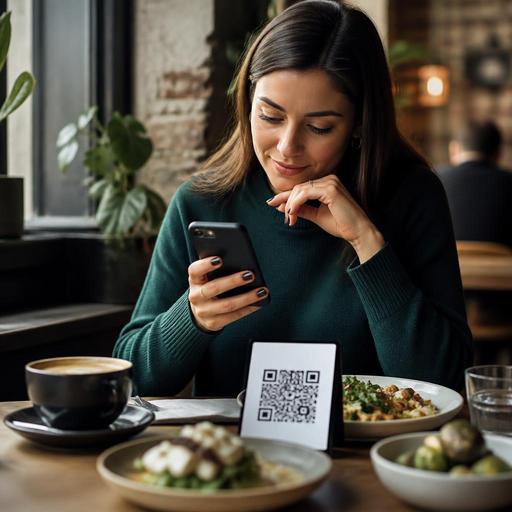
How Menu Category Order Shapes QR Menu Scanning and Orders
Menu category order has a direct effect on how guests scan a digital menu, what they notice first, and which items they eventually order. In QR menus especially, guests rarely read from top to bottom with equal attention. They skim, jump, compare, and make fast decisions based on visual hierarchy, appetite cues, price comfort, and how easily they can find what they want. For restaurant owners, that means category order is not a cosmetic choice. It is an operational and sales decision.
When a guest opens a menu on a phone, the first few categories set the tone for the entire experience. If the order feels intuitive, the guest moves smoothly. If it feels confusing, too long, or badly prioritized, the guest may scroll aimlessly, ask staff basic questions, or settle for a familiar low-margin item. A better category sequence can reduce friction, support upselling, and help the dining room run more efficiently without changing the food itself.
Why guests do not scan menus in a neutral way
Most guests approach a digital menu with a goal, not with infinite patience. One person wants a quick lunch and checks mains first. Another is sharing with friends and looks for starters and drinks. A family may search for kids' options immediately. A late-night guest may skip food and go straight to cocktails or desserts. This behavior matters because digital menus encourage selective scanning rather than full reading.
In practice, guests often follow one of these patterns:
- Goal-first scanning: They look for a specific category such as burgers, pasta, coffee, or desserts.
- Price-first scanning: They open the menu and quickly judge affordability from the first visible items.
- Mood-first scanning: They are open to suggestions but respond strongly to tempting names, photos, and highlighted sections.
- Group-first scanning: They search for items that work for sharing, children, dietary needs, or drinks.
If your category order ignores these behaviors, the guest does extra work. Extra work on a phone screen often means lower attention and weaker conversion. A menu should guide scanning, not merely store information.
How to choose the right category sequence for your restaurant
There is no universal perfect order. The best sequence depends on your service model, daypart, and strongest revenue opportunities. A cafe at 8 a.m. should not present its menu the same way as a casual dining restaurant at 8 p.m. The practical question is simple: What does the guest most likely want first, and what should the business help them notice next?
For example, a neighborhood cafe might lead with coffee, breakfast, and bakery in the morning, then switch emphasis later toward sandwiches, desserts, and cold drinks. A burger restaurant may place signature burgers first, then sides, then drinks, then desserts. A seafood venue may start with cold starters and signature mains because those categories define the brand and shape guest expectations.
A useful way to decide is to rank categories by four filters:
- Guest intent: What are most guests trying to find first?
- Brand identity: Which category best represents your concept?
- Margin opportunity: Which categories deserve visibility because they support profitability?
- Operational flow: Which sequence helps guests build a logical order with fewer staff interventions?
If one category scores high across all four, it probably belongs near the top. If a category is legally or operationally necessary but rarely chosen first, it may belong lower down while still remaining easy to access.
Practical examples of category order that improves decisions
Consider a brunch restaurant with these categories: breakfast plates, eggs, pancakes, sandwiches, coffee, fresh juices, desserts, and kids' menu. If guests usually arrive wanting coffee immediately but the menu begins with a long list of food sections, many will scroll before finding drinks. A more practical order could be coffee, breakfast favorites, eggs, pancakes, sandwiches, juices, kids' menu, desserts. This reflects real guest behavior: drink first, core meal second, add-ons after.
Now consider a quick-service kebab shop offering wraps, plates, sides, drinks, desserts, and family bundles. If bundles are profitable and reduce ordering time for groups, they should not be buried at the bottom. Putting family bundles near the top can simplify decisions for groups and reduce back-and-forth questions at the counter.
Another example is a full-service restaurant where appetizers are central to the dining style. Leading with signature starters can encourage sharing and increase table engagement, but only if mains remain easy to find. If guests must scroll through too many subcategories before seeing core entrees, the menu becomes tiring. In that case, use concise category names and keep the number of top-level sections manageable.
Category order can also help with dietary clarity. If vegetarian, vegan, gluten-free, or kids' options are important for your audience, hiding them deep in the menu creates unnecessary friction. They do not always need to be first, but they should be clearly labeled and easy to reach.
Common menu ordering mistakes that hurt guest experience
Many restaurants organize menus around internal logic rather than guest logic. The kitchen may think in preparation stations, accounting may think in product groups, and staff may think in ticket structure. Guests do not. They think in cravings, context, and convenience.
Watch for these common mistakes:
- Too many top-level categories: A long menu directory feels heavier on mobile and makes scanning harder.
- Weak category names: Labels such as “specialties” or “favorites” can be vague if they do not explain what is inside.
- Low-priority sections placed first: Policies, merchandise, or rarely ordered items should not block the path to core food and drinks.
- Ignoring daypart behavior: Lunch, dinner, and late-night guests often scan differently.
- Burying high-intent items: If guests commonly ask for combos, kids' meals, or non-alcoholic drinks, those sections should be easier to find.
Another mistake is leaving category order unchanged for months even when demand patterns shift. Seasonal menus, tourist traffic, local events, and delivery-heavy periods can all change what guests search for first. Digital menus give restaurants the flexibility to adapt faster than printed menus, so the structure should evolve when reality changes.
How to test and improve category order without guesswork
The best menu structure usually comes from observation and small adjustments, not assumptions. Start by asking your floor team a few simple questions. What do guests ask for most often before ordering? Which items are hard to find? Where do guests hesitate? Which categories lead to add-on sales? Staff feedback is often the fastest source of insight because they hear confusion in real time.
Then review your menu from the guest's perspective on an actual phone. Open the QR menu, start from the top, and count how many swipes it takes to reach the most common categories. If the path feels longer than expected, simplify it.
You can also take practical actions like these:
- Place the highest-intent category first for each service period.
- Move profitable add-on categories earlier when they naturally support the meal, such as drinks, sides, or desserts.
- Rename unclear categories using direct language guests understand instantly.
- Reduce top-level clutter by combining overlapping sections.
- Review staff questions weekly to identify where menu navigation is failing.
- Adjust by daypart or season if your digital menu system allows flexible updates.
Platforms such as Restomas make this process easier because digital menu management lets operators update category order, item visibility, and service-period structure without reprinting menus or retraining guests from scratch. That flexibility is valuable not just for marketing, but for smoother service and clearer guest decisions.
In the end, menu category order is about reducing decision friction. A guest who finds the right section quickly feels more confident, orders more smoothly, and needs less help from staff. For the restaurant, that can mean better flow, stronger presentation of signature items, and a menu that behaves more like a guide than a list. If your QR menu feels busy or guests keep asking where things are, the problem may not be the dishes. It may be the order in which you present them.
If you want to make your digital menu easier to scan and easier to manage, Restomas can help you organize categories around real guest behavior.
