Digital Allergen Notes for Independent U.S. Restaurant Menus
Digital allergen notes for independent U.S. restaurant menus can do more than answer guest questions. When they are organized clearly, they help servers handle allergy conversations with more confidence, reduce kitchen miscommunication, and make takeout and online ordering less risky. For U.S. restaurant operators, the goal is not to promise that every dish is safe for every guest. The goal is to present menu information in a consistent, easy-to-update format and back it up with a real workflow from the dining room to the line. Operators should always verify current federal, state, and local requirements with qualified advisors and official guidance.
Start with a practical allergen note structure
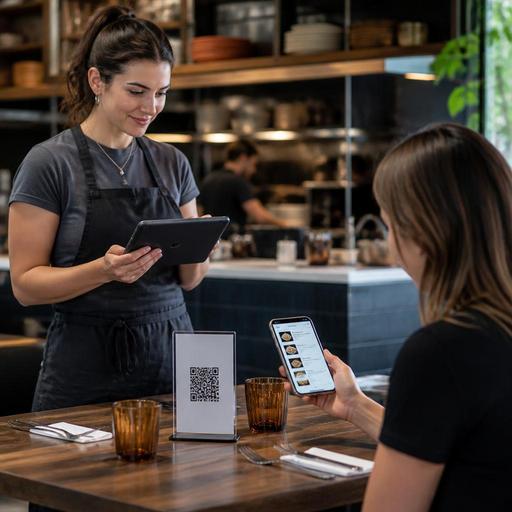
Many independent restaurants begin with scattered notes like contains nuts on one item, gluten-free option available on another, and no note at all on a third. That creates confusion for guests and staff. A better setup is to use the same note structure on every item in your digital menu, whether the guest sees it on a QR menu, direct online ordering page, or a tablet at the host stand.
A simple structure often works best:
- Contains: ingredients commonly asked about, such as milk, egg, wheat, soy, peanuts, tree nuts, fish, shellfish, or sesame when relevant to your menu
- Can be modified: for example, no cheese, sauce on the side, bun swap, or dressing removed
- Cross-contact note: a short operational disclaimer if items share fryers, grills, prep tables, or utensils
- Staff instruction trigger: a prompt such as please tell us about severe allergies before ordering
For example, a neighborhood burger shop in Ohio might list a fried chicken sandwich with contains wheat, milk, and egg, then add can be modified without pickles or mayo, and a separate note that fries share a fryer with breaded items. A small taqueria in Texas might note that corn tortillas do not automatically mean a dish is safe for every gluten-sensitive guest if the griddle and prep area are shared.
The key is consistency. If one salad gets a full note and another gets none, staff will end up answering the same questions at the table, over the phone, and at pickup.
Build one source of truth between menu, POS, and kitchen
Allergen notes become unreliable when the dining room menu, third-party delivery apps, direct ordering site, and POS all say different things. Independent operators should choose one internal source of truth and then push the same language everywhere possible.
In practice, that means reviewing each menu item with both kitchen and front-of-house input. The chef or kitchen lead can confirm ingredients, substitutions, marinades, breading, fryer use, and prep surfaces. The general manager or service lead can make sure the wording is understandable for guests and usable by servers.
Here is a practical workflow:
- Export or print your full menu by item, modifier, and add-on.
- Review every base recipe and every common substitution.
- Standardize allergen labels and note wording.
- Update your digital menu first, then sync the same notes to direct online ordering and POS modifiers where possible.
- Review third-party delivery marketplace listings and correct any missing notes.
- Train staff to rely on the current digital version, not memory or old printed sheets.
A fast-casual bowl concept in California, for example, may have safe-looking menu categories that become complicated once guests add crispy onions, spicy aioli, or a packaged dessert at checkout. If modifiers are not included in the allergen review, the guest sees only part of the picture. The same issue shows up in coffee shops where milk alternatives, pastry case items, and seasonal syrups are managed separately from the core menu.
For operators with multiple locations, do not assume every store handles the same recipe the same way. One location may use a shared fryer while another has a separate fryer for fries. One bar may garnish cocktails with a nut-containing syrup while another does not. If your stores differ, your digital menu notes should reflect location-level reality.
Write guest-friendly notes without overpromising
Guests want clarity, but restaurants should avoid language that sounds like a blanket guarantee. Phrases like allergy safe or completely free from cross-contact can create risk if your operation cannot support that claim. Instead, use clear, plain English that explains what is in the dish and what your team can modify.
Good digital allergen notes are:
- Specific: say contains shrimp and butter instead of may contain allergens
- Short: guests ordering on phones should not need to open multiple screens
- Operationally true: if a sauce is pre-mixed, do not imply it can be removed
- Paired with action: prompt guests to alert staff about severe allergies
Think about real U.S. ordering situations. A diner guest scanning a QR menu from a booth may want to know whether the pancake batter already contains milk and egg. A family placing curbside pickup for a suburban pizza shop may need to know whether wings and fries share fryer oil. A hotel restaurant serving banquet leftovers at the lobby bar may need item-level notes that change by event menu. Clear notes reduce back-and-forth, especially during rush periods.
Accessibility matters too. If your digital menu is hard to read on a phone, allergen notes will not help much. Keep note placement consistent, avoid vague icons without text, and make sure guests can access information without unnecessary taps. ADA-related expectations can vary by context, so operators should review current accessibility practices and local requirements with qualified advisors when needed.
Train the service and kitchen teams around the notes
Digital menus do not replace staff communication. They should make it better. Servers, cashiers, bartenders, and hosts need to know what the notes mean, when to escalate questions, and how to mark an allergy order inside the POS or kitchen display system.
A simple training standard can include:
- Never guess about ingredients or prep methods
- Use the digital menu and recipe reference as the current source
- Repeat the guest concern back clearly on the check or tab
- Flag the order in the POS so the kitchen sees it on the kitchen display system or printed ticket
- Know which manager or kitchen lead handles severe allergy questions
For example, in a New York bagel shop, a cashier taking a takeout order should know that removing granola from a yogurt bowl is not the same as promising no nut cross-contact if the topping station is shared. In a Nashville bar with late-night food, bartenders entering orders should know how to flag a shellfish allergy on a fried appetizer ticket, not just mention it verbally.
Also review how allergy notes appear on direct online orders, delivery app tickets, and pickup shelf packaging. If a guest adds an allergy note at checkout, someone must see it before the order is bagged. During busy lunch rushes, missed notes often happen at handoff points, not in the actual cooking step.
Set a review routine so notes stay accurate
Allergen information gets outdated fast. A new vendor bun, a seasonal dessert, a limited-time sauce, or a switch in fryer setup can make old notes wrong. Independent restaurants should treat allergen notes like pricing or sold-out status: something that needs routine maintenance.
Set a review schedule around real operating moments:
- Before seasonal menu launches
- When changing suppliers or packaged ingredients
- When adding limited-time offers
- When opening online ordering for a new daypart
- When a location changes prep flow or equipment use
This is especially important for food trucks, airport concessions, and stadium venues where menus may be compressed, storage is tight, and substitutions happen quickly. It also matters for chains that may need broader menu labeling review as they grow. Operators should verify any FDA menu labeling obligations, as well as state or local disclosure rules, through official guidance and qualified advisors before relying on a digital setup alone.
Independent restaurants do not need a complicated legal document to improve allergen communication. They need a repeatable system: one menu structure, one source of truth, staff training, and regular updates. When digital allergen notes are built into daily operations, guests get clearer information and teams make fewer avoidable mistakes.
Restomas can help restaurants keep digital menus, modifiers, and ordering workflows aligned so allergen notes are easier to maintain across channels.
