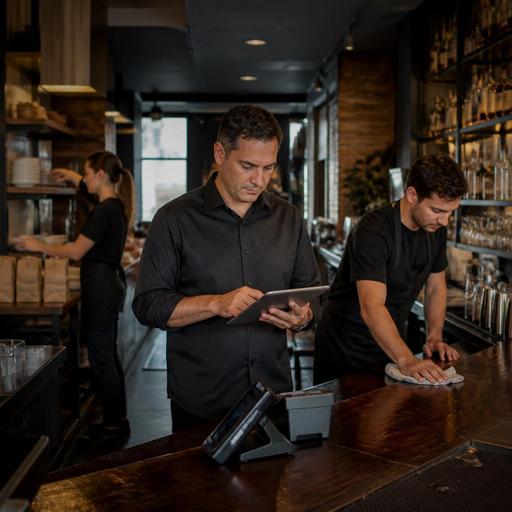
Digital Closing Checklists for U.S. Restaurants and Bars
Digital closing checklists for U.S. restaurants and bars can turn a rushed end-of-night routine into a repeatable operating system. For independent restaurants, neighborhood bars, food trucks, hotel outlets, and multi-location groups, the close is where small misses become next-day problems: a server tip-out question, a POS batch left open, a cooler temperature not logged, a pickup shelf left cluttered, or a prep station not reset for the breakfast crew. A digital checklist helps operators standardize those steps, assign ownership, and create a record of what was actually completed.
In many U.S. operations, closing is not just about cleaning. It often includes cash drawer counts, card terminal review, tip reporting workflows, alcohol storage, online ordering shutoff, delivery app menu availability, kitchen line breakdown, waste notes, and labor handoff details. The goal is not to create more admin. The goal is to make sure the last 30 to 90 minutes of the shift do not depend on memory.
Why paper closing sheets break down in real U.S. operations
A paper checklist taped near the expo line may look simple, but it usually fails where restaurant teams need the most consistency. A sports bar may have one closer for the dining room, one for the bar, and another for the kitchen. A fast-casual shop may close the dining room before the pickup shelf and takeout station are fully shut down. A food truck may need separate shutdown steps for generator power, commissary return items, and mobile payment devices. When those details live on paper, managers often find out about missed tasks only after an opening problem appears.
Digital checklists work better because they can be tied to roles, dayparts, and locations. A downtown burger bar can use one checklist for weekdays and another for late-night weekends. A hotel restaurant can assign different close tasks to the bar lead, kitchen supervisor, and overnight stewarding team. A multi-unit operator can compare whether each location completed the same core close while still allowing store-specific steps.
They also improve accountability without adding unnecessary friction. Instead of asking, Did someone wipe the QR table tents, close out the patio, and restock the to-go ramekins? the manager can see which tasks were marked complete, when they were done, and where follow-up is needed.
What a strong digital closing checklist should include
The best checklist is not just a long list of chores. It is a structured handoff between the closing shift and the next operating period. Start by dividing tasks into clear sections so closers do not miss steps while bouncing between front of house, bar, kitchen, and admin work.
- Front of house close: reset tables, sanitize menus or QR table tents, clean host stand, restock receipt paper, check pickup shelf, verify curbside pickup staging area is clear, lock patio furniture or barriers if applicable.
- Bar close: count drawers, secure liquor, clean taps and wells, record breakage or comps for manager review, restock garnishes list for the next shift.
- Kitchen close: label and store product, line breakdown, fryer filtering if part of your routine, temperature logs, waste notes, dish area reset, kitchen display system screen review, next-day prep shortages.
- POS and payment close: close checks and tabs, review open tickets, confirm card terminals and payment devices are docked or charged, verify online ordering hours, and make sure any payment settlement workflow is completed according to your processor and internal procedures.
- Staff and reporting close: tip-out workflow, sidework completion, incident notes, maintenance issues, labor handoff, and shift notes for the opening manager.
For U.S. operators, this is also where workflow clarity matters. For example, service charges and tips are not the same thing operationally, and the way they appear in POS reporting can affect end-of-shift review. Managers should build checklist steps that match their own setup and verify current federal, state, and local rules with qualified advisors and official guidance when questions involve tip reporting, payroll treatment, or wage-and-hour requirements.
How to design the checklist so staff will actually use it
If the checklist is too vague, it becomes meaningless. If it is too detailed, closers will click through it without doing the work. The practical middle ground is to write tasks in observable language and assign each one to a role.
Use role-based ownership
Instead of one giant manager list, assign tasks to the bartender, closing server, line lead, dishwasher, and shift manager. A casual Mexican restaurant in Texas may assign salsa station breakdown to the kitchen closer, patio sweep to the server closer, and margarita machine cleaning to the bar closer. A New York coffee shop may have separate close steps for pastry case counts, mobile order tablet shutdown, and milk pitcher sanitation.
Write tasks as visible outcomes
Replace “clean dining room” with “wipe tables, sweep under booths, sanitize high chairs, restock napkins, and confirm no guest items remain.” Replace “check online orders” with “confirm direct ordering site and delivery apps are set to closed at the correct time and clear any unclaimed pickup orders.” Specific tasks reduce assumptions.
Include exception reporting
A checkbox alone is not enough. Add a way to note problems such as “walk-in cooler gasket torn,” “two handhelds not charging,” or “bar sink draining slowly.” This gives the opening manager and ownership team a usable record instead of relying on a text message sent at midnight.
Where digitization helps most: handoffs, consistency, and multi-location control
The biggest gain from digitizing the close is not that tasks move from paper to screen. It is that operators can connect the checklist to the rest of the shift workflow. If your restaurant already uses QR ordering, a POS, kitchen display system, reservations, or direct online ordering, your close should reflect those systems.
For example, a fast-casual chicken concept might include these digital handoff checks:
- Pause online ordering at the correct time for direct pickup orders.
- Confirm delivery app menus are unavailable after the kitchen cutoff.
- Clear the pickup shelf and discard any abandoned orders according to store policy.
- Review KDS for lingering tickets or bumped items needing manager review.
- Dock tablets, scanners, and handheld payment devices for charging.
A full-service bar and grill might add steps for open tabs, tip adjustment review, private event notes, and reservation system updates for the next day. A hotel restaurant may need room-charge reconciliation and communication with the front desk. An airport concession may need tighter shutdown timing, security-sensitive storage, and strict next-shift readiness because opening windows are non-negotiable.
Multi-location groups benefit even more. Standardized digital closing checklists let regional managers compare completion habits across stores, identify recurring misses, and update one process across every unit. If three locations keep missing end-of-night sauce par levels or card reader charging, that is not just a staff issue. It may signal a training gap or a flawed close sequence.
How to roll out a digital closing checklist without staff pushback
Start small. Do not digitize every task in the building on day one. Begin with the tasks that create the most expensive or disruptive next-day problems. In many U.S. restaurants, that means payment closeout, open checks, food storage, cleaning verification, and online ordering shutdown.
- Week 1: map your current closing routine by role and station.
- Week 2: remove duplicate or low-value tasks and rewrite vague items.
- Week 3: test the checklist with one manager and one closing team.
- Week 4: review missed items, shorten where needed, and train all closers.
Keep access simple. Staff should be able to complete the checklist on a phone or store device without hunting through multiple apps. Make sure the workflow is practical for real restaurant conditions, including low battery devices, spotty back-of-house connectivity, and late-night staffing constraints.
Also think about accessibility. If your team uses digital tools for operational tasks, the experience should be usable for the employees assigned to complete them. If your guest-facing workflow includes QR ordering or digital receipts, operators should also consider accessible alternatives and verify current ADA-related expectations with qualified counsel or official guidance where needed.
A good closing checklist should save management time, reduce opening surprises, and improve shift-to-shift trust. When connected to your POS, ordering flow, and daily operating rhythm, it becomes more than a checklist. It becomes a cleaner handoff between service, payments, kitchen reset, and tomorrow’s revenue. Restomas can help operators bring those end-of-day workflows into one more organized digital system.
