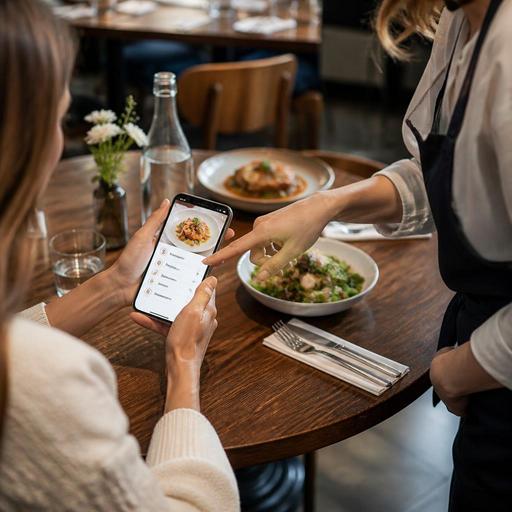
Digital Menu Allergen Information for Restaurants: Clear, Practical Setup
Displaying allergen information on digital menus is no longer just a design choice. It is part of how restaurants protect guests, reduce ordering mistakes, support staff, and build trust at the table. A digital menu gives operators more flexibility than printed menus, but that flexibility only helps when allergen details are structured clearly, updated consistently, and easy for guests to find before they order.
For restaurant owners and managers, the goal is practical: make allergen information visible without making the menu confusing. Guests should not need to guess whether a sauce contains dairy, whether a fryer is shared, or whether a dessert includes nuts through garnish. The best digital menus answer these questions early and in plain language.
Start with a clear allergen structure, not scattered notes
Many restaurants make the same mistake when moving allergen details online: they add one small note at the bottom of the menu and assume that is enough. In practice, guests need allergen information at the item level. A short disclaimer may still be useful, but it should never replace clear dish-specific labeling.
A practical setup is to build allergen information in layers:
- Menu category level: helpful guidance such as "contains many dairy-based items" or "fried items may use shared equipment."
- Item level: direct allergen tags for each dish, such as milk, eggs, peanuts, tree nuts, soy, wheat, fish, shellfish, or sesame, depending on your market and menu.
- Modifier level: notes for optional add-ons, sauces, dressings, toppings, and side choices that may change allergen exposure.
- Preparation note level: operational notes such as shared fryer, shared grill, or possible cross-contact areas.
For example, a grilled chicken bowl may appear straightforward, but the marinade may contain soy, the dressing may contain egg, and the crispy topping may contain sesame. Listing only the base item is not enough. The digital menu should reflect the real final dish as sold.
Use guest-friendly wording that people can understand quickly
Digital menus often fail when allergen information is technically correct but hard to interpret. Guests scanning a QR menu at the table are making fast decisions. They need simple language, consistent labels, and a predictable layout.
Instead of hiding details in a long paragraph, use short, repeatable formats. For example:
- Contains: milk, wheat, egg
- May involve shared equipment: fryer used for shellfish and breaded items
- Optional add-on contains: sesame dressing
This is easier to understand than vague wording such as "please ask staff for allergen details" or "allergy information available upon request." Guests with serious allergies often decide whether a restaurant feels safe based on how directly the menu communicates.
Consistency matters too. If one item says "dairy" and another says "milk," while a third uses an icon only, the guest has to decode your system. Choose one terminology style and apply it across the entire menu. If you use icons, always pair them with text. Icons alone can be misunderstood, especially by tourists, older guests, or anyone unfamiliar with your symbols.
Account for cross-contact and kitchen reality
One of the most important parts of allergen communication is honesty about kitchen conditions. A digital menu should not imply absolute safety if the operation cannot support that promise. This is especially important for small kitchens, bakeries, cafes, and fast casual concepts where shared tools and prep areas are common.
Restaurant owners should map allergen risk through the full production process:
- Review every recipe, including marinades, spice blends, sauces, and garnish.
- Check supplier labels for packaged ingredients and ready-made components.
- Identify shared fryers, grills, cutting boards, blenders, and storage areas.
- Document which menu items can be modified and which cannot be safely adapted.
- Train staff on what the digital menu says so service answers match the screen.
Consider a cafe that offers oat milk, almond milk, pastries, and breakfast sandwiches. A guest may see a sandwich marked free of nuts, but if it is prepared beside almond-based products with shared utensils, the operation should communicate that clearly. The point is not to scare guests away. It is to set realistic expectations and avoid false reassurance.
Cross-contact messaging should be specific. "Prepared in a kitchen that handles nuts" is broad and often too generic to help decision-making. A more useful note would be: "Pastries are displayed and plated in a shared area with tree nut products" or "French fries are cooked in oil also used for breaded shrimp". Specific wording helps both guests and staff make better decisions.
Build an update workflow so allergen details stay accurate
Digital menus are powerful because they can be updated quickly, but that advantage disappears if nobody owns the process. Allergen information becomes unreliable when recipes change, seasonal dishes rotate in, suppliers switch ingredients, or chefs add garnishes without updating the menu.
Every restaurant should assign responsibility for allergen accuracy. In many operations, this means the chef or kitchen manager verifies recipes, while an operations manager or menu administrator updates the digital menu. The important point is that the workflow is defined.
A simple operating routine can look like this:
- Before launching a new item, confirm all ingredients and allergen tags.
- When changing a supplier, review labels for hidden allergen changes.
- When adding a limited-time special, publish allergen details at the same time as the item.
- When removing or substituting a sauce, topping, or side, update the menu immediately.
- Schedule a regular audit of the full menu to catch outdated notes.
This is where a centralized digital menu platform helps operationally. When menu data, modifiers, and item descriptions are managed in one place, restaurants can update allergen labels faster than they could with printed menus or disconnected files. Restomas fits naturally into this kind of workflow by helping teams manage menu content consistently across digital guest touchpoints.
Train staff to support the digital menu, not contradict it
Even the best allergen labeling can break down if front-of-house and kitchen teams are not aligned. Guests often ask a follow-up question after scanning a digital menu, and the answer they receive should match what is displayed. If the server says a dish is safe but the menu warns about shared equipment, trust disappears immediately.
Staff training should cover three basics:
- Where to find allergen information in the digital menu and order flow
- How to respond when a guest mentions an allergy, intolerance, or dietary restriction
- When to escalate the question to a manager or kitchen lead rather than guessing
Give staff a simple script. For example: "Let me confirm the ingredients and preparation method before I answer" is much safer than an immediate guess. Train servers to distinguish between a preference, an intolerance, and a severe allergy, because the operational response may differ.
It also helps to flag allergy-related orders internally. If your digital ordering flow supports notes or modifiers, make sure those details are visible to the kitchen in a consistent format. A guest-facing menu and an internal order management system should work together, not as separate worlds.
Design the digital menu so safer decisions happen faster
Good allergen communication is also a user experience issue. If guests have to tap through five screens to find a warning, the menu is not doing its job. Digital menus should make important information visible at the point of choice.
Practical design choices include:
- Place allergen tags directly under the item name or description.
- Allow guests to expand for more preparation details when needed.
- Show allergen changes when modifiers are selected.
- Keep labels readable on mobile screens without dense blocks of text.
- Use the same tag order across all items so scanning becomes easier.
For instance, if a burger can be ordered with standard brioche, gluten-free bread, cheddar, or no cheese, the digital menu should update the relevant allergen information as those selections change. That reduces confusion and lowers the chance of a mistaken order.
Restaurants in tourist areas should also think about language clarity. If your menu serves international guests, multilingual digital menus can make allergen information far more accessible than printed materials. The wording should remain simple and direct in every language version.
When restaurants treat allergen information as part of menu operations rather than a small compliance note, they create a safer and more professional guest experience. Clear digital labeling, honest cross-contact notes, disciplined updates, and trained staff all work together. If your menu system makes these updates easy to manage, platforms like Restomas can support a more reliable and guest-friendly allergen communication process.
