Digital Receipt Workflows for U.S. Restaurants and Guest Records
Digital receipts for U.S. restaurants are no longer just a nice add-on at the register. Guests now expect fast, convenient receipt options whether they are closing a dinner check, grabbing takeout at a pickup shelf, paying at a food truck window, or tapping to pay at a fast-casual counter. For operators, digital receipts also create a cleaner operational record across dine-in, takeout, curbside pickup, direct online ordering, and delivery app transactions. The opportunity is not only guest convenience. It is better order traceability, easier dispute handling, and more consistent reporting across locations.
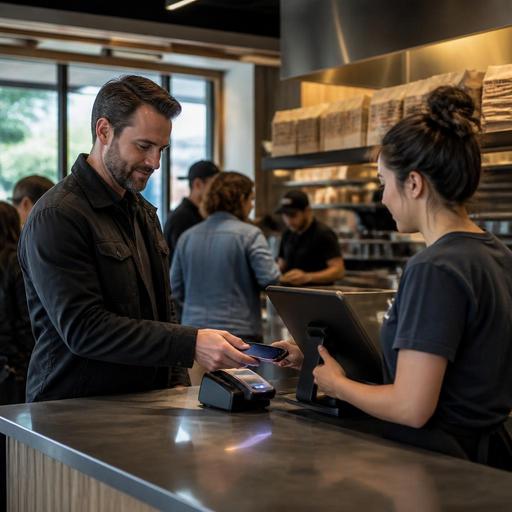
In the U.S., the right receipt workflow depends on service style. A neighborhood diner may want printed guest checks plus optional text or email receipts at the POS. A coffee shop with a morning rush may prioritize tap-to-pay with instant digital receipts to keep the line moving. A multi-location burger chain may need standardized receipt records tied to POS, kitchen display system activity, and online ordering channels. The best approach is practical: match the receipt method to how guests order, pay, tip, and pick up food.
Why digital receipts matter in everyday restaurant operations
Digital receipts solve several real problems that U.S. operators deal with every day. They reduce paper clutter, but more importantly, they help create a searchable trail when a guest calls back about a missing item, a duplicate charge, or a tip question. They also support staff when there is confusion between a tab closed at the bar, an order sent through a delivery marketplace, and a direct online order placed for curbside pickup.
Consider a quick-service taco shop in Texas during lunch. A guest orders on a kiosk, pays by card, and wants a text receipt instead of waiting for a printer. If that guest later calls because a side was missing, the digital receipt can help staff confirm the order time, payment method, and item list quickly. Or think about a hotel restaurant in Chicago where room-service orders, lobby bar tabs, and dine-in checks all run through related but different workflows. Digital records make it easier for managers to reconcile orders without chasing paper slips.
Digital receipts can also support:
- Faster front-of-house service by reducing pauses at the register or payment terminal
- Cleaner dispute resolution when guests question charges, tips, or item counts
- Better pickup accuracy when takeout and curbside orders need clear confirmation
- More consistent multi-location reporting when franchise or regional teams review transaction records
- Lower paper dependency in high-volume QSR, stadium, airport, and food truck environments
What guests expect from digital receipts in the U.S.
American guests usually want receipt options, not a single forced method. Some still need a printed copy for expense reporting, especially in business travel, hotel dining, or airport concessions. Others prefer a text or email receipt because they do not want extra paper in the bag. The key is to offer a simple choice without slowing service.
For dine-in restaurants, that may mean the server presents the check as usual, and the payment device offers a digital receipt after the card is processed. For counter service, the POS screen can prompt for email or phone only after payment, not in a way that backs up the line. For bars, operators should think carefully about open tabs, pre-authorizations, and final receipt delivery so bartenders are not stuck explaining unclear card activity during a rush.
Guest expectations also include clarity. A digital receipt should make it easy to understand:
- What was ordered
- Whether the order was dine-in, takeout, curbside, or delivery pickup
- Any modifications or add-ons
- Subtotal, sales tax, and any service charge shown separately when applicable
- Tip amount when a tip was added
- The last four digits or other standard payment reference details provided by the payment system
If your restaurant uses service charges, automatic gratuities, or different tipping flows across channels, train managers and staff to explain those differences clearly. Rules and disclosure expectations can vary by state or city, and payment, labor, and tax treatment may differ. Operators should confirm current requirements with qualified advisors and official guidance before changing receipt language or tip workflows.
How to set up digital receipts without creating front-of-house friction
The best digital receipt workflow is invisible to the guest and easy for staff. Start by mapping each order path in your operation. Most U.S. restaurants have more than one:
- Dine-in server checks
- Counter-service and QSR transactions
- Direct online ordering for takeout
- Delivery app orders
- Curbside pickup
- Phone orders entered manually
- Catering or large group orders
Then ask a practical question for each path: when should the receipt be offered, and in what format?
For example, a suburban pizza shop may decide that direct online orders automatically send email receipts, while in-store card payments offer print or text. A food truck at a brewery event may skip printing by default and use SMS receipts because space is tight and paper management is messy. A full-service restaurant may keep printed guest checks for table service but send digital final receipts after payment to reduce paper at closeout.
To avoid friction, use these operating principles:
- Keep prompts short so cashiers and servers do not have to explain too much
- Do not require receipt signup before payment in a busy line
- Standardize across locations if you run multiple stores, but allow service-style exceptions
- Connect receipts to the POS and payment record so managers can search transactions later
- Make sure takeout receipts match bagging and pickup workflows to reduce handoff mistakes
ADA-minded access matters too. Some guests may not be comfortable with QR-only experiences or may need an alternative to a phone-based receipt flow. Keep an accessible backup process, such as printed receipts on request and staff who know how to assist. Operators should review accessibility expectations for their setup with appropriate guidance rather than assuming one digital method works for everyone.
Recordkeeping, chargebacks, and operational follow-up
Digital receipts are valuable because they support the back office, not just the guest. When a cardholder disputes a charge, managers often need to pull transaction details quickly. When a guest says a catering pickup was charged twice, a searchable digital trail saves time. When a district manager reviews voids, refunds, and discounts across stores, standardized receipt records make patterns easier to spot.
This is especially useful in operations with multiple sales channels. A wing concept may receive orders from its own website, a third-party marketplace, in-store walk-ins, and game-day curbside traffic. If each channel produces different records, the manager spends more time reconciling than running the floor. A better setup links order source, payment status, fulfillment method, and receipt history in one place or in connected systems.
Operationally, review these items with your POS, payment, and online ordering stack:
- Whether digital receipts are stored and searchable by date, amount, and payment reference
- How refunds and partial refunds appear on receipt records
- Whether tipped transactions show the final adjusted amount clearly
- How receipts are tied to direct orders versus delivery marketplace orders
- What managers can access at store level versus corporate level
- How long records are retained and exported for accounting or audit support
Retention, tax documentation, labor records, and payment record requirements can vary depending on your business structure and location. Use your accountant, payroll provider, payment processor, and legal advisors when setting policies for record storage, tip reporting support, and documentation practices.
A practical rollout plan for restaurant owners
If you want digital receipts to help instead of complicate operations, roll them out in phases. Start with one revenue stream, usually counter service or direct online ordering, and test guest response. Watch whether the process slows the line, creates confusion about tips, or causes pickup errors. Then expand to dine-in, bar tabs, or multi-location use.
A simple rollout plan looks like this:
- Audit current receipt flows across dine-in, takeout, delivery, and curbside
- Choose default and backup options for print, email, text, or QR-linked access
- Update staff training so servers, cashiers, and managers explain receipt options consistently
- Test real scenarios like split checks, refunds, tipped tabs, and missing-item guest calls
- Review reporting access for store managers, finance, and multi-location leadership
- Monitor guest feedback and adjust prompts, timing, or channel rules
The strongest digital receipt setup is the one that fits your service model and keeps records usable later. For a fast-casual salad chain, that may mean tight POS and online ordering integration. For a diner with older regulars, it may mean optional digital receipts rather than digital-only. For a hotel restaurant or airport concession, it may mean reliable email records that business travelers can find later.
Restomas can help operators connect ordering, payment, and service workflows in a way that makes digital receipts more useful across the guest journey and the daily record trail.
