Digital Restaurant Receipts in the U.S.: Guest Experience and Recordkeeping
Digital restaurant receipts are no longer just a nice extra for U.S. operators. Guests now expect flexible receipt options after dine-in, takeout, curbside pickup, bar tabs, and direct online orders. For restaurants, cafes, bars, food trucks, hotel outlets, and multi-location brands, the receipt is also an operational record that affects service speed, dispute handling, tip visibility, and back-office organization. The goal is not simply to go paperless. The goal is to give guests a clean, easy post-payment experience while keeping accurate records across your POS, payment processor, and order channels.
Why digital receipts matter in everyday U.S. restaurant operations
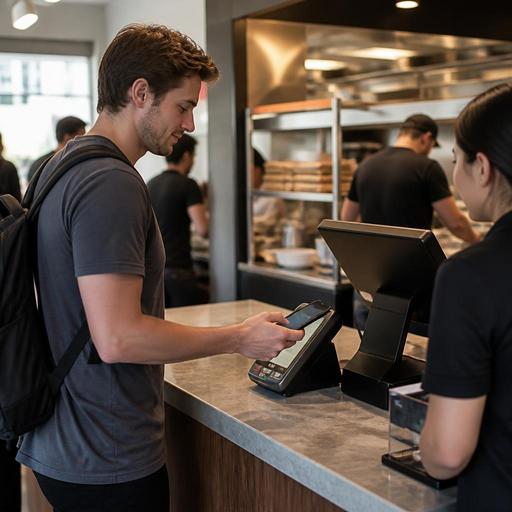
In many American restaurants, the receipt is the last touchpoint in the guest journey. If that moment is clunky, it can create friction even after a good meal. A fast-casual guest picking up a grain bowl may want the receipt by text so they can walk out without waiting at the counter. A full-service diner guest may still want a printed guest check presenter at the table, but appreciate an email copy for expense tracking. A sports bar guest closing a late-night tab may want a digital receipt because paper slips are easy to lose.
Digital receipts also help operationally because they connect payment, order details, modifiers, discounts, and timestamps in one searchable format. That matters when a guest calls the next day and says, I think I was charged twice, or when a manager needs to confirm whether a curbside pickup order included extra ranch, a kids meal, or an added dessert.
For U.S. operators using multiple channels, receipt consistency matters. A guest who orders direct from your website, then visits your dining room the next week, should not feel like they are dealing with two different businesses. The item names, taxes, fees, tip lines, and contact information should feel aligned, even if the service model is different.
What guests expect from a digital receipt
Guests do not usually ask for advanced receipt features by name, but they notice when basics are missing. A useful digital receipt should be easy to access, easy to read, and easy to trust.
- Fast delivery: If a guest chooses email or text, the receipt should arrive quickly after payment.
- Clear itemization: Menu items, modifiers, add-ons, discounts, taxes, service charges, and tips should be easy to understand.
- Simple contact path: Guests should know how to reach the restaurant if something is wrong with the order or payment.
- Consistency across channels: Dine-in, takeout, direct online ordering, QR ordering, and delivery handoff receipts should follow a similar structure.
- Accessible formatting: Operators should think about readable layouts, plain language, and digital access that works well on a phone. For accessibility expectations, including ADA-related considerations, verify current requirements with qualified advisors or official guidance.
Consider a neighborhood coffee shop in Chicago. During the morning rush, many guests tap to pay and do not want a printed receipt. But if the shop texts a receipt link that clearly shows the drink, milk substitution, pastry, and tip, it reduces confusion and keeps the line moving. In a hotel restaurant, a business traveler may need a digital receipt for reimbursement, so item clarity and outlet identification become even more important.
Set up receipt workflows by service model, not just by device
One common mistake is treating digital receipts as a payment terminal setting instead of an operational workflow. The best setup depends on how each part of the business runs.
Full-service restaurants
Servers may still present a printed check, but operators can offer a digital option at closeout, especially for table-side payments or QR checkout. Make sure the receipt reflects the final closed check, including tip and any split payments. If guests split a table four ways, each person should receive a receipt that clearly shows what they paid.
Fast-casual and QSR
At the counter, speed matters. Train cashiers to ask once, clearly: Printed, email, or text receipt? Keep the process short. If your pickup shelf is busy, digital receipts can help guests verify they grabbed the right order without waiting for a reprint.
Bars and nightlife
Bar tabs create special risk because guests may dispute charges if they lose track of rounds late at night. A digital receipt showing timestamps, drinks, food items, and the final tip can help your team handle next-day questions more confidently.
Food trucks and mobile operators
Food trucks often operate in tight spaces with limited printer reliability. Digital receipts can reduce paper issues and help track orders across lunch rushes, brewery events, and private catering stops.
Multi-location brands
Chains and franchise groups should standardize receipt templates across stores. A guest in Dallas and a guest in Phoenix should see the same brand structure, while local tax handling and store details remain accurate. If your brand is subject to chain menu labeling rules or other federal, state, or local requirements, confirm current obligations with official guidance and qualified advisors.
Operational details operators should not overlook
Receipt design is not just a marketing decision. It touches payment operations, guest support, and recordkeeping.
- Show tips and charges clearly. In the U.S., guests are highly sensitive to the difference between a voluntary tip and a mandatory service charge. Your receipt should make that distinction easy to understand. Reporting and treatment can differ, so verify current federal, state, and local rules with your accountant, payroll provider, or legal advisor.
- Keep taxes understandable. Sales tax presentation should be clear, especially when guests compare dine-in, takeout, and alcohol purchases. Requirements vary by state and city, so review setup regularly.
- Match the POS and payment processor. If your POS says one amount and your processor record shows another due to adjustments, voids, or tip edits, managers will spend time reconciling preventable issues.
- Plan for refunds and disputes. Managers should be able to retrieve digital receipts quickly when a guest questions a charge on a burger combo, family meal pack, or catering order.
- Store records in a searchable way. Searching by date, last four digits, check number, order channel, or team member can save real time during busy weeks.
- Respect guest preferences. Some guests still want paper, especially older diners or travelers who need a handoff at the table. Digital should be an option, not a forced obstacle.
For airport concessions and stadium venues, speed and line management are especially important. A digital receipt can reduce printer bottlenecks, but only if the handoff flow is clear and guests can still confirm what they bought before moving away from the counter.
A practical rollout plan for U.S. restaurant teams
If you want digital receipts to work, start small and operationally.
- Audit current receipt types: Review dine-in, online ordering, kiosk, QR ordering, bar tabs, and delivery marketplace receipts.
- Standardize core fields: Store name, location, timestamp, itemization, taxes, tips, service charges, and contact path should be consistent.
- Train front-of-house scripts: Cashiers, servers, and bartenders should know how to offer receipt choices without slowing service.
- Test common edge cases: Split checks, voids, refunds, partial refunds, tip adjustments, and guest complaints should all be tested before rollout.
- Review mobile readability: Open receipts on iPhones and Android phones, not just desktop screens.
- Coordinate with accounting: Make sure exported records support reconciliation, tip reporting workflows, and document retention practices. Verify recordkeeping requirements with qualified tax and legal advisors.
- Measure support issues: Track whether chargeback questions, receipt reprint requests, or pickup confusion go down after implementation.
A suburban pizza shop, for example, might keep printed receipts for dine-in families on Friday night, use text receipts for weekday lunch takeout, and attach digital records to direct online ordering for easy reorder support. A hotel grab-and-go outlet may prioritize mobile receipts for travelers catching early flights. The right mix depends on the operation, not on a one-size-fits-all trend.
Digital receipts work best when they support both hospitality and control. They should help guests leave with confidence and help managers find the right record later without digging through paper stacks. With connected ordering, POS, and payment workflows, operators can make receipts a smoother part of service instead of an afterthought. Restomas can help restaurants connect digital ordering and operational records into a cleaner daily workflow.
