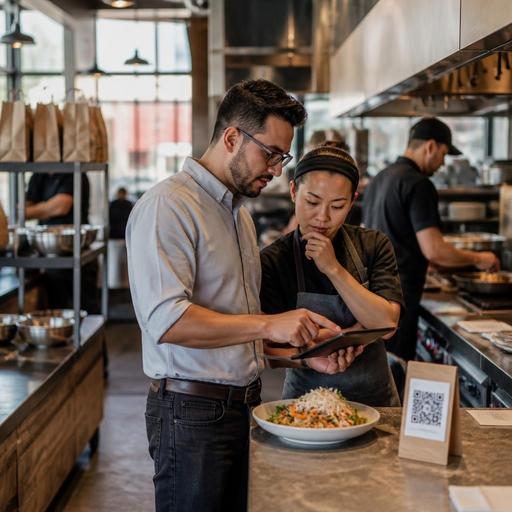
Fast-Casual LTO Menu Rollout Checklist for U.S. Restaurant Teams
Launching a limited-time offer menu rollout checklist is one of the smartest ways for U.S. fast-casual operators to turn a seasonal idea into real sales without creating chaos at the counter, on delivery apps, or in the kitchen. Whether you run a burrito shop in Phoenix, a salad chain in Chicago, a chicken bowl concept in Atlanta, or a multi-unit sandwich brand across Texas, an LTO only works when the digital menu, POS, kitchen display system, prep plan, and guest communication all go live in sync.
Start with the offer mechanics before you update any screens
Many LTO problems begin before the item ever appears on a QR menu or ordering page. Operators often rush into design and promotion before defining how the item will actually be sold. A cleaner rollout starts with a short operational brief that every store can follow.
- Define the selling window: dine-in only, all-day, lunch only, weekday only, or a specific seasonal period.
- Choose the channels: in-store counter, kiosk, QR ordering, direct online ordering, curbside pickup, pickup shelf, and delivery apps.
- Set item structure: standalone item, combo add-on, premium modifier, or bundle.
- Confirm production limits: cap by daypart, location, or inventory availability.
- Document substitutions: what staff can swap and what must stay fixed for speed and food cost control.
For example, a fast-casual taco brand in Southern California might launch a short-run grilled shrimp bowl. The item may be great for direct ordering and in-store traffic, but less suitable for third-party delivery if hold time hurts quality. A practical rollout may keep it available for dine-in, takeout, and curbside pickup, while excluding it from longer delivery zones. That is not a marketing decision alone; it is an execution decision.
If your brand operates across multiple states or cities, verify whether any local labeling, alcohol pairing, service charge, accessibility, or tax-related details affect how the item appears or is sold. Operators should confirm current requirements with qualified advisors and official guidance rather than relying on old settings.
Build the digital menu path guests will actually use
In U.S. fast-casual restaurants, guests rarely discover an LTO in only one place. They may see it on an overhead menu board, then order on a kiosk, scan a QR code at the table, reorder through a direct online ordering page, or find it inside delivery apps. If the item name, photo, modifiers, and price presentation differ by channel, the result is confusion, remakes, and abandoned carts.
Check your menu data before publishing
- Name clarity: keep the item easy to understand at a glance. Avoid internal product names that mean nothing to guests.
- Description consistency: use the same core wording across POS, QR menus, kiosks, and ordering pages.
- Modifier logic: make sure guests can choose size, protein, spice level, sides, and add-ons in the right order.
- Photo standards: if you use photos, keep the same image style across channels so the item feels consistent.
- Availability rules: hide the item automatically when a store runs out instead of forcing staff to call guests after the order is placed.
A bowl concept in Denver, for instance, may feature a summer peach chicken bowl as an LTO. On the in-store QR menu, the item should lead with the protein and flavor profile. On delivery apps, it may need a shorter title and a tighter description so it displays well on mobile. The important point is not identical formatting; it is consistent selling logic.
ADA-minded access matters here too. If guests rely on screen readers or need simple digital navigation, overloaded modifier trees and vague labels create friction. Use clear item names, concise descriptions, and a clean ordering flow. Accessibility expectations can vary by situation, so review current best practices and confirm any legal obligations with appropriate advisors.
Prepare the POS, kitchen display, and production workflow
An LTO can fail even when demand is strong if the back-of-house workflow is not ready. U.S. fast-casual kitchens often depend on speed, line balance, and predictable ticket routing. A limited-time item that adds one extra sauce, one extra cook step, or one extra packaging rule can slow the whole line during lunch rush.
- Create a distinct POS button and reporting category. This helps managers track sales, voids, discounts, and attachment rates without mixing the item into a general category.
- Map the item correctly to the kitchen display system. The expo screen, grill station, salad station, or assembly station should receive the same modifier details the guest selected.
- Test printer and KDS routing by order type. Dine-in, takeout, curbside pickup, and delivery app orders may need different labels or packaging notes.
- Set inventory visibility rules. If the item depends on a limited sauce, seasonal produce, or premium protein, store-level 86 controls should update quickly.
- Review prep burden. If the LTO requires an extra batch recipe at 10:30 a.m., make sure labor scheduling and prep lists reflect that reality.
Consider a Midwest chicken tender chain adding a hot honey ranch sandwich for six weeks. If the sandwich uses a special slaw held at one station while the bun is toasted at another, managers need to test the actual line movement before launch day. The best time to discover a bottleneck is during internal training, not on a Friday lunch rush with a full pickup shelf.
If your concept uses tipped staff in some formats, such as hybrid fast-casual with table service or bar seating, also make sure check flows, tip prompts, and order handoff steps are clear. Service charges, tips, and sales tax are not interchangeable, and handling can vary by jurisdiction and setup, so verify workflows with your POS provider and advisors.
Train front-line staff for guest questions and upsells
Even highly digital brands still win or lose an LTO at the human level. Cashiers, servers in hybrid formats, expediters, and shift leads need a simple script for what the item is, who it is for, and how to recover when something runs out.
- Give one-sentence positioning: for example, “Our seasonal chipotle turkey melt is a smoky lunch option with avocado and pepper jack.”
- Define the best add-on: side, beverage, dessert, or combo pairing.
- Prepare out-of-stock language: offer the nearest substitute without making the guest start over.
- Teach packaging cues: staff should know whether the item belongs on the pickup shelf, needs curbside handoff, or should be kept separate for delivery drivers.
This matters especially in high-volume U.S. environments like airport concessions, stadium venues, hotel lobby fast-casual outlets, and food trucks with compact prep space. In those settings, a guest may have less time, less patience, and more sensitivity to unclear menu choices. A short staff huddle before each shift can prevent long explanations at the register.
Monitor the first week and adjust fast
The first week of an LTO launch should be treated like a live operational test. Do not wait until the campaign ends to learn what went wrong. Review channel performance daily and make small corrections quickly.
- Watch order mix by channel: compare in-store, direct online ordering, and delivery apps.
- Check modifier errors: look for unusual voids, remakes, or guest notes.
- Track prep depletion: note whether stores run out too early or over-prep and waste product.
- Review ticket times: especially during lunch and dinner rushes.
- Listen to guest feedback: not just ratings, but repeated questions that signal menu confusion.
A five-unit Mediterranean fast-casual group in Florida might discover that its LTO pita wrap performs well on direct ordering but creates too many customizations on delivery apps. The fix may be to simplify app modifiers, reduce optional swaps, and highlight the item more strongly on the brand-owned ordering page where the menu experience is easier to control.
For multi-location operators, this is where standardized digital tools help. Centralized menu updates, store-level availability controls, POS integrations, and kitchen routing visibility can reduce the lag between a head office decision and what guests actually see. Restomas supports that kind of restaurant digitization so teams can update menus, manage ordering flows, and keep day-to-day execution aligned across locations.
A strong LTO is not just a creative recipe. It is a coordinated rollout across menu data, production, staffing, order channels, and guest communication. If each store can launch the offer cleanly, sell it clearly, and 86 it quickly when needed, the limited-time item has a much better chance of driving sales without disrupting the rest of the operation.
