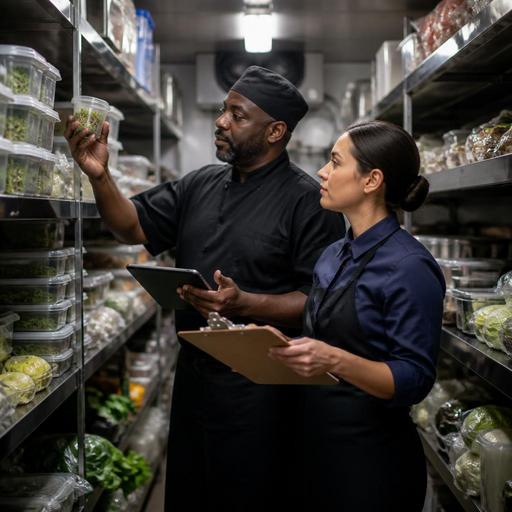
Faster and More Accurate Restaurant Inventory Counts: A Practical System
Restaurant inventory counts often feel slow, disruptive, and frustrating, yet they are one of the clearest ways to protect margin and improve daily decisions. A faster and more accurate restaurant inventory count process starts with structure, not with counting harder. When storage is organized, count sheets match real shelves, menu items are standardized, and digital tools connect sales with stock movement, owners and managers can reduce confusion, spot waste earlier, and make purchasing decisions with more confidence.
Why inventory counts go wrong in busy restaurants
Many counting problems are created long before anyone picks up a clipboard. Items are stored in different places, pack sizes are inconsistent, team members use different names for the same product, and recipes are not standardized. In that environment, even a careful weekly count can produce unreliable numbers.
A common example is chicken breast. One person may count by pieces, another by kilos, and a supplier invoice may show cases. If the recipe cost is based on grams but the stock count is entered as packs, the final number becomes difficult to trust. The same problem appears with sauces, garnishes, wine by the bottle, and prep items split across kitchen stations.
Another issue is timing. If counts happen while deliveries are being checked, prep is underway, or service is active, products move constantly. That creates double counting, missed items, and arguments over what was actually on hand at the moment of the count.
Before looking for advanced solutions, restaurant operators should fix the basic workflow. Accuracy improves when the process is simple, repeatable, and easy for different staff members to follow in the same way every time.
Build a count system that matches the real operation
The fastest inventory process is the one that follows the physical reality of your restaurant. Count sheets should mirror the exact order of shelves, fridges, freezers, dry storage, and bar areas. If the form jumps randomly between locations, staff waste time walking back and forth and are more likely to miss products.
Start by dividing inventory into logical zones such as main walk-in cooler, freezer, dry store, bar, pastry station, and takeaway packaging. Then list items in the order they appear in each area. This sounds basic, but it can remove a surprising amount of wasted time.
It also helps to standardize inventory units. Every item should have one primary counting unit and one clear conversion rule. For example:
- Olive oil: count by liters
- Ground beef: count by kilograms
- Burger buns: count by pieces
- Soft drinks: count by bottles or cans, with case conversion noted
- House sauce: count by prepared container size
Use product names that match purchasing, recipes, and reporting. If the kitchen calls an item “mozz,” the invoice says “mozzarella,” and the POS recipe calls it “pizza cheese,” discrepancies become harder to trace. Consistent naming supports better menu costing and clearer communication across teams.
Par levels are another practical tool. When managers know the normal on-hand range for each item, unusual numbers stand out faster. If a café usually carries two cases of oat milk and the count shows five, that prompts a quick check: was there over-ordering, a duplicate delivery, or a promotion that changed demand?
Make counting faster with preparation, not shortcuts
Restaurants sometimes try to save time by counting less carefully, but the better approach is to prepare better before count day. A short pre-count routine can make the session much faster without sacrificing accuracy.
Pre-count actions that save time
- Close receiving before the count window. Finish logging deliveries first so new stock does not enter mid-count.
- Label open containers. Mark partial prep batches, decanted sauces, and opened cases so staff know what they are counting.
- Consolidate duplicate items. Bring the same products together from multiple stations when possible.
- Clean and face shelves. A tidy shelf is easier to count than mixed boxes and unmarked containers.
- Assign zones clearly. One person counts the bar, another the freezer, another dry goods.
- Use a count-then-verify method. One person counts, another checks unusual results rather than recounting everything.
Consider the example of a casual restaurant with a bar and a compact kitchen. Instead of having one manager count everything after a long shift, the operation can split the task into zones and give each lead a fixed 15-minute window to prepare their area. The manager then reviews exceptions such as missing high-value proteins, unusual beverage variance, or prep quantities that do not align with sales.
This is also where digital restaurant systems help indirectly. When sales data, menu item availability, and ordering patterns are visible in one place, teams can investigate variance with context. If a menu item sold heavily over the weekend, a low stock count may be expected rather than alarming. Platforms like Restomas support this broader operational visibility by helping restaurants keep menus, orders, and item availability more aligned.
Reduce inventory mistakes through menu and recipe discipline
Inventory accuracy depends heavily on menu management. If recipes are loose, modifiers are uncontrolled, or prep yields are not reviewed, the stock room will never fully match the sales report.
Take a simple burger as an example. If the recipe says one cheese slice but staff sometimes use two for larger-looking sandwiches, cheese variance will appear even if counting is perfect. If fries are portioned by eye instead of by scoop or weight, potato usage will drift. If sauces are offered as free extras without being tracked, condiment consumption can become a blind spot.
To improve this, operators should focus on a few practical controls:
- Standard recipe cards: Define ingredients, quantities, and yields clearly.
- Portion tools: Use scoops, scales, ladles, and measured bottles where appropriate.
- Modifier review: Check whether add-ons and substitutions create hidden food cost.
- Prep batch logging: Record when major prep items are produced and in what quantity.
- Sold-out management: Hide unavailable menu items quickly to prevent overselling and emergency substitutions.
Digital menus and order management tools can support this discipline. For instance, when an item is unavailable, removing or hiding it from the live menu reduces last-minute substitutions that complicate stock tracking. When order data is structured clearly, managers can compare what was sold with what should have been consumed according to recipes.
Turn inventory counts into better decisions
A count is only useful if it leads to action. After each inventory session, review the results in a short routine. Look for recurring variance by category, not just one-off surprises. Proteins, alcohol, cooking oil, dairy, and high-volume prep items often deserve special attention because small mistakes there can affect margin quickly.
Ask practical questions:
- Which items show repeated variance week after week?
- Are losses caused by waste, over-portioning, theft, spoilage, or receiving errors?
- Do menu changes require different purchasing habits?
- Are certain shifts or stations generating more inconsistency?
- Does the count sheet need updating because storage patterns changed?
For example, if bottled juice repeatedly runs short compared with sales, the issue may not be theft. It could be staff using bottles for staff drinks, recipe over-pouring at the bar, or breakage that no one records. The right response is to tighten the process, not just recount harder next week.
Over time, the goal is to move from full reactive counts to a more controlled operating rhythm: organized storage, accurate menu data, standardized recipes, and quick exception review. That rhythm helps restaurants order more precisely, reduce waste, and protect guest experience because key items are less likely to run out unexpectedly.
Restaurants do not need a complicated system to improve inventory. They need a consistent one. When count sheets reflect the real kitchen, staff use the same units, recipes are enforced, and digital tools support menu and order visibility, inventory becomes less of a weekly headache and more of a practical management tool. Restomas can support that operational clarity by helping restaurants keep menus, item availability, and service workflows connected in one place.
