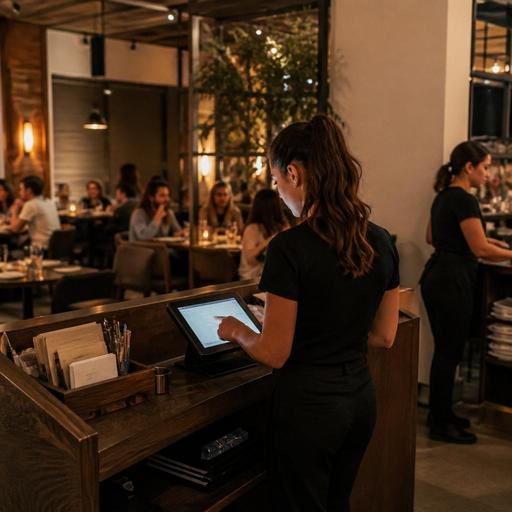
Guest Notes in U.S. Restaurants: Useful Service Without Privacy Confusion
Guest notes in U.S. restaurants can improve hospitality, reduce mistakes, and help teams personalize service, but only when operators use them with clear boundaries. A neighborhood diner may want to remember that a regular likes extra lemons with iced tea. A fast-casual salad shop may need a note that a customer always requests dressing on the side. A hotel restaurant may track room-charge preferences for repeat business travelers. The challenge is that guest notes can easily drift from helpful service details into information that feels intrusive, outdated, or confusing to staff and guests.
For U.S. restaurant operators, the goal is practical: collect only what helps service, show it only to the right team members, and avoid creating a system where servers, hosts, cashiers, or managers are guessing what should be saved. If your restaurant uses a POS, reservations platform, QR ordering, direct online ordering, or delivery app integrations, guest notes should follow a simple operating policy. When privacy, accessibility, payment, labor, alcohol, or other regulated topics come up, use notes as an operational tool and verify current requirements with qualified advisors and official guidance.
What guest notes should actually be used for
The best guest notes are specific, service-related, and easy for staff to act on during a shift. They help the host seat correctly, help the kitchen avoid repeat mistakes, and help the front of house deliver a smoother check or pickup experience.
Useful examples in U.S. restaurant operations
- Dine-in: “Prefers patio when available,” “Needs high chair,” or “Usually splits the check between two cards.”
- Coffee shop: “Mobile order customer asks for oat milk if available and no whipped topping.”
- Fast-casual or QSR: “Frequent office catering customer needs labeled boxes for team pickup.”
- Takeout and curbside pickup: “Calls on arrival; blue pickup zone on side lot,” or “Prefers utensils only on request.”
- Food truck: “Event organizer wants all invoices sent to business email after service.”
- Hotel restaurant: “Guest often charges breakfast to room and needs early seating before meetings.”
These notes are tied to service execution. They are different from broad personal descriptions, assumptions, or private details that do not belong in a restaurant workflow. If a note would embarrass the guest if read aloud at the host stand, it probably should not be in the system.
Set simple rules so staff do not overshare or over-save
Many privacy problems start because there is no standard. One server writes detailed personal observations. Another only saves allergy-related requests. A manager keeps old notes forever. Over time, the note field becomes messy and risky.
Create a short internal playbook for what your team can enter. Keep it practical and shift-friendly. For example:
- Save only service-related details. Notes should help seating, ordering, timing, packaging, payment flow, or hospitality.
- Do not save sensitive personal information unless there is a clear operational need and an approved process. If your operation handles allergy information, ADA-minded accommodations, age-restricted service, or payment issues, define where that information belongs and who can view it.
- Use neutral language. Write “prefers booth” instead of personal commentary. Write “delivery entrance in rear alley” instead of opinions about the guest.
- Review and remove stale notes. A note from two years ago may be wrong today.
- Limit visibility by role when possible. Hosts may need seating preferences, while kitchen staff may only need order-specific notes on the ticket.
For example, a full-service restaurant in Chicago might let hosts see reservation seating preferences, while servers can see prior service notes tied to the table, and back-of-house only sees current ticket modifiers on the kitchen display system. A five-unit burger brand in Texas may allow managers to view pickup issue history, but line staff only see fulfillment notes needed for the current order.
Use different note types for dine-in, online ordering, and delivery
One of the biggest operational mistakes is treating every note the same. A guest profile note, a one-time order note, and a delivery instruction should not live in one catch-all field.
Break notes into clear categories
- Profile notes: Repeat preferences that are likely to stay relevant, such as patio seating or curbside call-on-arrival.
- Order notes: One-time instructions tied to a specific check or tab, such as “birthday candle after entree” or “sauce on side today.”
- Fulfillment notes: Pickup shelf, handoff, curbside, or driver instructions.
- Reservation notes: Seating, timing, stroller space, or accessibility-related requests that affect service setup.
This matters in real U.S. workflows. A sports bar during Sunday rush should not force servers to scan old guest history to find today’s wing sauce request. An airport concession handling heavy takeout volume needs current fulfillment notes visible fast, not buried under profile comments. A suburban family restaurant using QR ordering at the table may want order-specific notes to flow straight to the POS and kitchen display system while keeping longer-term guest preferences in a separate customer profile.
If you run multiple locations, standard categories also help avoid confusion between stores. A note entered at your downtown location should mean the same thing when a guest orders from your airport unit or suburban branch.
Be careful with allergies, accessibility, and payment-related notes
Some guest notes touch areas that need extra care. Restaurants often want to be helpful, but the workflow must stay clear.
Allergy-related requests should be handled with a documented service process, not just a casual note in a customer profile. If a guest says they have a nut allergy, the immediate order must be flagged correctly for the kitchen, and staff should follow your established communication steps. Operators should verify current food safety expectations and official guidance for their jurisdiction.
Accessibility requests can absolutely be part of good hospitality. For example, a host note like “needs low-noise seating when available” or “wheelchair space requested” may help service. Keep the language respectful and limited to what helps the visit. Make sure your team understands these notes are for accommodation workflow, not commentary, and verify current ADA-related obligations with qualified advisors or official resources.
Payment and tipping workflows also need boundaries. It may be useful to note “corporate card on file for catering contact” or “office lunch usually needs itemized receipt.” It is not helpful to store subjective comments about tipping behavior or personal judgments about a guest’s tab history. Train managers and servers not to use guest notes as a place to vent. For sales tax, service charge, gratuity, and tip reporting questions, use current guidance from your accountant, payroll provider, attorney, or official agencies because rules vary by situation and location.
How to build a cleaner guest-note workflow across your stack
Most U.S. operators already have several systems in play: POS, online ordering, reservation software, handhelds, kitchen display screens, delivery marketplaces, and maybe a hotel PMS or catering tool. The practical answer is not to collect more notes. It is to collect fewer, better notes in the right place.
Action steps for operators
- Audit every note field in your POS, reservation system, online ordering flow, and delivery integrations.
- Decide who can enter what by role: host, server, cashier, manager, catering lead, or call center staff.
- Create examples of approved notes and examples that should never be saved.
- Set review timing so stale profile notes are removed on a regular schedule.
- Separate guest profile notes from order tickets so the kitchen only sees what matters now.
- Train teams on guest-facing language if a customer asks, “What do you keep in my profile?” Staff should be able to answer simply and confidently.
For instance, a New York fast-casual lunch spot may keep repeat pickup instructions in its direct ordering system but not sync those notes into every third-party delivery channel. A food truck operator working festivals may save event contact notes in a catering workflow instead of attaching them to walk-up guests. A multi-location brunch brand may standardize reservation note labels across all stores so hosts and managers read the same terms everywhere.
Used well, guest notes support hospitality without making your operation feel invasive. They should help your team remember the details that matter, reduce repeat friction, and keep service moving from reservation to check to pickup shelf. Restomas can help operators organize digital ordering, reservations, and service workflows so the right notes reach the right team at the right moment.
