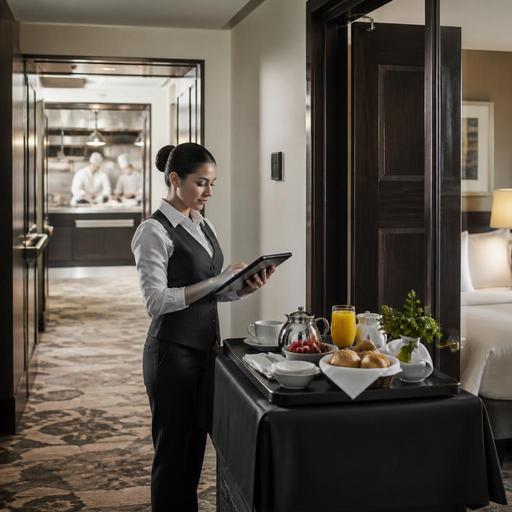
Hotel Room Service QR Ordering and Kitchen Routing for U.S. Properties
Hotel room service QR ordering and kitchen routing can help U.S. hotel restaurants reduce phone bottlenecks, cut order errors, and move late-night, breakfast, and premium amenity orders through the kitchen with more control. For operators, the goal is not just putting a menu behind a QR code. It is building a workflow that connects guest rooms, the POS, kitchen display system, runners, and payment rules in a way that fits hotel operations in the United States.
A select-service hotel near an interstate exit has very different needs than a full-service downtown property, a resort, or an airport hotel with heavy breakfast volume. Some properties want guests to charge room service to the room folio, while others prefer card payment at order. Some run one kitchen for lobby dining, banquets, and room service. Others use a small overnight line with a limited menu. In every case, the practical question is the same: how do you make ordering easy for the guest while routing each order correctly to the team that has to produce and deliver it?
Start with the room-service workflow, not the QR code
Many hotel operators begin with menu design, but the stronger starting point is the order path from guest to kitchen to room door. Map the process before you publish a QR menu.
- Entry point: Will the guest scan a QR code in the room, on the TV welcome screen, or from a text link after check-in?
- Guest identification: Will the guest enter room number and last name, or use a one-time link tied to the stay?
- Payment path: Will the order be charged to the room, paid by card, or settled on delivery?
- Production routing: Does breakfast go to one prep area while bar items, desserts, or late-night items route elsewhere?
- Delivery handoff: Who sees that the order is ready: expo, runner, front desk, or overnight MOD?
For example, a 180-room suburban business hotel may receive a breakfast rush between 6:30 and 8:00 a.m. If all room-service tickets print at one station with lobby dining checks, the line can get buried. A better setup routes room-service breakfast to a dedicated KDS view or print queue with promised times and room numbers clearly attached. That gives the expo or lead cook a separate lane for tray assembly.
At a resort property, the workflow may need modifiers for allergy notes, poolside villas, or kids meals. At an airport hotel, operators may need especially clear prep-time windows because guests often order under tight departure schedules.
Build a QR menu that works for hotel guests under real conditions
Room-service guests are often tired, traveling with family, or ordering from a dim room late at night. That changes how the menu should be structured. Keep the experience simple, readable, and ADA-minded. Operators should review current accessibility expectations with qualified advisors and official guidance, but from an operations standpoint, the menu should be easy to navigate without pinching, hunting, or guessing.
Menu design choices that reduce friction
- Create daypart menus: breakfast, all-day dining, late night, kids, beverages, and amenity items.
- Limit dead ends: avoid long category lists with only one item each.
- Show modifier logic clearly: egg style, side choice, dressing, no ice, extra sauce, gluten-sensitive requests, and utensil needs.
- Use realistic prep timing: if overnight staffing is thin, narrow the late-night menu to items the team can execute consistently.
- Flag service constraints: if alcohol requires age verification or in-person handoff, explain that operationally and verify local rules.
A good U.S. example is a hotel restaurant offering a room-service burger, Caesar salad with grilled chicken, kids mac and cheese, chocolate cake, coffee, and bottled sparkling water. The QR flow should let the guest add common requests quickly, but avoid the kind of modifier sprawl that slows the kitchen. If the burger can be cooked to temperature, train the team to confirm how those notes appear on the KDS so there is no confusion at expo.
For chains and large properties, menu governance matters too. If a hotel group operates multiple outlets or multiple hotels, central teams may want approved item names, allergen note formats, and pricing rules. If your property is subject to chain menu labeling requirements, confirm current FDA guidance and brand standards before changing how calorie or nutrition information is displayed.
Route orders to the right station and protect the line
The biggest operational win comes from kitchen routing. Room service fails when the kitchen treats every digital order the same. Instead, route by station, daypart, and fulfillment type.
- Separate room service from dine-in traffic: Use distinct KDS tags or printer destinations so cooks can tell whether an order is for table service, takeout, or a guest room.
- Use room and promise-time data: Display room number, requested time, and delivery notes where expo can see them instantly.
- Create tray-assembly checkpoints: Include condiments, cutlery, beverages, check presenter if needed, and any amenity notes.
- Hold non-urgent firing when needed: If a guest requests delivery at 7:15 a.m., the kitchen should not fire pancakes at 6:45.
- Set exception alerts: Long ticket times, missing runner acknowledgment, or out-of-stock items should trigger action before the guest calls the front desk.
Consider a full-service hotel with a lobby bar and restaurant. Bar beverages for room service may need to route to the bar station while entrees route to hot line and desserts to pantry. If everything lands on one ticket without station logic, the runner waits, drinks melt, and the front desk gets the complaint. Routing fixes that.
Operators should also think about inventory visibility. If the property sells out of tomato soup after a banquet push, the room-service QR menu should update quickly so overnight guests do not order unavailable items. This is especially useful in hotels where one kitchen serves restaurant guests, banquets, market pantry replenishment, and room service from the same stock.
Handle charges, tipping, and hotel-specific payment details carefully
U.S. hotel room service often includes extra charge complexity. There may be a delivery fee, service charge, automatic gratuity in some settings, or optional tip prompts depending on the property model. There may also be room-folio posting instead of immediate card payment. These choices affect both guest communication and staff workflow.
Operationally, make sure the guest sees a clear order summary before submitting. Label taxes, fees, service charges, and gratuity fields clearly in plain English. Because U.S. rules and expectations vary by state, city, brand policy, and service model, operators should verify current requirements for sales tax treatment, service charges, tip handling, and tip reporting with qualified accountants, payroll partners, counsel, and official guidance.
For staff, define who owns each step. If a guest adds a tip on a digital room-service order, where does that information land? Does it flow into the POS, payroll reporting, or an end-of-day reconciliation? If the charge goes to the room folio, how will the restaurant team confirm the post was accepted? These are not just finance questions; they directly affect shift-close accuracy and tipped staff trust.
In unionized hotels, luxury properties, or hotels with separate restaurant and lodging systems, coordination matters even more. Front office, food and beverage, and accounting teams should agree on exception handling for voids, refunds, no-answer deliveries, and disputed room charges.
Train for service recovery, not just order entry
Even the best digital ordering setup will face exceptions: a guest enters the wrong room number, a family wants split delivery timing, the elevator is delayed, or a sold-out item needs substitution. Write playbooks for these moments.
Practical actions for operators
- Test the flow from a guest room: Use hotel Wi-Fi and standard guest phones, not just manager devices in the office.
- Run breakfast and late-night simulations: These dayparts usually expose the weakest routing points.
- Create runner scripts: How to confirm room number, handle no-answer situations, and close the handoff politely.
- Review pickup versus delivery logic: Some hotels may also support lobby pickup shelves for limited-service food concepts.
- Monitor top failure points weekly: out-of-stocks, delayed tickets, missing modifiers, and room-charge exceptions.
A practical example: an airport hotel might offer guests a QR option to preorder breakfast for a 5:30 a.m. pickup near the lobby coffee bar instead of full room delivery. That can reduce labor strain while still meeting traveler needs. A convention hotel may do the opposite, prioritizing timed in-room delivery for VIP floors and suites. The right model depends on labor, kitchen capacity, and guest expectations.
When the workflow is well designed, QR room-service ordering becomes more than a digital menu. It becomes a controlled production and delivery system that supports the guest experience, protects the kitchen, and gives managers clearer visibility into service performance. Restomas can help hotel restaurant teams connect QR menus, order flow, kitchen routing, and operational visibility in one practical system.
