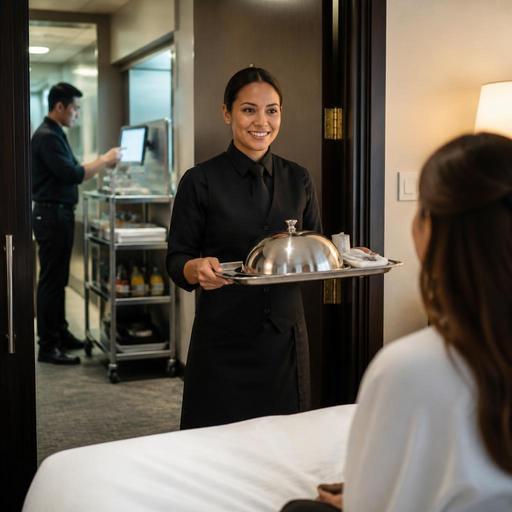
Hotel Room Service QR Ordering and Kitchen Routing for U.S. Restaurants
Hotel room service QR ordering and kitchen routing can help U.S. hotel restaurants serve guests faster without overloading the front desk, kitchen, or overnight staff. For operators managing a hotel restaurant, lobby bar, pool menu, or limited late-night room service program, the goal is not just digital ordering. It is building a workflow that moves an order cleanly from the guest room to the right prep station, payment flow, and delivery handoff while keeping the guest experience polished.
In the United States, hotel food service often has more moving parts than a street-facing restaurant. A full-service property may run breakfast, banquet prep, minibar restocking, bar tabs, and room service from overlapping teams. An airport hotel might get a surge of late check-ins after flight delays. A resort may need poolside ordering during the day and in-room dining at night. A QR-based ordering setup works best when it is tied to kitchen routing, service hours, item availability, and clear handoff rules.
Start with the room service workflow, not the QR code
Many operators begin by designing the digital menu. That matters, but the bigger win comes from mapping the order path first. Ask what happens after a guest scans the code in the room, opens the menu on their phone, and taps submit.
For example, a downtown business hotel in Chicago may offer breakfast room service from 6:30 a.m. to 10:30 a.m., all-day sandwiches from the lobby kitchen, and a reduced late-night menu after the main line closes. If every order prints to one station or lands in one tablet without routing logic, the team still has to sort tickets manually. That creates delays, especially when the breakfast line is also handling dine-in checks and takeout.
A better setup routes each item based on prep responsibility:
- Hot breakfast plates to the hot line or breakfast station
- Coffee, juice, and pastries to pantry or beverage prep
- Beer, wine, or cocktails, where allowed, to the bar workflow with age-verification and delivery controls based on local rules
- Packaged late-night items to a simplified overnight station
Operators should also define who receives the finished order. In some hotels, a room service runner handles delivery. In others, the front desk or overnight manager may deliver after certain hours. That handoff should be visible in the order workflow, not handled through memory or side conversations.
Build a QR menu that fits hotel guest behavior
Hotel guests do not order like typical dine-in guests. They may be tired from travel, ordering with one hand, sharing with family, or trying not to wake a sleeping child. Your QR room service menu should reflect that reality.
Keep the menu short and time-based
Instead of showing the entire restaurant menu, use daypart menus and clear availability windows. A suburban conference hotel might display:
- Breakfast favorites
- Kids options
- Late-night comfort food
- Beverages and desserts
- Group-friendly items for suites
This makes ordering easier and reduces the chance that a guest places an order for an item the kitchen is not currently producing.
Use item details that reduce calls to the front desk
Good item descriptions can cut down on avoidable follow-up. Include practical details such as whether a burger comes with fries, whether coffee serves one or two, and whether a breakfast combo includes juice. For U.S. operators handling allergens, modifications, or chain menu labeling requirements, make sure digital menu details match your current operational standards and verify any applicable federal, state, or local guidance with qualified advisors or official sources.
Make access easier for more guests
ADA-minded digital access is an operational issue as much as a compliance one. Use readable category names, simple navigation, and mobile-friendly layouts that do not force excessive scrolling. Some hotels also keep a backup printed menu or a front-desk ordering option for guests who prefer not to use a phone. Operators should review accessibility expectations for their property and verify current requirements with appropriate advisors.
Route orders by station, service mode, and delivery promise
Kitchen routing is where room service either becomes efficient or chaotic. A hotel restaurant often serves multiple channels at once: dining room, bar, direct online ordering, delivery apps, banquet support, employee meal requests, and room service. If room service orders are not clearly tagged, they can disappear into the rush.
Use routing rules that distinguish room service from other channels at a glance. The kitchen display system or ticket flow should show:
- Room number or delivery reference
- Requested delivery time or ASAP status
- Service mode such as room service, lobby pickup, or pool delivery
- Special notes like extra utensils, no knock, or leave at door if hotel policy allows it
- Packaging needs such as covered trays, to-go cups, or sealed bags
A practical example: an airport hotel near Dallas may receive a wave of orders from stranded travelers between 9:30 p.m. and 11:00 p.m. If the team uses a kitchen display system with color-coded room service tickets and hold-fire timing for desserts, the line can pace production better than with a mixed stack of paper chits.
For larger properties, consider separate routing for:
- Immediate prep items like salads, soups, and sandwiches
- Timed items like steaks, eggs, or fries that lose quality fast
- Runner alerts when the order is fully complete and ready to leave the pass
This matters because room service is not complete when the plate is cooked. It is complete when it reaches the guest room correctly, with the check settled according to hotel policy.
Plan payment, tipping, and posting workflows before launch
In U.S. hotel operations, room service payment can be more complex than a standard restaurant tab. Some properties post charges to the room. Others require card payment at order. Some add a delivery fee or service charge, while others leave a tip line for the guest. These choices affect staff training, guest expectations, and reporting.
Operators should decide in advance:
- Whether the guest can charge to the room
- Whether a card is captured during ordering
- How tips are presented for room service orders
- How any service charge is labeled and explained
- How taxes, fees, and gratuities appear on the guest receipt
Because U.S. rules and practices around sales tax, service charges, gratuities, tip reporting, and hotel folio posting can vary by jurisdiction and setup, treat this as a workflow design issue and confirm the current requirements with your POS provider, accountant, payroll partner, or legal advisor. The key operational point is consistency. Staff should know exactly how a room service order closes, where the revenue lands, and how tipped staff or service staff see the order.
If your hotel restaurant also runs direct online ordering for local takeout, keep that channel separate from room service in reporting. A burger sent to Room 814 should not be mixed up with a curbside pickup order from a neighborhood guest.
Train for exceptions, not just normal service
The smoothest hotel room service systems are designed around exceptions. Normal orders are easy. The real test is what happens when a guest wants breakfast delivered at 6:00 a.m., the fryer is down, the elevator is slow, or the kitchen is 86 on a key item.
Create simple rules for the issues your team sees most often:
- How to pause or hide sold-out items in real time
- Who calls the guest if an item is unavailable
- How to reroute orders during a station outage
- What overnight staff can comp, substitute, or cancel
- How to handle VIP amenities, group blocks, or team meal surges
A full-service hotel in Orlando, for instance, may need one workflow for family vacation guests, another for convention attendees ordering late after events, and another for poolside service that shifts to in-room dining during rain. Multi-location hotel groups should document these standards so each property can adapt the same framework without building everything from scratch.
Review your setup weekly after launch. Look at missed modifiers, late deliveries, abandoned carts, and the items that trigger the most guest questions. Those are often menu design or routing problems, not staff attitude problems.
When QR menus, kitchen routing, and payment workflows are aligned, room service becomes easier to scale across breakfast, late night, and high-occupancy periods. Restomas can help hotel restaurant teams connect digital menus, ordering flow, and kitchen visibility in a way that fits real U.S. service operations.
