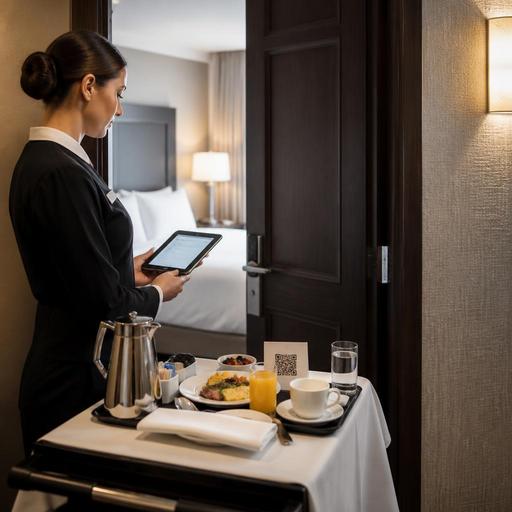
Hotel Room Service QR Ordering and Kitchen Routing for U.S. Restaurants
Hotel room service QR ordering and kitchen routing can help U.S. hotel restaurants cut phone-order bottlenecks, reduce missed modifiers, and move orders to the right prep station faster. For operators managing an in-house hotel restaurant, lobby bar, banquet support, or late-night kitchen, the goal is not just digitizing the menu. The real opportunity is building a workflow that connects the guest in the room, the POS, the kitchen display system, runners, and the final check in a way that fits American hotel operations.
In many U.S. hotels, room service still depends on a guest picking up the in-room phone, waiting on hold, and repeating details to a staff member who may also be handling dine-in checks, takeout, and delivery app tablets. That setup creates predictable problems: wrong room numbers, missed allergy notes, unclear side choices, delayed fire times, and payment confusion. A QR-based ordering flow can solve those issues when it is designed around actual service periods, staffing levels, and kitchen routing rules.
Build the QR room-service menu around hotel realities
A hotel guest ordering breakfast at 6:30 a.m. has different needs than a business traveler ordering a burger after a late flight. Your QR room-service menu should reflect dayparts, delivery expectations, packaging needs, and what your kitchen can produce consistently.
What to include in the ordering flow
- Room number and guest name fields so staff can match the order to the correct room and handoff point.
- Daypart menus for breakfast, all-day dining, bar menu, and late-night offerings.
- Modifier logic for eggs, sides, steak temperatures, dressing choice, kid meals, and beverage add-ons.
- Prep and delivery notes such as no ice, extra napkins, silverware request, or leave outside the door if your property permits it.
- Estimated delivery windows based on your staffing and kitchen capacity, not guesswork.
For example, a select-service hotel near an airport may want a tight overnight menu with high-consistency items like turkey club sandwiches, Caesar salads, bottled beverages, and reheatable desserts. A full-service downtown hotel may need a broader breakfast menu with coffee service, omelet modifiers, and the option to schedule delivery before a morning meeting. In both cases, fewer but clearer choices usually outperform a long menu that creates kitchen friction.
Operators should also think about ADA-minded access. A QR code can be useful, but it should not become the only path to ordering. Keep a phone-based option available, make digital menus easy to navigate, and verify accessibility expectations with current official guidance and qualified advisors when needed.
Route orders by station, not by guesswork
The biggest operational win from digital room service often comes from kitchen routing. When a room-service order lands in one undifferentiated ticket stream, expo teams waste time sorting what goes to pantry, hot line, dessert, or bar. Routing rules should send items directly to the right production point while preserving one unified order view for expo.
Practical routing examples for U.S. hotel restaurants
A hotel restaurant serving breakfast and dinner might set up routing like this:
- Hot breakfast items such as omelets, pancakes, and breakfast potatoes route to the hot line.
- Fruit plates, yogurt parfaits, and side salads route to cold prep or pantry.
- Cocktails, wine, and canned beverages route to the bar if alcohol room delivery is allowed under local and property rules.
- Desserts and packaged retail snacks route to garde manger or a designated pickup station.
- The expo screen receives the full order with room number, promised time, and packaging notes.
This matters even more in mixed-use operations. Consider a hotel restaurant that also handles lobby dining, pool service, and delivery app takeout. Without routing logic, a room-service Cobb salad can get buried behind in-house lunch tickets and third-party delivery orders. With routing rules, the pantry station sees it immediately, while expo can time it with soup from the hot line and a bottled sparkling water from the bar.
If your hotel offers scheduled room-service delivery, use timed firing rules carefully. A guest who selects 7:00 a.m. delivery for coffee, oatmeal, and fruit should trigger prep in stages so coffee is not brewed too early and oatmeal does not sit. The workflow should support hold-and-fire timing rather than dumping the full order into production the moment it is placed.
Align payment, tipping, and check handling with your property setup
U.S. hotel room service has payment complexity that neighborhood restaurants usually do not face. Some properties post charges to the room folio. Others require card prepayment. Some allow a tip prompt during ordering, while others rely on a signed check at delivery or include a service charge under hotel policy. The key is consistency.
Operators should map the guest journey from order to posted check:
- Is the order charged online at checkout or posted to the room?
- Will the guest see a tip prompt, a service charge, or both?
- How will tipped staff and runners receive accurate reporting?
- How are sales tax, delivery fees, and service charges displayed on the guest check?
Because U.S. rules and hotel policies vary, especially around service charges, gratuities, alcohol, and tip reporting workflows, operators should confirm current requirements with their POS provider, accountant, payroll partner, and legal or tax advisors. Operationally, the guest should never be surprised by the final check. If your property adds a delivery fee or service charge, present that clearly before the order is submitted.
A practical example: a convention hotel may let guests order dinner by QR, authorize a card, and choose whether to charge the room or pay directly. The kitchen receives the ticket immediately, the runner gets the room number and delivery note, and the posted check is visible to the front desk or night audit team. That reduces manual reconciliation later.
Protect speed during peak periods and lean staffing
Room service often peaks when the kitchen is already under pressure: breakfast before meetings, evening rush after check-in, and late-night orders after events. QR ordering only helps if it supports labor scheduling and fulfillment decisions.
Set rules that match your staffing reality
- Limit menu complexity during overnight or low-staff shifts.
- Cap order throttling by time slot if the kitchen and runners can only handle a certain volume.
- Use pickup-ready and out-for-delivery statuses so the front desk or guest services team can answer guest questions without calling the kitchen.
- Create packaging checklists for condiments, flatware, beverages, and check presenters.
- Stage orders in a dedicated room-service area rather than mixing them with takeout bags on a pickup shelf intended for outside guests.
For instance, a resort hotel may need separate workflows for pool orders, in-room dining, and lobby cafe takeout. An airport hotel near a major U.S. terminal may compress breakfast production into a short window when travelers need fast delivery before rideshare pickup. A sports-adjacent hotel may see a late-night surge after a stadium event. In each case, digital ordering should help operators shape demand, not just receive it faster.
Launch with a small test and train every handoff
The best room-service systems fail when only the restaurant manager understands them. Front desk, guest services, kitchen leads, runners, and accounting all touch the process. Start with one meal period, one menu, and a clear service promise.
A strong rollout checklist includes:
- Test the QR code from a real guest room on different phones.
- Verify room-number entry and handoff alerts.
- Check that each menu item routes to the correct station.
- Run trial orders during breakfast and dinner rush.
- Confirm how voids, refunds, and missing-item recovery are handled.
- Train runners on delivery confirmation and guest interaction standards.
Also review how room service interacts with your broader tech stack. If your hotel restaurant already uses a POS, kitchen display system, direct online ordering, and inventory tools, room-service ordering should fit into those systems rather than create one more disconnected tablet. Multi-location hotel groups should standardize the core workflow while allowing each property to adjust menus, service hours, and local compliance settings.
For U.S. hotel restaurant operators, QR room-service ordering works best when it is treated as an operations project, not a design project. Clear menus, accurate routing, transparent check handling, and disciplined staffing rules can improve guest satisfaction while reducing the manual work that slows down service. Restomas can help hotel food-service teams connect QR menus, order flow, and kitchen routing in a more organized daily operation.
