How Digital Menus Help U.S. Fast-Casual Restaurants Win Lunch Rush
Digital menus for U.S. fast-casual restaurants during lunch rushes are not just a design upgrade. They are an operations tool that can shorten decision time, reduce order mistakes, and help stores move a heavy noon crowd without overwhelming the line, the kitchen, or the pickup shelf. For operators running urban salad shops, suburban burrito counters, college-area sandwich spots, airport concessions, or multi-location bowl concepts, the lunch rush is where menu clarity either protects throughput or slows everything down.
In the U.S. fast-casual segment, lunch is often compressed into a narrow window. Guests may be ordering in person, through QR ordering at tables, from delivery apps, and through direct online ordering at the same time. A digital menu works best when it is built around that reality, not when it simply copies a printed board onto a screen.
Build the menu for speed, not just appearance
During lunch, guests do not want to hunt through long descriptions. They want to answer a few quick questions: What is popular, what is fast, what fits my budget, and what can I customize without holding up the line? A strong digital menu helps them make that decision in seconds.
A fast-casual chicken bowl concept in Dallas, for example, might place its top lunch combinations first, show protein choices in a simple sequence, and limit optional modifiers until the guest chooses a base item. A downtown soup-and-sandwich shop in Chicago may highlight a lunch combo category first because office workers are buying on a time limit. A burger counter in Phoenix may separate dine-in, takeout, and curbside pickup flows so guests do not get confused about where to wait.
Menu structure matters more than graphic flair. Operators should keep categories short, use clear item names, and make add-ons easy to understand. If a guest has to ask the cashier what comes with a combo, the menu is already slowing service.
- Lead with bestsellers that the kitchen can produce quickly and consistently.
- Group modifiers logically such as protein, side, drink, and sauce instead of showing every option at once.
- Use clear availability rules so sold-out items disappear or are marked unavailable in real time.
- Show pickup and ordering instructions clearly for takeout, curbside pickup, and in-store pickup shelves.
- Keep descriptions brief while still noting important dietary or allergen details when relevant.
For chains and larger operators, menu labeling and disclosure workflows may also matter depending on brand size and jurisdiction. The practical step is to make sure digital menu updates are controlled centrally and reviewed carefully. Operators should verify current FDA and local requirements with qualified advisors or official guidance before publishing nutrition or labeling information.
Reduce line friction across in-store, QR, and online ordering
The biggest lunch-rush problem is often not demand itself. It is demand arriving through too many channels without a clean flow. A digital menu can reduce that friction when it connects ordering paths instead of splitting them into separate guest experiences.
Consider a fast-casual Mediterranean restaurant in Atlanta. Walk-in guests order at the counter, office workers place direct pickup orders from their phones, and third-party delivery apps push a wave of orders at 12:15 p.m. If each channel has different item names, modifier logic, or pricing rules, staff spend the rush explaining, correcting, and re-firing orders. If the digital menu structure is consistent across channels, the kitchen sees a cleaner ticket stream and guests get fewer surprises at the register.
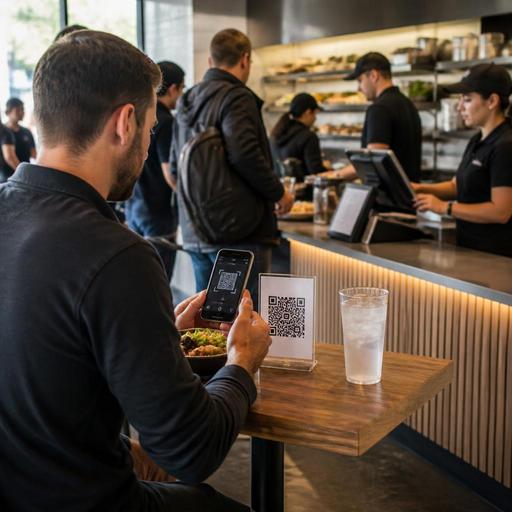
QR ordering can also help in specific U.S. setups. A newer fast-casual concept with limited seating may use table QR ordering so guests can claim a seat first instead of waiting in a line and then looking for a table. That can work especially well in busy mixed-use neighborhoods, hotel lobby restaurants, food halls, and airport environments. The key is to make the QR menu easy to navigate on a phone, with large tap targets and simple category logic.
Accessibility should be part of the workflow, too. Operators should think beyond the QR code itself and make sure guests have practical alternatives if they cannot or do not want to scan. Screen readability, contrast, and straightforward navigation all matter. Accessibility expectations can vary by situation, so operators should review current ADA-related guidance and local requirements with qualified professionals when needed.
Use digital menus to protect kitchen throughput
A lunch menu should reflect what the kitchen can actually execute in volume. This sounds obvious, but many operators still use digital menus to showcase too many low-frequency items, complicated builds, or special requests that slow production.
A rice bowl brand with eight locations might notice that custom lunch orders with too many sauce combinations are backing up the hot line. A practical fix is to use the digital menu to guide guests toward a few default builds first, then allow customization in a controlled way. A sandwich shop near a hospital may temporarily feature high-speed cold items more prominently from 11:30 a.m. to 1:30 p.m. if grill capacity is the bottleneck. A food truck serving office parks may simplify modifier steps before noon and expand them later in the day.
Digital menus are especially useful when tied to POS and kitchen display workflows. When item availability, prep timing, and modifier rules align with the kitchen display system, staff do not have to translate confusing tickets during the rush. That means fewer verbal clarifications between the expo station and the counter, fewer remakes, and a cleaner handoff to the pickup shelf.
- Review the top 20 lunch items by volume.
- Identify which modifiers cause the most pauses, questions, or remakes.
- Shorten or reorder those choices in the digital menu.
- Sync sold-out status and 86 lists across POS, online ordering, and QR menus.
- Train cashiers and expo staff to spot menu confusion and report it weekly.
Support higher checks without slowing the line
Upselling during lunch only works if it feels fast. A cashier asking every guest three separate add-on questions can stall the line. A digital menu can do that work more efficiently by presenting relevant suggestions at the right moment.
For example, a taco concept in Los Angeles can suggest chips and queso after the guest selects an entree, not before. A cafe in Boston can offer bottled drinks and a cookie bundle during checkout for takeout orders. A poke shop in Seattle can promote a preset premium protein upgrade instead of forcing guests through a long list of extras. These are small decisions, but they preserve momentum.
Operators should also think about payment flow. Some lunch guests want to split a check, add a tip on a counter transaction, or use mobile wallets quickly before heading back to work. Digital ordering and POS workflows should make those options clear without adding confusion. Tipping prompts, service charges, and taxes can affect how the final total is perceived, and the rules vary by jurisdiction and service model. Keep the guest-facing flow transparent and verify the legal, payroll, and tax treatment of tips or service charges with qualified advisors and official guidance.
Turn lunch-rush menu data into weekly improvements
The best digital menu is never really finished. U.S. operators should treat it like a weekly operations tool. Review where guests drop off, which items convert well, which channels create the most ticket friction, and what the kitchen can handle at peak.
A five-unit fast-casual chain in the suburbs might find that direct online ordering converts better when family-sized lunch bundles are hidden until after 2 p.m. A campus-area burrito shop may learn that pickup shelf congestion starts when delivery app orders and walk-in pickup use the same naming convention. A hotel fast-casual outlet may notice that convention guests respond better to combo-first menus than build-your-own flows during short break periods.
Good menu management is not just about sales. It supports labor scheduling, prep planning, and station setup. If digital menu data shows a predictable spike in salads, wraps, and bottled drinks between 11:45 a.m. and 12:30 p.m., managers can prep accordingly, assign a runner to the pickup shelf, or move one employee from dining room support to expo during that window.
For multi-location brands, standardization matters. Core categories, modifier rules, and naming should stay consistent across stores, while local managers can adjust availability for neighborhood demand. That balance helps franchise teams and company-owned groups keep reporting cleaner and training easier.
Digital menus do their best work when they connect guest choice to kitchen reality. If your lunch rush feels chaotic, start by simplifying the decisions your guests make before the order ever reaches the line. Restomas helps operators connect digital menus, QR ordering, POS workflows, and kitchen operations in one practical system.
