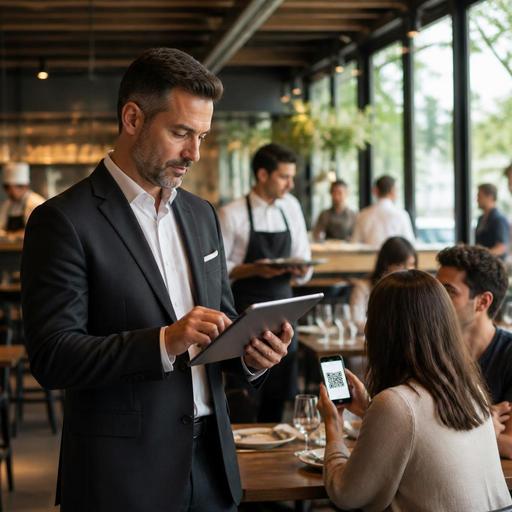
How Restaurants Can Auto-Hide Sold-Out Menu Items in Real Time
Sold-out menu automation helps restaurants remove unavailable items from the guest-facing menu the moment stock runs out. That sounds simple, but in daily service it solves several expensive problems at once: disappointed guests, awkward staff explanations, voided orders, kitchen confusion, and lost trust. Whether you run a cafe with fast-moving pastries, a casual restaurant with limited daily specials, or a multi-channel operation handling dine-in, pickup, and delivery, real-time menu availability is one of the most practical parts of restaurant digitization.
Many restaurants still handle stock-outs manually. A server tells guests that the sea bass is gone. A cashier warns walk-in customers that only one soup remains. Someone edits a delivery app later, but forgets the QR menu. Another staff member leaves an out-of-stock dessert visible because the dinner rush is too busy for admin work. The result is inconsistency. Guests see one menu, staff know another reality, and the kitchen works in a third version of the truth.
Why sold-out visibility matters more than most operators think
When an item remains visible after it is no longer available, the immediate issue is obvious: the guest cannot order what they wanted. But the operational impact goes further. The team must stop, apologize, suggest alternatives, and often restart the ordering conversation. During peak hours, these small interruptions stack up.
For a coffee shop, this may mean baristas repeatedly explaining that the almond croissant sold out at 9:30. For a grill restaurant, it may mean three servers separately discovering that only one ribeye portion remains. For a bakery with QR ordering, it may mean guests placing orders for products that the counter cannot fulfill. None of these failures are dramatic on their own, but they slowly damage speed, confidence, and guest satisfaction.
Accurate availability also affects perceived professionalism. Guests are usually understanding when a fresh item sells out, especially if it is seasonal, handmade, or prepared in limited quantity. What frustrates them is not the shortage itself, but the mismatch between the menu and reality. A digital menu should reduce uncertainty, not create more of it.
What real-time sold-out automation should actually do
Not every restaurant needs a complex inventory engine to improve menu accuracy. In many cases, a practical setup starts with one goal: once an item becomes unavailable, it should disappear or be clearly marked unavailable across every relevant guest touchpoint as fast as possible.
A useful sold-out workflow usually includes the following actions:
- Instant status updates: Staff can mark an item unavailable in seconds from a tablet, POS-connected system, or admin panel.
- Channel consistency: The same update should apply to QR menus, online ordering pages, and other active digital menus.
- Modifier control: Not only full dishes, but also add-ons and options can be disabled when needed.
- Fast restoration: If a prep batch is replenished, the item can be reactivated without rebuilding the menu.
- Role clarity: Staff know who is responsible for changing availability during each shift.
For example, imagine a brunch restaurant offering avocado toast, mushroom omelets, fresh orange juice, and a daily cake selection. If avocados run out, the restaurant should not wait until the next menu print cycle or ask every server to remember a verbal update. The item should be switched off immediately. If only the feta add-on is finished, that modifier should be removed while the core dish remains orderable. This level of control prevents overcorrection and preserves sales on what is still available.
How to build a practical sold-out process during live service
The best systems fail if the team does not know when and how to use them. Sold-out automation works when technology and shift discipline support each other. Restaurant owners should design a simple operating routine rather than assuming software alone will fix the problem.
1. Define the trigger point
Decide exactly when an item is marked unavailable. Is it when the kitchen starts the last portion, when the last portion is sold, or when a manager confirms no more prep can be produced? Different items may need different rules. A bottled drink is easy. A slow-cooked special is less flexible. Clear trigger points reduce hesitation.
2. Assign responsibility by station or shift
Someone must own the update. In a small cafe, this may be the shift lead. In a full-service restaurant, the kitchen expeditor may notify the floor manager, who updates the menu. In a multi-branch operation, each location should control its own availability rather than relying on head office for minute-by-minute changes.
3. Prioritize high-risk items
Start with products most likely to sell out or vary daily:
- Daily soups and specials
- Fresh pastries and bakery items
- Seasonal fish or meat cuts
- Limited desserts
- Popular modifiers such as alternative milks, sauces, or side dishes
These items create the biggest mismatch risk between menu and reality. Once the team handles them well, you can extend the process to broader menu categories.
4. Create backup suggestions in advance
If a signature item sells out, staff should already know the best alternative. For example, if the pistachio tiramisu is gone, the team can guide guests to the cheesecake or chocolate mousse. If the grilled sea bass is unavailable, they can suggest the salmon with a similar preparation style. This keeps the conversation smooth and protects revenue without making staff improvise.
Common menu availability mistakes that create avoidable friction
Restaurants often think they have a stock issue when they actually have a workflow issue. The following mistakes are common and highly fixable:
- Updating only one channel: The in-house QR menu changes, but the online ordering menu does not.
- Relying on memory: Staff are told verbally, but the menu remains unchanged for guests.
- Removing too much: A missing ingredient causes the whole category to be hidden, even when substitutes are possible.
- No reopen process: An item becomes available again, but stays invisible for the rest of the shift.
- No shift handover note: The morning team disables an item and the evening team does not know why.
Another mistake is treating sold-out updates as purely technical rather than guest-facing. The language and presentation matter. In some cases, hiding an unavailable item is best because it removes friction. In other cases, especially with famous daily specials, marking it as unavailable can help guests understand demand and avoid confusion. The right choice depends on your concept and guest expectations.
How digital menu tools improve guest experience and staff efficiency
When sold-out updates happen quickly, the benefits reach both the dining room and the back of house. Guests spend less time considering items they cannot have. Staff spend less time apologizing and more time serving. The kitchen receives cleaner tickets. Managers gain better control over service flow.
Consider a lunch-focused bistro with heavy office traffic. The chicken sandwich sells out at 1:15, but remains on the menu until 2:00. During that period, several guests ask for it, cashiers explain the issue repeatedly, and the line slows. If the item had been removed immediately, guests would have made faster decisions from the remaining options. The operational gain is not abstract; it shows up in fewer interruptions.
This is where restaurant platforms such as Restomas fit naturally into operations. A digital menu system that allows fast availability updates, branch-level control, QR access, and integration with broader ordering workflows can help restaurants keep menus aligned with real kitchen conditions. The value is not just digitization for its own sake, but using digital tools to prevent avoidable service friction.
For restaurant owners, the practical next step is simple: audit your top ten stock-out items, map who updates them, and measure how long it currently takes for a sold-out product to disappear from every guest-facing menu. That single exercise will reveal whether your process is manual, delayed, or inconsistent.
If you want a cleaner way to keep digital menus accurate during service, Restomas can help restaurants manage menu availability with less manual effort.
