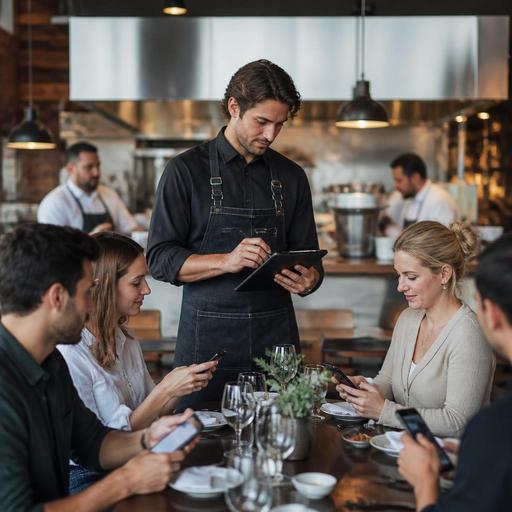
How Restaurants Can Cut Order-Taking Time Without Hurting Service
Reducing order-taking time in restaurants is not just about moving faster. It is about removing friction for guests, giving staff clearer steps, and building a service flow that stays reliable during busy periods. When servers spend too long explaining the menu, walking back and forth, correcting missed details, or re-entering unclear orders, the whole floor slows down. Tables wait longer, the kitchen gets uneven ticket flow, and guests feel that delay before the food even arrives.
The good news is that faster order-taking usually comes from better restaurant operations, not from pressuring staff to rush. Clear menus, well-defined station routines, better handoff between front and back of house, and simple digital support can shorten the time from seating to confirmed order while keeping the guest experience warm and personal.
Find the Real Cause of Slow Orders Before You Try to Speed Them Up
Many restaurants assume order-taking is slow because staff need more training. Sometimes that is true, but the bottleneck often starts earlier. Guests hesitate when the menu is hard to scan, modifiers are confusing, prices are unclear, or popular items are buried. Servers lose time when they need to answer the same basic questions at every table or when they must return to clarify cooking preferences, side choices, or unavailable items.
Start by observing a few service periods and noting where time is actually lost. Look at the sequence from seating to order confirmation:
- How long does it take guests to understand the menu?
- Which questions come up repeatedly?
- How often do servers leave the table without a complete order?
- How often are orders corrected after they reach the kitchen?
- Are delays worse at certain tables, shifts, or menu sections?
For example, a casual dining restaurant may discover that lunch service slows down because guests keep asking which combos include drinks and which sides can be swapped. A cafe may find that custom milk options and pastry availability create repeated follow-up questions. A family restaurant may notice that large tables take too long because one server handles recommendations, allergy notes, kids' choices, and split bills all at once.
Once you identify the pattern, the solution becomes operational and specific rather than vague.
Use Menu Design to Make Decisions Easier at the Table
A faster ordering process starts with a menu that helps guests decide quickly. This does not mean reducing choice in every case. It means presenting choices in a way that lowers hesitation.
Review your menu with one question in mind: What makes guests pause? Common friction points include long item names, inconsistent descriptions, hidden add-on costs, unclear combo structure, and too many modifier paths. If guests need a verbal explanation to understand an item, the menu is doing too little work.
Practical improvements include:
- Standardize descriptions. Use a consistent format for proteins, sides, sauces, and portion information.
- Group modifiers logically. Put cooking preferences, side choices, and add-ons in a predictable order.
- Highlight bestsellers or house picks. This helps guests who want a quick decision.
- Make unavailable items easy to update. Staff lose time when they must apologize and redirect after an item is already chosen.
- Clarify common dietary details. Simple allergen or ingredient notes reduce repetitive table-side explanations.
Digital menus can help here because they are easier to update than printed versions. If the soup of the day changes, a dessert sells out, or a lunch special ends at a certain hour, the menu should reflect that immediately. This reduces the back-and-forth that slows ordering and frustrates guests. A QR menu can also answer frequent questions before the server arrives, especially when it includes modifiers, photos where appropriate, and clear category logic.
Build a Table-Service Workflow That Removes Extra Steps
Even with a clear menu, order-taking time can expand when service steps are inconsistent. Strong restaurants define a repeatable table workflow so staff do not improvise every interaction.
A simple example is splitting the table journey into clear moments: greet, menu orientation, drinks, readiness check, order capture, confirmation, and kitchen handoff. This keeps staff from hovering too early or returning too late.
Consider these practical workflow changes:
- Pre-set the first questions. Train staff to ask the same key questions in the same sequence, such as water preference, drink order, and whether guests need a minute with the menu.
- Use a readiness check. Instead of asking a broad question like “Are you ready?” staff can ask “Can I start with drinks and appetizers, or are you ready for the full order?” This reduces awkward pauses.
- Confirm modifiers once, clearly. Teach servers to repeat back cooking temperature, side choice, and allergy notes in one summary instead of multiple partial confirmations.
- Assign support roles during peak periods. A runner, host, or section support person can handle water, table resets, or menu explanations so servers can focus on taking complete orders.
- Set a rule for incomplete orders. For large groups, decide when to send partial orders and when to wait for the full table, based on kitchen capacity and service style.
In quick-service and counter-service settings, the same principle applies. The order station should reduce decision overload, and staff should follow a short, standard script that guides guests through choices without sounding robotic.
Reduce Rework Between Front of House and Kitchen
One of the biggest hidden causes of slow order-taking is rework. If servers know that the kitchen will reject unclear tickets, question missing modifiers, or call back substitutions, they become slower at the table because they are trying to prevent mistakes. That caution is understandable, but it extends the ordering moment.
The solution is to make the order handoff cleaner. Every order should move from guest to kitchen with as little interpretation as possible. This requires agreement between front and back of house on what a complete order looks like.
Review areas such as:
- Required modifier fields for key dishes
- Standard wording for substitutions
- How allergy notes are flagged
- How out-of-stock items are communicated in real time
- When servers should course items separately
For example, if a burger always requires temperature, cheese choice, and side selection, your ordering process should not allow that ticket to move forward with missing details. If a pasta dish cannot be made gluten-free, that should be visible before the server promises it. If the kitchen is out of salmon, the menu and ordering system should show that immediately instead of creating a table-side recovery situation.
This is where integrated digital tools can support operations quietly. When menus, ordering flow, and kitchen communication stay aligned, staff spend less time double-checking and correcting. The result is faster order-taking because the team trusts the process.
Train for Speed Through Clarity, Not Pressure
If managers only tell staff to be faster, service quality usually drops. Guests feel rushed, details get missed, and mistakes increase. Better training focuses on clarity, confidence, and pattern recognition.
Train staff on the specific situations that slow orders down most often:
- Guests who are undecided between similar items
- Large tables with split preferences
- Families ordering for children
- Dietary and allergen questions
- High-modifier menu categories such as pizza, burgers, breakfast plates, or coffee drinks
Use short role-play scenarios. For instance, teach a server how to guide a guest between two popular mains by comparing flavor, portion style, or side options in one sentence. Teach them how to handle unavailable items by offering a direct alternative immediately. Teach them how to summarize a complex order in a calm, structured way before leaving the table.
Managers should also track operational signals, not just speed alone. If order-taking time goes down but voids, remakes, and guest complaints go up, the process is not improving. The goal is a shorter, cleaner path to an accurate order.
Restaurants that want steady improvement often benefit from reviewing menu performance, update speed, and service flow together rather than as separate issues. A digital setup that connects menu changes, order capture, and clearer guest-facing information can support that effort without changing the restaurant’s identity. Restomas helps restaurants organize those parts more smoothly so teams can serve faster while keeping the experience easy for guests.
