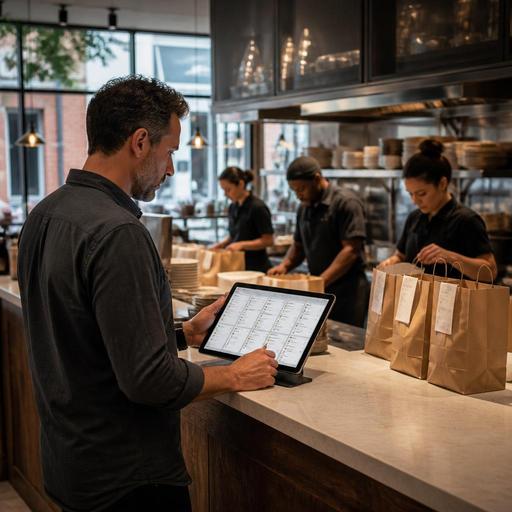
How Restaurants Can Manage Multiple Delivery Apps in One Dashboard
Why a Single Delivery Dashboard Matters
Managing multiple delivery apps from one restaurant dashboard is no longer just a convenience for busy operators. For many restaurants, it is the difference between a controlled service flow and a shift that feels fragmented from the first online order to the last handoff. When orders come from several marketplaces at once, staff often end up switching between tablets, checking separate menus, and trying to catch updates in different systems. That creates avoidable friction at the exact moment speed and accuracy matter most.
A single dashboard helps bring delivery activity into one operational view. Instead of assigning one team member to watch each device, restaurants can route incoming orders through a central interface, align prep timing, and reduce the mental load on front-of-house and kitchen staff. This matters for independent restaurants as much as multi-unit brands. Even a small cafe with limited labor can lose valuable time when one platform shows an out-of-stock item, another still accepts it, and the kitchen only discovers the problem after the ticket prints.
The goal is not to be present on every delivery platform without limits. The goal is to stay visible where guests order while preserving consistency, profitability, and service quality inside the restaurant.
Common Problems When Delivery Platforms Are Managed Separately
Before building a better workflow, it helps to identify where separate platform management causes daily problems. Most restaurants do not struggle because delivery demand exists. They struggle because the operational signals are scattered.
- Menu mismatch: An item is updated on one app but not on others, leading to substitutions and refunds.
- Tablet overload: Staff monitor multiple devices during peak hours and miss new orders or alerts.
- Prep timing confusion: Drivers arrive before food is ready, or completed orders sit too long.
- Out-of-stock issues: A sold-out dish remains live on one channel because inventory or menu status is not synchronized.
- Reporting gaps: Managers cannot easily compare channel performance, cancellation reasons, or product mix.
- Staff stress: Team members repeat the same actions across several systems, increasing mistakes under pressure.
Consider a practical example. A burger restaurant sells a combo meal on three delivery apps. The price changes, one side dish becomes unavailable, and a weekend promotion starts. If each change is made manually in every app, the chance of inconsistency rises with every update. A centralized dashboard or connected management system allows the operator to maintain control from one place rather than relying on memory and rushed edits.
How to Set Up a Practical Multi-Platform Workflow
Restaurants often assume that adding delivery channels automatically increases revenue. In reality, more channels only help when the workflow behind them is clear. A practical setup starts with standardization.
1. Create one source of truth for menus
Build a master menu structure with consistent item names, modifier groups, prices, packaging notes, and availability rules. For example, if a chicken wrap includes a choice of fries or salad, that modifier logic should be identical across platforms. If one app lists different add-ons than another, guests will order differently and staff will need to interpret exceptions.
This is where digital menu management becomes essential. A restaurant should be able to update prices, pause items, and adjust descriptions without rebuilding the same content repeatedly. When menu control is centralized, changes become operational decisions rather than emergency fixes.
2. Define channel-specific rules without losing consistency
Not every platform has to work exactly the same way. Some restaurants offer a tighter menu on high-volume apps to protect kitchen speed. Others remove fragile desserts from long-distance delivery zones. The key is to decide these differences intentionally.
For example, a pasta concept might offer its full menu for dine-in and pickup but only its best-traveling dishes for third-party delivery. That is not a limitation. It is smart channel design. A unified dashboard should let managers keep a consistent core menu while controlling which items appear where.
3. Route orders into a clear kitchen flow
If online orders live outside the normal production queue, they will create bottlenecks. Delivery tickets should enter the kitchen in a way that matches existing station logic. Grill, salad, dessert, and packaging teams need to see the same sequence and priorities they use for in-house orders, with clear labels for platform, pickup time, and special instructions.
Many operators improve performance by setting simple internal rules such as:
- Accept all delivery orders through one dashboard.
- Send them automatically to the kitchen queue.
- Mark delayed items immediately if a station is backed up.
- Assign one expeditor to check packaging, modifiers, and driver handoff.
These steps sound basic, but they remove uncertainty. The result is fewer verbal corrections and fewer last-minute remakes.
Menu Control, Staff Coordination, and Guest Experience
Multi-platform delivery management is not only about technology. It is about preserving the guest experience when the guest never enters the dining room. That means menu accuracy, communication, and staff coordination must work together.
Start with availability discipline. If an ingredient runs out at 8:15 p.m., staff should not need to pause the same item on several tablets one by one. A central dashboard reduces the lag between kitchen reality and guest-facing availability. This protects reviews and prevents the frustrating cycle of calling customers to replace items after payment.
Next, tighten packaging and handoff standards. When orders come from several platforms, each with different driver timing, the restaurant needs one internal packaging checklist. For instance:
- Check item count against the consolidated ticket.
- Confirm modifiers such as no onions, extra sauce, or gluten-free requests.
- Separate hot and cold items when possible.
- Mark drinks, desserts, and cutlery needs before handoff.
Staff coordination also improves when roles are explicit. During peak periods, one person may oversee the dashboard, another may pack and verify orders, and the kitchen lead may decide when to throttle or pause delivery demand. Without role clarity, everyone touches the process and no one owns it.
From the guest perspective, consistency matters more than channel complexity. They do not care that the restaurant uses three marketplaces and a direct ordering system. They care that the menu is accurate, the food arrives in good condition, and special requests are handled correctly. A centralized operational setup supports that outcome.
What Restaurant Owners Should Track Every Week
Running multiple delivery channels from one dashboard also gives owners a better management lens. Instead of reacting to isolated problems, they can review patterns and make decisions based on actual operations.
Focus on a short weekly review that includes:
- Top-selling items by channel: Identify which dishes travel well and which create complaints or remakes.
- Paused or unavailable items: Check whether stockouts are frequent and whether menu planning needs adjustment.
- Order error themes: Look for repeated modifier mistakes, missing sides, or packaging issues.
- Prep and handoff delays: Note when kitchen congestion affects driver pickup timing.
- Channel profitability: Compare delivery platforms based on fees, labor impact, and product mix rather than order volume alone.
For example, a pizza restaurant may discover that one app drives strong weekday lunch volume while another mainly produces late-night orders with more customizations and more complaints. That insight can guide menu simplification, staffing, and availability windows. The point is not to treat all channels equally. The point is to manage them intentionally.
Restaurant operators should also review whether direct digital channels, such as QR ordering or branded ordering flows, can complement marketplace demand. Third-party apps can broaden reach, but they work best when connected to a broader digital system that also supports menu updates, order management, and operational visibility.
As restaurants grow, disconnected delivery management becomes harder to sustain. A connected platform approach helps teams reduce duplicate work, keep menus aligned, and protect service standards across every order source. Restomas supports restaurants that want to bring delivery, menu control, and daily operations into one cleaner digital workflow.
