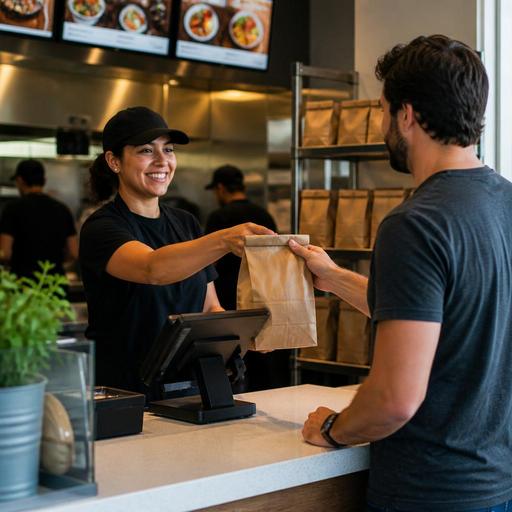
How to Build Guest Trust on U.S. Restaurant Online Ordering Pages
Guest trust on U.S. restaurant online ordering pages is not built by design alone. It comes from clear pricing, accurate menus, reliable pickup timing, recognizable payment steps, and a checkout flow that feels as dependable as the experience at your host stand or front counter. For American restaurant operators, trust directly affects whether a guest completes a takeout order, chooses direct ordering instead of a delivery app, or comes back next week.
If a family ordering Friday night dinner sees missing modifier options, unclear fees, or confusing curbside pickup instructions, they may abandon the cart and open a marketplace app instead. If a lunch guest at a fast-casual salad concept cannot tell whether the order will be ready in 12 minutes or 35, they may skip the order altogether. Trust signals reduce that hesitation.
Show guests exactly what they are buying
The first trust signal is menu accuracy. Your online ordering page should match what the kitchen can actually produce during that daypart. In U.S. operations, this matters even more when menus vary by lunch, dinner, late night, happy hour, or weekend brunch.
A neighborhood pizza shop in Chicago, for example, should not show lunch combo pricing at 7:30 p.m. if those items are unavailable. A Texas barbecue restaurant should not allow guests to order brisket by the pound late in the evening if inventory is often depleted. A hotel restaurant offering in-room pickup should separate that workflow from public takeout so guests understand what is available to them.
- Use current item names and descriptions so guests can identify dishes quickly.
- List modifiers clearly for sides, sauces, doneness, protein add-ons, and allergy-related requests.
- Mark sold-out items promptly instead of accepting orders and calling guests later.
- Keep photos consistent with the actual dish if you use photography.
- Make portion and bundle details obvious for family meals, catering trays, and combo meals.
For chains and larger operators, menu labeling may also come into play. If your business is subject to FDA menu labeling rules or similar requirements, your online presentation should be reviewed carefully with qualified advisors and current official guidance. The operational point is simple: the digital menu should be governed with the same discipline as the in-store menu board.
Remove doubt around price, fees, and tipping
Price clarity is one of the strongest trust signals in direct online ordering. Guests in the United States are used to seeing a subtotal change during checkout because of sales tax, optional tips, delivery fees, service charges, or packaging fees. Confusion starts when those amounts appear late or are described poorly.
Make the pricing flow easy to follow before the guest reaches the final payment step. If your online ordering page supports tipping for pickup, label it as optional and keep the wording straightforward. If your operation applies a service charge in some channels or for large orders, explain it consistently and train staff to answer questions at pickup. Operators should verify current state and local rules, tax treatment, and required disclosures with qualified tax and legal advisors because sales tax and service charge treatment can differ by jurisdiction.
A few practical examples:
- A coffee shop in Seattle can present a clear pickup subtotal, estimated sales tax, and optional tip before payment.
- A sports bar in Ohio can separate direct pickup pricing from third-party delivery pricing so guests understand why totals differ across channels.
- A multi-location fast-casual brand can standardize fee labels across stores so one suburban location does not say “service fee” while another says “online convenience fee” for the same workflow.
Trust goes up when guests do not feel surprised at the end of checkout. It also helps your team at the register because fewer guests arrive frustrated about the total on the check or digital receipt.
Make fulfillment details impossible to miss
Many abandoned orders are not about the food. They are about uncertainty around what happens next. Guests want to know when the order will be ready, where to go, and how pickup works.
Your ordering page should answer these questions before the guest pays:
- Is this pickup, curbside pickup, or delivery?
- What is the realistic ready time right now?
- Where should the guest go on arrival?
- Is there a pickup shelf, host stand handoff, drive-thru window, or curbside parking process?
- What should the guest do if an item is missing or delayed?
Consider how different U.S. formats need different trust cues. A food truck near an office park may need a simple note telling guests which side of the truck handles prepaid pickup. An airport concession may need gate-area pickup instructions that reduce confusion for travelers in a hurry. A diner offering curbside pickup should explain whether guests should call, tap a link, or enter vehicle details during checkout.
These details should also connect to back-of-house operations. If the POS, kitchen display system, and online ordering platform are not aligned, your page may promise a 15-minute pickup while the kitchen is already buried. Accurate prep time rules, item throttling, and order pacing are not just efficiency tools; they are trust tools.
Use familiar payment and accessibility signals
Guests are more likely to complete an order when checkout feels secure and easy to use on a phone. In practical restaurant terms, that means fewer fields, fewer redirects, and payment methods that fit how Americans actually pay for takeout.
Useful trust signals include:
- Mobile-friendly checkout that works smoothly on iPhone and Android devices.
- Common digital wallet support where available, such as tap-to-pay style wallet flows online.
- Visible order confirmation immediately after payment, followed by text or email updates if your workflow supports them.
- Accessible page structure with readable contrast, clear button labels, and logical navigation.
- Simple guest checkout so first-time customers do not have to create an account just to order lunch.
Accessibility matters operationally because if guests cannot navigate your ordering page, they may call the store, increasing front-of-house workload during peak periods. ADA-related obligations can depend on facts and evolving guidance, so operators should review digital access expectations with qualified advisors and official sources. The practical takeaway is to make online ordering usable for as many guests as possible, including older diners, busy parents ordering from a phone, and guests using assistive technology.
Back up the page promise with store-level execution
No trust signal on the screen can overcome inconsistent execution in the store. If the online page says “ready for pickup” but the bag is missing from the pickup shelf, trust drops immediately. If the guest selected no onions and the ticket did not flow correctly to the kitchen display system, the next order may go to a delivery app instead of your direct channel.
Operators should audit the full path from order placement to handoff:
- Test the menu weekly on a real phone, not just from the admin view.
- Check modifier routing from online ordering into the POS and kitchen display system.
- Verify pickup shelf labeling and handoff steps during lunch and dinner rush.
- Train cashiers and hosts to answer direct-order questions clearly.
- Review confirmation messaging for out-of-stock substitutions, delays, and refund handling.
A five-unit burger brand might centralize menu standards but let each location control prep times based on staffing. A suburban sushi restaurant might disable curbside pickup on nights when only one front counter employee is working. A stadium venue may emphasize preorder windows and pickup zones instead of live made-to-order timing. The right trust signals depend on the operating model, but the principle is the same: promise only what the team can deliver consistently.
When your direct online ordering page is clear, accurate, and operationally connected, it starts to feel less like a risky transaction and more like a familiar extension of your restaurant. Restomas helps operators align digital menus, ordering flows, and service workflows so guest trust is easier to earn and keep.
