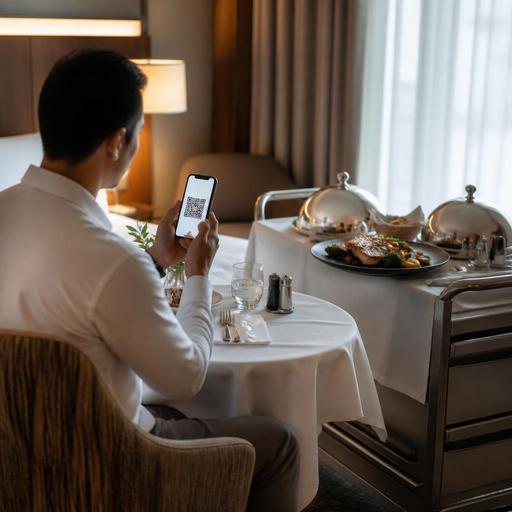
How to Digitize Hotel Room Service Menus and Orders Efficiently
Digitizing hotel room service menus and orders is no longer just a convenience project. For hotel restaurants, it is a practical way to reduce ordering friction, improve menu accuracy, support staff during busy shifts, and give guests a smoother in-room dining experience. When room service still depends on printed directories, unclear phone calls, and manual handoffs between departments, mistakes become more likely. A digital workflow helps hotel operators present the right menu at the right time, capture order details clearly, and coordinate kitchen, service, and front desk teams with less confusion.
Why room service breaks down in traditional hotel operations
Room service often looks simple from the guest side: scan a menu, place an order, and wait for delivery. Behind the scenes, however, hotel restaurants deal with more moving parts than a standard dine-in order. There may be breakfast cutoffs, late-night menus, minibar add-ons, allergy notes, tray charges, delivery timing requests, and coordination with reception or housekeeping. When this process runs through paper menus and phone calls alone, small errors can create a poor guest experience.
Common examples include outdated printed menus left in rooms, guests ordering items that are no longer available, staff mishearing room numbers, or kitchen teams receiving incomplete notes such as no dairy or deliver after 9 pm. These issues are not always caused by poor staff performance. Often, they come from a system that depends too heavily on memory, verbal communication, and manual updates.
A digital setup gives hotel restaurants more control over what guests see and what staff receive. Instead of relying on multiple versions of a menu across rooms, operators can maintain one live source for item availability, pricing, modifiers, and service hours.
Build a room service menu around guest decisions, not just dishes
A strong digital room service menu should do more than display food. It should guide the guest through a clear decision path. Hotel guests are often ordering in a different mindset than restaurant diners. They may be tired after travel, unfamiliar with the property, ordering for children, or trying to fit a meal between meetings. That means the menu should reduce effort, not add complexity.
Start by organizing categories around real use cases. For example:
- Early breakfast for guests leaving before standard restaurant hours
- All-day comfort meals such as soups, pasta, sandwiches, and salads
- Late-night room service with a shorter, operationally manageable menu
- Family-friendly picks with simpler portions and easy add-ons
- Beverages and extras such as water, coffee, desserts, or minibar-style items
Each item should answer the guest's likely questions quickly. Include a clear description, major ingredients, optional add-ons, and relevant service notes. If a burger comes with fries or salad, say so. If breakfast can be scheduled for a delivery window, make that option visible. If a dish contains common allergens, identify them clearly. Good room service menus reduce back-and-forth and lower the chance that staff must call the room to clarify the order.
This is where digital menu management becomes especially useful. A platform such as Restomas can help operators update categories, hide unavailable items, and adjust menus by daypart without reprinting in-room material every time something changes.
Design the order flow to prevent avoidable mistakes
Digitizing room service is not just about replacing paper with a QR code. The real value comes from structuring the order flow so that the kitchen and service team receive complete, usable information. A good process captures the details that are usually lost during phone orders.
At minimum, the digital order flow should include:
- Room identification so the order is linked to the correct room or guest
- Delivery timing such as as soon as possible or a selected time window
- Modifiers and notes for cooking preferences, allergies, and add-ons
- Charge handling such as room posting or direct payment, based on hotel policy
- Confirmation visibility so guests know the order has been received
Consider a practical example. A business traveler wants grilled salmon, sparkling water, and fruit for later delivery at 8:30 pm. In a phone-based process, the staff member may write the room number incorrectly, forget the timing, or miss that the guest requested dressing on the side. In a digital workflow, those fields can be structured so the order arrives complete and legible.
Operators should also think carefully about what not to offer digitally. If certain requests always require staff confirmation, such as special celebratory setups or complex wine service, it may be better to route those through a call-back step rather than force a fully automated path.
Connect kitchen, service, and front desk teams with one workflow
One of the biggest mistakes in hotel restaurant digitization is treating room service as a menu project only. In reality, it is a cross-department workflow. The kitchen prepares the food, service delivers it, and the front desk may field guest questions or billing concerns. If these teams do not share the same information, digitization only shifts the confusion from paper to screens.
Create a simple operational map for room service orders:
- Who receives the order first?
- How is the kitchen notified?
- Who confirms delivery timing?
- Who handles unavailable items or substitutions?
- How is the order marked as delivered?
- How is the charge reconciled at the end of service?
For example, a late-night order may need to bypass the full restaurant workflow and go directly to a reduced overnight team. A breakfast pre-order may need to appear in advance so mise en place and tray planning can happen before the morning rush. These details matter more than the menu design itself.
Staff training should focus on exceptions, not just normal orders. Teach the team how to respond when a guest orders after cutoff time, when an item suddenly becomes unavailable, or when the room number does not match the guest name. A digital system supports consistency, but only if the team knows how to use it under pressure.
Where possible, integrate room service orders into broader restaurant order management rather than managing them in a separate manual channel. That reduces duplicate entry, helps managers track demand patterns, and makes service performance easier to review.
Use digitization to improve guest experience without losing hospitality
Some operators worry that digitizing room service makes the experience feel less personal. In practice, the opposite is often true when the system is designed well. Guests usually do not want a long phone interaction just to order soup, tea, and dessert. They want clarity, speed, and confidence that the order will arrive as expected.
The hospitality comes from thoughtful details: accurate preparation notes, realistic delivery windows, clean menu descriptions, and a smooth handoff at the room door. Digital tools can support that human service by removing friction from the ordering stage.
There are several practical ways to keep the experience warm and guest-friendly:
- Use menu language that is clear and welcoming, not technical
- Offer curated sections such as jet lag light meals or quick breakfast before checkout
- Make it easy to reorder popular items without searching the full menu
- Provide a visible contact option for guests who still prefer speaking to a person
- Review guest feedback for repeated pain points in delivery timing, packaging, or menu clarity
For hotel restaurants, room service is also a brand touchpoint. A guest may never visit the main dining room, but they will remember whether in-room dining felt easy, reliable, and worth the price. Digitization helps protect that impression by reducing preventable service failures.
A practical rollout plan for hotel restaurants
If you are digitizing room service for the first time, avoid trying to fix everything at once. Start with a focused rollout that improves the highest-friction parts of the process.
- Audit the current journey. Follow one order from guest request to delivery and identify where errors or delays occur.
- Clean the menu first. Remove low-clarity items, standardize descriptions, and define modifiers clearly.
- Set daypart rules. Separate breakfast, all-day, and late-night availability so guests only see what can actually be ordered.
- Define staff ownership. Make sure every stage has a responsible team member or department.
- Test with real scenarios. Try allergy requests, timed delivery, unavailable items, and multi-item family orders.
- Review weekly. Look for repeated guest questions, common order notes, and frequent operational bottlenecks.
The goal is not to remove human service. It is to make room service easier to manage and easier to trust. When menu updates, order capture, and team coordination work together, hotel restaurants can deliver a more consistent experience with less operational strain. Restomas can support that process with digital menus and order management tools that help hotel food-service teams stay accurate, flexible, and guest-focused.
