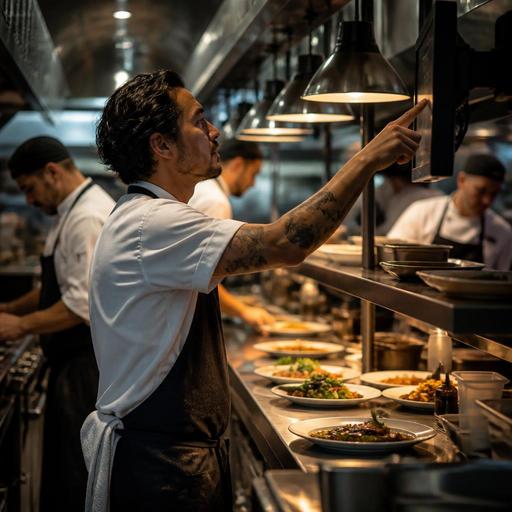
How to Set Up a Kitchen Display System for Smoother Restaurant Service
A kitchen display system setup can do much more than replace printed tickets. When it is planned well, it becomes the control point for order flow, prep timing, communication between front and back of house, and service consistency during busy periods. For restaurant owners, cafe operators, and kitchen managers, the goal is not simply to install screens. The goal is to create a workflow that helps the team see the right orders at the right time, act quickly, and avoid confusion.
Many restaurants make the same mistake: they treat the KDS as a hardware project instead of an operations project. A screen in the kitchen will not solve delays if menu modifiers are unclear, stations are overloaded, or staff members do not know who is responsible for clearing and firing orders. A practical rollout starts with mapping how orders move through the business today, then deciding how the KDS should support that flow.
Start with your real service flow, not the device
Before choosing screen positions or ticket settings, document how orders currently enter the kitchen. A small cafe may receive dine-in, takeaway, phone, and QR menu orders. A casual restaurant may also have delivery platform orders, reservations that trigger timed preparation, and bar items that need separate handling. Every source matters because each one affects how the kitchen sees workload.
Write down the steps from order entry to guest handoff. Include who receives the order, who sends it, which station prepares each item, and how completed dishes are marked ready. This process often reveals hidden problems that a KDS can fix only if they are defined clearly.
- Example: A burger restaurant may discover that fries and burgers appear together, but drinks are handled at the counter without any shared status view, causing handoff delays.
- Example: A cafe may find that pastry warming requests are buried in modifier text, so the team misses them during morning rush.
- Example: A full-service restaurant may notice that starters and mains are sent too early because there is no controlled firing logic between service and kitchen.
Once the current flow is visible, decide what the KDS must do. It may need to separate orders by station, highlight modifiers, group items by table, show promised pickup times, or display order age to help the team prioritize. These are operational requirements, not technical extras.
Design screen routing by station and prep responsibility
A useful KDS setup reflects how food is actually prepared. If all orders appear on one crowded screen, the kitchen may become slower rather than faster. Routing should follow prep responsibility. Grill sees grill items, salad sees cold prep, dessert sees finishing items, and expo or pass sees the complete order status.
For many restaurants, a basic station structure is enough:
- Production screens for each prep area
- An expo screen for final coordination
- A pickup or front counter view for ready orders
This does not need to be complex. A quick-service concept might use one hot line screen and one assembly screen. A pizza restaurant might route dough, oven, and cut table tasks separately. A brunch cafe might send coffee to bar, eggs to hot line, and bakery items to a light prep station.
The important point is clarity. Each screen should answer one question: what should this station do now? If staff must interpret too much text or scroll through unrelated items, the benefit of digitization falls quickly.
Menu structure also matters here. Clean item names, consistent modifier groups, and clear add-ons make the KDS readable. If your digital menu, QR ordering flow, or POS categories are disorganized, that confusion will appear in the kitchen too. This is why menu management and kitchen display performance are closely linked.
Set practical rules for timing, priority, and exceptions
After routing, define the working rules. A strong KDS setup is built on simple decisions that every shift understands. Which orders appear first? When should a delayed order be highlighted? Who can bump an item or a full ticket? How are out-of-stock items communicated? What happens when guests request changes after the order is sent?
These rules should be written and tested during normal service, not only during launch day training. Focus on the situations that create stress:
- Large tables with staggered courses
- Delivery orders with promised pickup windows
- Takeaway orders that arrive early or late
- Items with long prep times mixed with quick items
- Modifier-heavy orders such as no onion, extra sauce, allergen notes, or side swaps
For example, a restaurant might decide that orders older than a certain threshold are visually flagged for expo review, while VIP or allergy-related items receive a special marker for double-checking. Another restaurant may hold dessert items until mains are cleared, rather than sending everything at once. The exact rule depends on the concept, but the principle is the same: reduce decision-making in the middle of the rush.
It is also wise to create a fallback process. If internet connectivity drops, if one screen fails, or if the POS integration pauses, the team should know how to continue service. Even a simple backup procedure prevents panic.
Train the team around roles, not just buttons
KDS training often fails because it focuses on tapping the screen instead of clarifying responsibility. Every role should understand how the system supports service.
Kitchen staff
Line cooks need to know how to read tickets quickly, identify modifiers, mark items complete, and escalate problems such as stock shortages or unclear requests.
Expo or pass
Expo needs a full view of order progress, timing, and final checks. This role is critical for catching missing items before the guest sees them.
Front of house and counter team
Servers and cashiers should understand when orders are sent, how course timing works, and how to communicate changes without creating duplicate or conflicting tickets.
Managers
Managers should review bottlenecks, monitor recurring delays, and adjust station rules or menu structure when the same issue appears repeatedly.
A practical training method is to use real order scenarios from your restaurant. Run a lunch rush simulation with modifiers, a delivery spike, and one stockout issue. This shows whether the setup works in realistic conditions. It also helps staff trust the system because they see how it solves daily problems rather than adding another layer of control.
Use KDS data to improve operations after launch
The launch is only the beginning. Once the system is live, review what the screens reveal about your operation. Which items repeatedly slow down the line? Which dayparts create the heaviest queue? Are too many modifiers being used on a few menu items? Are some stations overloaded while others wait?
These observations can lead to practical improvements:
- Simplify menu items that create frequent kitchen confusion
- Adjust prep par levels for items that spike at similar times each day
- Change station assignments during peak hours
- Improve QR menu descriptions so guests choose options more clearly
- Refine order routing between dine-in, takeaway, and delivery channels
For instance, if a cafe sees repeated delays on customizable breakfast plates, it may reduce unnecessary option combinations or group choices more clearly in the digital ordering flow. If a restaurant notices that one garnish station becomes a bottleneck every evening, it may shift prep work earlier or move one finishing task to another station.
This is where connected restaurant systems become especially useful. When menu management, ordering channels, and kitchen operations are aligned, changes made in one place can reduce friction everywhere else. Platforms such as Restomas can support that alignment by connecting QR menus, order flow, and operational visibility in a way that is easier to manage across daily service.
A well-planned KDS is not about adding more screens. It is about giving the kitchen a cleaner language for speed, accuracy, and teamwork. If you start with real workflow mapping, route orders by station, define clear timing rules, and train the team by role, the system becomes a practical tool for better service rather than a source of new complexity. If you are reviewing your restaurant's digital workflow, Restomas can help you connect menus, orders, and service operations more clearly.
