How to Train Kitchen Staff Fast When Menu Items Change
Helping kitchen staff adapt quickly to menu changes is not just a training issue. It is an operational discipline that affects ticket times, food waste, consistency, and staff confidence. When a restaurant adds seasonal dishes, removes slow sellers, updates plating, or changes ingredients because of supply issues, the kitchen feels the impact first. If the change is not communicated clearly, cooks improvise, prep gets misaligned, and service becomes stressful. The good news is that menu changes do not have to create confusion. With a simple rollout process, clear station communication, and digital menu control, restaurant owners can help kitchen teams adjust faster and more calmly.
Why Menu Changes Create Kitchen Friction
Most menu updates fail in the kitchen for predictable reasons. The issue is rarely that staff are unwilling to learn. More often, the problem is that the change reaches the dining room before it fully reaches prep, line stations, and service coordination.
Consider a common example: a cafe replaces a turkey sandwich with a grilled chicken version that uses a different sauce, bread, and garnish. On paper, that looks like one simple item swap. In practice, it changes prep lists, cold storage placement, allergen notes, assembly order, and communication with front-of-house staff. If any one of those details is missed, mistakes appear during rush periods.
Another example is a restaurant introducing a limited-time soup or dessert for the weekend. If the recipe card exists but the portioning tool is not specified, one cook may serve a ladle and another may serve a bowl filled nearly to the rim. This leads to inconsistency, stock shortages, and guest complaints even when the recipe itself is good.
Owners should treat every menu change as a mini operational launch, not just a creative decision.
Build a Repeatable Rollout Process Before Service
The fastest way to reduce confusion is to standardize how menu changes are introduced. A repeatable rollout process helps the kitchen know what to expect every time a dish is added, removed, or revised.
A practical process can include the following steps:
- Finalize the recipe and portion standard before announcing the item.
- Update prep lists so each station knows what changes in daily production.
- Create or refresh station notes with build order, garnish, hold times, and plating details.
- Brief front-of-house and kitchen together so both teams use the same language.
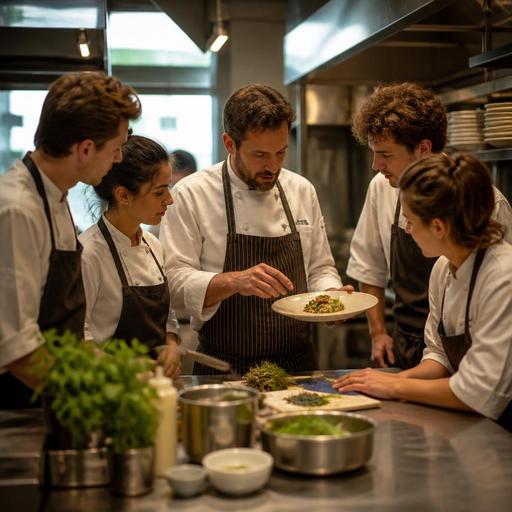
- Run a short pre-service tasting or demo for any item that is new or significantly changed.
- Monitor the first service window closely and correct issues immediately.
This process does not need to be complicated. In many restaurants, a 10-minute pre-shift review is enough if the supporting information is already organized. The key is consistency. When staff know there is always a structured rollout, they become more comfortable with frequent changes.
It also helps to assign one owner, chef, or kitchen lead as the final source of truth. Mixed instructions from multiple managers are one of the fastest ways to create kitchen errors.
Train by Station, Not Just by Recipe
One common mistake is teaching the new dish only as a recipe. Kitchen staff often need station-specific instruction instead. The grill station, garde manger, fryer, expo, and prep team all interact with the item differently.
For example, if a new burger includes caramelized onions, smoked mayo, and a side salad instead of fries, each station needs different guidance:
- Prep needs batch size, shelf life, and storage container labeling.
- Grill needs patty weight, cook target, bun toast standard, and assembly timing.
- Cold station needs salad portion, dressing amount, and plating placement.
- Expo needs the final visual check and modifiers to watch for.
This station-based method makes training easier because staff can focus on the actions they personally control. It also reduces overload. A line cook does not need the entire backstory of the menu change during a rush. They need to know exactly what changes at their station.
Short visual references can help here. A printed or digital station card with ingredients, portioning, and plating sequence is often more useful than a long verbal explanation. If your menu is managed digitally, keeping these updates aligned with the live item list reduces the risk of one team working from outdated information.
Use Service Data and Staff Feedback to Catch Problems Early
The first few days after a menu change are a testing period. Owners should expect small issues and create a fast feedback loop rather than assuming the rollout is complete after one briefing.
Look for operational signals such as:
- Repeated guest modifications on the new item
- Longer ticket times at one station
- Prep shortages earlier than expected
- Frequent questions from servers to the kitchen
- Inconsistent plating at expo
- Waste from overproduced components
These signs reveal where the adaptation process is breaking down. For instance, if servers keep asking whether a dish includes nuts, the problem may not be recipe knowledge but incomplete menu labeling. If one garnish runs out nightly, the issue may be prep forecasting rather than line execution.
Ask staff very direct questions after service:
- Which part of the new item slowed you down?
- What step was unclear at your station?
- Which ingredient or tool was hardest to access during service?
- What should be changed before tomorrow?
This kind of review creates practical improvements quickly. It also shows the team that menu changes are managed collaboratively, not pushed onto them without support.
Reduce Stress With Better Digital Menu and Order Control
Kitchen adaptation becomes much easier when menu information is updated in one organized system instead of across scattered printed sheets, chat messages, and verbal reminders. Digital menu management helps restaurants reduce version confusion, especially when they run dine-in, takeaway, and delivery channels at the same time.
For example, if a sold-out side dish is still visible on one channel but removed on another, the kitchen may keep receiving orders it cannot fulfill. That creates unnecessary substitutions, re-fires, and tension between front and back of house. Centralized updates help prevent this.
Restaurants can also benefit from connecting menu updates with order flow. When modifiers, item names, or availability are standardized across systems, cooks spend less time interpreting tickets. This is especially important for limited-time items, allergen-sensitive dishes, and menu items with optional add-ons.
Restomas supports this kind of restaurant digitization by helping operators keep menus, ordering, and service information more aligned, which can make menu transitions smoother for both guests and kitchen teams.
Create a Kitchen Culture That Expects Change Without Chaos
Restaurants rarely keep the same menu forever. Seasonal ingredients shift, supplier availability changes, and guest preferences evolve. The goal is not to avoid menu changes. The goal is to make change feel normal, controlled, and teachable.
Owners can build that culture through a few habits:
- Keep recipes and station standards current rather than updating them only during major launches.
- Cross-train key staff so one absence does not derail a new item rollout.
- Schedule menu changes thoughtfully and avoid introducing multiple complex items right before the busiest service of the week.
- Review sold-out items and prep waste after menu updates to improve forecasting.
- Reward clarity and consistency instead of relying on last-minute heroics.
In practice, this means choosing fewer, better-managed changes instead of constant uncontrolled edits. A small seasonal update handled well is usually more profitable than a large menu refresh that overwhelms the team.
When kitchen staff trust that changes will be communicated clearly, supported with the right tools, and reviewed after service, they adapt faster and with less frustration. That leads to steadier execution, better guest experience, and a more resilient operation overall.
If your restaurant is working to make menu updates easier to manage across kitchen, service, and guest touchpoints, Restomas can support a more organized digital workflow.
