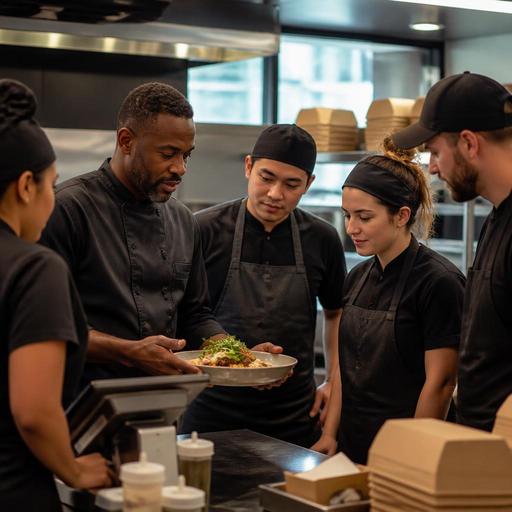
How to Train Kitchen Staff When Your Restaurant Menu Changes Often
Training kitchen staff when menu items change often is one of the hardest operating challenges for U.S. restaurants. Seasonal specials, limited-time offers, delivery-app bundles, catering packages, and vendor substitutions can all create confusion on the line if your team learns changes too late or in the wrong format. Whether you run a neighborhood diner, a fast-casual bowl concept, a hotel restaurant, or a food truck rotating weekly specials, the goal is the same: help cooks execute new items consistently without slowing ticket times, increasing waste, or frustrating front-of-house staff.
Build one source of truth before you train anyone
Many training problems start because the menu changes in too many places at once. The chef updates a prep sheet, the GM changes the POS button names, a delivery app keeps the old modifier set, and the expo station is working from yesterday’s printout. Before training begins, create one operational version of the new item and push every team to work from that version.
For a U.S. restaurant, that source of truth usually includes the item name as it appears in the POS, the build order, portion sizes, allergen notes, packaging for takeout, and how the item should appear on a kitchen display system. If you operate multiple ordering channels, include direct online ordering, QR ordering, phone orders, and delivery apps in the same rollout checklist.
For example, a Chicago fast-casual salad shop launching a summer steak bowl should document:
- Exact POS item name and modifier flow
- Protein portion and scoop sizes
- Cold and hot station responsibilities
- Container choice for dine-in, takeout, and curbside pickup
- Photo reference for final plating or packing
- Whether the item can be held on a pickup shelf without quality loss
When your kitchen team sees the same item description on the prep sheet, POS, KDS, and line reference card, training becomes repetition instead of interpretation.
Train by station, not just by recipe
A common mistake is teaching a new item only as a recipe. In live service, cooks do not work in recipe format. They work by station, ticket sequence, handoff timing, and recovery when something goes wrong. If your menu changes often, station-based training is usually more useful than a single all-staff explanation.
Start with the stations that touch the item. In a burger bar in Texas, a new patty melt special may affect grill, fry, expo, and takeout assembly. In a hotel breakfast kitchen, a new avocado toast item may involve pantry, egg station, and room-service packaging. In an airport concession, a new grab-and-go wrap may involve prep, labeling workflow, holding procedures, and speed during rush periods.
For each station, answer a short set of practical questions:
- What exactly changes at this station?
- What old habit must stop?
- What tools, containers, or ingredients must be moved?
- What is the most likely mistake during peak service?
- How should the station recover if the wrong modifier prints?
This approach is especially helpful in American kitchens where in-person, takeout, and delivery tickets all hit at once. A line cook may know the recipe but still miss that the delivery version needs vented packaging or that the QR order flows to a different prep priority on the screen.
Use short rollout drills before the first rush
Do not wait for live service to test understanding. A ten-minute pre-shift drill is often enough to catch most failures before they affect guests. Keep drills short, visual, and tied to actual tickets. Long classroom-style meetings usually do not stick in a busy restaurant.
Try a simple rollout drill format:
- Show: Present the finished item, packaging, and ticket path.
- Build: Have each station make or stage its part once.
- Call: Run two or three mock tickets with common modifiers.
- Check: Verify portioning, garnish, side choice, and handoff timing.
- Correct: Update station notes immediately if confusion appears.
For example, a Phoenix brunch restaurant adding a rotating pancake feature can run mock tickets for dine-in, takeout, and third-party delivery. The expo can confirm whether syrup is packed separately, whether fruit garnish holds up in transit, and whether the item should be throttled during the first Saturday rush.
If your restaurant uses a kitchen display system, rehearse how the item appears on screen. New menu items fail when the KDS language is too long, modifiers are buried, or stations receive unclear routing. Operationally, this matters as much as the recipe itself.
Protect speed and consistency with line tools
When menu changes happen often, memory alone is not a system. Strong operators reduce dependence on recall by placing the right information where work happens. That means line-ready tools, not just management documents.
Useful tools include:
- Station cards with build order and portion cues
- Updated digital recipes tied to POS item names
- KDS routing that sends the right components to the right stations
- Prep lists adjusted for forecasted mix, not last week’s sales
- Packaging guides for takeout, curbside pickup, and delivery apps
- Expo check points for common modifier errors
A New York sports bar running game-day specials might place a simple fry station card showing which loaded fries get ranch on the side, which get sealed for takeout, and which need immediate handoff to runners. A food truck rotating taco specials might keep laminated build cards near the assembly rail because space is tight and new staff may jump in mid-shift.
For multi-location operators, consistency matters even more. If one unit calls an item “spicy chicken bowl” and another calls it “hot chicken rice bowl,” training friction increases, reporting gets messy, and the wrong button may be used at the register. Standard naming across POS, online ordering, and kitchen workflows reduces retraining.
Close the loop after launch and keep training continuous
The first week after a menu change is when the real training happens. Watch ticket times, remakes, void patterns, 86s, and expo corrections. Talk to servers and cashiers too, because they often hear guest confusion first. If a new item creates repeated modifier mistakes, the issue may be the ordering flow, not cook performance.
For instance, if a California cafe keeps sending out the wrong milk option on a new protein shake bundle, review whether the POS and QR ordering interface make the choice clear. If a Southern barbecue restaurant is over-portioning a new combo plate, retrain with a visual portion tool and adjust the line setup so the right scoop is always within reach.
Keep post-launch reviews simple:
- What slowed the line?
- What caused remakes?
- Which modifiers confused staff?
- Did packaging hold up for takeout and delivery?
- Did prep levels match actual demand?
Menu changes can also affect labor planning, tip-facing service flow, and guest communication. A new high-touch special may require more expo support or more server explanation during peak periods. If service charges, taxes, alcohol rules, accessibility practices, menu labeling obligations for large chains, or employment policies are implicated by a menu rollout, treat those as separate operational checkpoints and verify current federal, state, and local requirements with qualified advisors or official guidance.
The best training systems are not dramatic. They are repeatable. One source of truth, station-based coaching, short pre-shift drills, clear KDS and POS routing, and a fast feedback loop will help your kitchen absorb frequent menu changes without chaos. Restomas can support that rhythm by keeping digital menus, ordering flows, and kitchen-facing updates aligned across channels.
