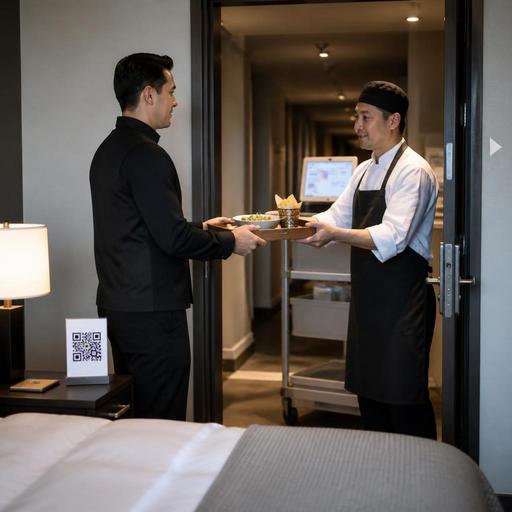
How U.S. Hotel Restaurants Streamline Room-Service Orders with QR Menus
Why QR room-service ordering matters in U.S. hotels
For many properties, hotel restaurant room-service ordering with QR menus and kitchen routing is no longer just a convenience feature. It is an operational tool that can reduce phone bottlenecks, improve order accuracy, and help hotel food-service teams handle breakfast rushes, late-night orders, and limited staffing more smoothly. In a U.S. hotel setting, room service often sits between restaurant dining, banquet production, lobby bar demand, and takeout-style guest requests. That makes clear digital ordering and strong kitchen routing especially valuable.
Consider a full-service hotel in Chicago with a morning rush from business travelers, or a resort in Florida where pool, lobby, and in-room dining orders hit different prep stations at once. When guests scan a QR code in the guest room, browse a live menu, and place an order without waiting on hold, the operation gains cleaner order intake. The kitchen can see whether the order is for breakfast in a room, a late-night burger, or a bottle of sparkling water to a suite. That clarity matters when the same line cooks may also be supporting the restaurant floor.
For U.S. operators, the goal is not simply adding technology. The goal is creating a workflow that fits tipping expectations, payment timing, sales tax handling, service charge policies, menu availability, and property-specific delivery logistics. Operators should confirm current federal, state, and local rules with qualified advisors and official guidance, especially for taxes, hospitality fees, accessibility, alcohol service, and labor practices.
Build a room-service menu for real hotel ordering behavior
A good QR room-service menu is different from a dining room menu. Hotel guests are often tired, traveling with family, arriving from airports, or ordering between meetings. They want fast decisions, clear modifiers, and confidence that the kitchen can execute the order as shown.
What to include on the digital menu
- Daypart structure: Separate breakfast, all-day, kids, late-night, beverages, and amenity add-ons so guests do not scroll through a long mixed list.
- Clear modifiers: Eggs, sides, dressing choices, steak temperature, allergy notes, and beverage selections should be structured, not left to a vague comment box.
- Availability controls: If the fryer closes at 11 p.m. or the sushi station is lunch-only, the menu should reflect that automatically.
- Delivery context: Let guests choose ASAP or a requested time when the property can support it.
- Room identification: Require room number and guest name confirmation to reduce misdeliveries.
As a U.S. example, a hotel near an airport may need a streamlined late-night menu with sandwiches, salads, kids meals, bottled drinks, and packaged desserts that can be executed by a smaller overnight team. A convention hotel, by contrast, may need stronger breakfast scheduling because dozens of guests may request delivery within the same 30-minute window before sessions begin.
If your operation is part of a chain or large brand, review menu labeling obligations and brand standards carefully. Some larger U.S. food-service operations may need to consider FDA menu labeling context depending on how menus are presented and how the concept is structured. Treat digital deployment as an operational project and verify requirements with counsel or official guidance where applicable.
Set up kitchen routing that matches hotel service flow
The biggest room-service mistakes usually happen after the order is placed. A QR menu helps the front end, but kitchen routing determines whether the guest receives the right food, at the right time, with the right service items.
Instead of sending every order to one printer and hoping expo sorts it out, route items by production station. Hot breakfast may go to grill and pantry, cocktails to the bar if permitted by property policy and local law, desserts to pastry, and packaged retail items to a pickup area. A kitchen display system can group items by room-service order number while still splitting production across stations.
Practical routing steps
- Create an order source tag: Mark every ticket as room service, lobby pickup, pool service, bar, or dining room so staff know the delivery path.
- Use prep-time rules: Fire longer-cook items first and hold quick items until the order is close to tray assembly.
- Assign an expo checkpoint: One person should confirm condiments, flatware, check presenter if used, and room number before release.
- Separate runner notifications: The runner or room-service attendant should get a clear handoff signal when the full order is ready.
- Track sold-out items live: If berries, salmon, or a signature dessert runs out, update the QR menu immediately to avoid remake conversations with guests.
A practical example: in a downtown hotel restaurant, a club sandwich routes to pantry, fries to fry station, sparkling water to beverage holding, and cheesecake to pastry. Expo sees one combined room-service order, stages it on a tray, checks the room number, and releases it to the attendant. That is much cleaner than reading a handwritten phone order back and forth over a noisy line.
Handle payment, tipping, and guest communication carefully
U.S. hotel operators need a room-service flow that matches guest expectations around payment and gratuity. Some properties charge to the room, some take card payment at order, and some present a final folio workflow. Whatever model you use, the digital path should be easy for guests and clear for staff.
Make sure the guest sees whether charges include a delivery fee, service charge, or suggested tip option, and avoid language that could confuse staff or guests. Service charges and tips are not the same operationally, and tax treatment can differ by jurisdiction. Operators should work with accountants, payroll partners, and legal advisors to confirm how service charges, gratuities, and tip reporting should be handled in each state or city where they operate.
For example, a hotel in New York City may want the QR checkout flow to show food subtotal, applicable sales tax, any property-approved service charge, and an optional tip line if that fits the service model. A resort in Arizona may prefer room-charge only, with signature confirmation at delivery. The right answer depends on the property, PMS and POS setup, and local requirements.
Communication matters too. Guests should receive a simple confirmation with estimated timing, and staff should be able to update status if the kitchen is delayed. This is especially useful during high-volume windows like Sunday brunch, major sporting events, or late arrivals after weather-related flight disruptions.
Make the workflow accessible, staff-friendly, and scalable
QR ordering should not become a barrier for guests who prefer calling the front desk or who need an accessible ordering option. Keep a staffed phone workflow available, and make sure digital menus are designed with accessibility in mind. Operators should review ADA-related expectations and digital accessibility practices with qualified experts and official guidance, especially if the hotel serves a broad range of travelers and loyalty guests.
On the staff side, simplify training. Front desk teams, restaurant hosts, room-service attendants, and kitchen staff should all know:
- Who owns menu updates
- How sold-out items are marked
- How delayed orders are communicated
- Where trays are staged
- How to handle missing modifiers or guest notes
- What happens if a guest wants to add wine, beer, or spirits subject to local alcohol rules and ID procedures
Multi-location hotel operators should standardize the framework, not force identical menus. A select-service property off an interstate may focus on breakfast sandwiches, coffee, and takeout-friendly packaging. A luxury urban hotel may need coursed dinner timing, wine pairing options, and stronger integration with reservations, POS, and PMS systems. The shared playbook should cover routing logic, naming conventions, packaging standards, and reporting, while each property adapts the menu to local demand.
Also look beyond the room itself. Some hotels now manage lobby pickup shelves, curbside pickup for local guests, poolside QR ordering, and direct online ordering for nearby residents from the same kitchen. If those channels share production, routing rules become even more important to prevent room-service tickets from getting buried behind delivery app orders or restaurant dine-in checks.
A practical rollout plan for hotel operators
If you are implementing QR room-service ordering, start small and tighten the workflow before expanding.
- Audit your current process: Identify phone-order bottlenecks, remake causes, and average delay points.
- Build a limited digital menu first: Start with top-selling breakfast and late-night items.
- Map station routing: Decide exactly where each category prints or appears on the kitchen display system.
- Train expo and runners: Room number accuracy and tray completeness should be non-negotiable.
- Test payment logic: Verify room charge, card capture, service charge display, and tip flow with advisors and system partners.
- Review guest feedback weekly: Look for confusion around timing, packaging, and menu wording.
When hotel room service is organized around a clean QR menu and reliable kitchen routing, the result is not just fewer phone calls. It is a more consistent guest experience, better back-of-house control, and a smoother operation across restaurant, bar, and in-room dining teams. Restomas can support that kind of connected workflow with digital menus, order management, and kitchen routing designed for real restaurant operations.
