How U.S. Restaurants Can Cut Phone Order Mistakes With Better Workflows
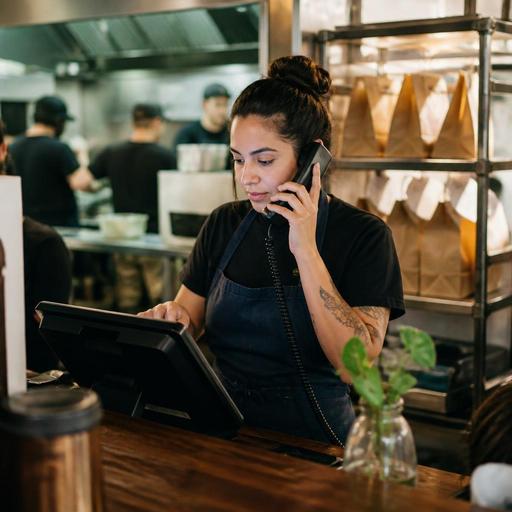
Phone orders still matter for many U.S. restaurants, even with delivery apps, direct online ordering, and QR menus growing every year. Diners, neighborhood pizza shops, Chinese takeout spots, family restaurants, hotel kitchens, and bars with food often rely on phone traffic during lunch rush, game day, or bad weather. But phone order mistakes can quietly drain profit through remakes, refunds, lost tips, delayed pickup, and frustrated guests. The good news is that reducing phone order mistakes in U.S. restaurants usually comes down to structured workflows, not just telling staff to “be more careful.”
If your team takes orders by phone, the goal is simple: make every call easy to hear, easy to enter, easy to confirm, and easy to hand off to the kitchen and pickup area. That requires a repeatable process at the host stand, counter, bar, or cashier station, plus a menu and POS setup that supports accuracy under pressure.
Start With a Standard Call Flow for Every Order
Most phone errors happen before the kitchen ever sees the ticket. A rushed employee may skip key questions, mishear modifiers, or forget to repeat the order back. In a busy U.S. operation, especially one balancing dine-in checks, delivery app tablets, curbside pickup, and walk-in takeout, that inconsistency creates avoidable mistakes.
Create one call script for all staff who answer the phone. It should be short enough to use during a rush but structured enough to capture the details that matter.
- Guest name: Ask for a first and last name if possible, especially for common names like Mike or Jennifer.
- Callback number: Repeat it back immediately in case the call drops.
- Order type: Clarify takeout, curbside pickup, hotel room service, or a future order.
- Timing: Confirm ASAP versus a scheduled pickup time.
- Menu items and modifiers: Size, side choice, dressing, spice level, temperature, doneness, no-onion requests, and add-ons.
- Allergen or dietary notes: Capture the request clearly and route it visibly to the kitchen. Staff should avoid making promises they cannot verify and should follow house procedures. Operators should confirm current local and federal guidance with qualified advisors or official sources when needed.
- Payment method: Pay now, pay at pickup, or card on file if your system supports it.
- Final read-back: Repeat the full order before hanging up.
For example, a suburban pizza shop in New Jersey might require staff to say, “I have one large half-pepperoni, half-mushroom, one baked ziti, two house salads with ranch on the side, pickup at 7:10 under Garcia, callback ending in 4421.” That read-back catches errors before they become remakes.
Build Your POS and Menu Around High-Risk Mistakes
Many phone order errors are really menu design problems. If the POS makes staff free-type too many details, or if modifiers are buried in awkward screens, mistakes increase. Your menu should guide order entry the same way a good online ordering menu guides a guest.
Review the items your team gets wrong most often. In U.S. restaurants, these usually include combo meals, wing sauces, side choices, burger temperatures, kid meals, drink sizes, and family-pack bundles. In bars and grill concepts, it may be sauce-on-side requests or split checks tied to takeout tabs. In food trucks, it may be limited-item substitutions during a rush.
Clean up the workflow inside the POS:
- Use required modifiers for items that always need a choice.
- Limit open-text entry when a button can do the job.
- Group common add-ons in the order staff naturally ask them.
- Make sold-out items unavailable across channels when possible.
- Separate similar item names that are easy to confuse on a small screen.
- Send clear routing to the kitchen display system so grill, fry, salad, and bar stations see the right information.
A fast-casual chicken concept in Texas, for instance, may get frequent phone mistakes on family meals because staff forget to ask for sauce choices and side selections. Requiring those selections in the POS reduces back-and-forth at pickup and keeps the kitchen from guessing.
If you run multiple locations, standardize naming and modifier logic across stores. A guest calling one location should not get a different ordering experience from another, and managers should be able to compare remake patterns across the brand.
Reduce Miscommunication During the Rush
The lunch rush is when phone accuracy breaks down. The cashier is bagging orders, a server is asking for a void, delivery drivers are waiting, and the phone rings again. If one person is expected to do everything, details will get missed.
Instead, define who owns phone orders by daypart. In some restaurants that is the host before 5 p.m. and a dedicated takeout counter after 5 p.m. In others, it may be a bartender during off-peak hours and a cashier during peak. The important part is clarity.
- Assign one station to answer calls. Avoid having everyone grab the phone differently.
- Use a headset or quieter pickup point if possible. Open kitchens, blenders, and bar noise increase errors.
- Set a hold-and-callback rule. If staff cannot safely take the order, collect the guest name and number and call back within a set window.
- Cap customizations when necessary. Some QSR and fast-casual brands simplify phone ordering during peak periods by limiting off-menu requests.
- Use pickup promises the kitchen can actually meet. Overpromising causes bottlenecks at the expo line and pickup shelf.
This matters even more for airport concessions, stadium food venues, and hotel restaurants, where timing and handoff points are more complex. A hotel kitchen may need room number confirmation and a service charge workflow, while a stadium concession may need a clear distinction between in-seat delivery, counter pickup, and mobile orders. Operators should verify local tax, service charge, labor, and payment handling requirements with qualified advisors because workflows can differ by jurisdiction and concept.
Create a Strong Pickup and Handoff Check
A phone order is not accurate until the right guest receives the right bag. Many restaurants focus on call-taking but ignore the final handoff, where drinks get missed, cold items are forgotten, or the wrong order leaves the building.
Use a simple bagging and pickup checklist:
- Match the bag to the guest name and items on the ticket.
- Check condiments, utensils, napkins, and sealed extras only if they are part of your standard.
- Verify hot and cold items are packed correctly.
- Confirm drinks, desserts, and sides that are often missed.
- For curbside pickup, verify vehicle details or pickup spot process before the runner leaves the building.
- Ask the guest to confirm the name on the order before handoff.
A Chicago diner doing heavy breakfast takeout may find that toast, coffee, and side bacon are the most commonly missed items. A simple expo-side checklist can solve a problem that retraining phone staff alone will not fix.
If you use a pickup shelf, keep phone orders clearly labeled and separated from delivery app orders. Mixing channels at the shelf creates confusion for guests and drivers alike.
Train, Audit, and Shift Guests to Lower-Error Channels
Phone ordering will never be perfect, but it can improve quickly when managers review mistakes as process failures instead of personal failures. Track remake reasons in plain language: wrong side, missed modifier, wrong pickup time, duplicate order, no allergen note, or order not entered. Then coach to the pattern.
Short pre-shift reminders help. So do mystery calls, call recordings where allowed, and ticket audits comparing what the guest said to what the kitchen received. Be mindful that call recording, payment collection, labor practices, accessibility, and employment rules can vary by state or city, so operators should verify current requirements before changing procedures.
Finally, reduce phone volume where it makes sense. Many U.S. operators keep the phone for older regulars, large custom orders, or special situations, while guiding routine takeout to direct online ordering or QR-based ordering flows. That gives guests a visual menu, required modifiers, clearer pickup times, and fewer chances for verbal mistakes. It also reduces pressure on front-of-house staff handling checks, tabs, and in-person guests.
The best approach is usually hybrid: keep a polished phone workflow for guests who want human help, while making digital ordering easy for everyone else. Restomas supports that kind of structured operation with tools for menu control, order flow, QR experiences, and clearer handoff between front-of-house and kitchen teams.
