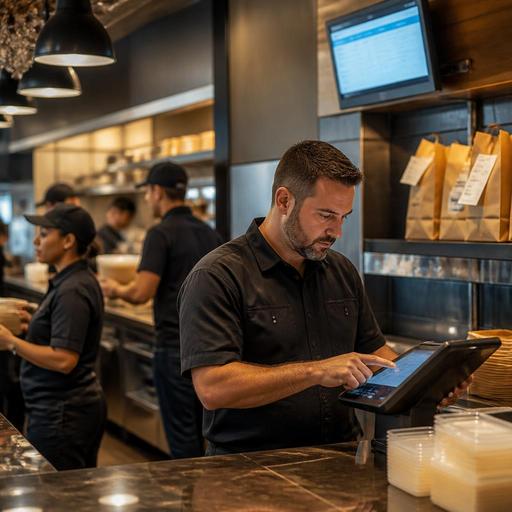
How U.S. Restaurants Prevent Sold-Out Menu Items on Delivery Apps
Sold-out menu items on delivery apps can frustrate guests, slow down the line, and create refund headaches for U.S. restaurant operators. If a guest orders wings on a delivery app, your kitchen runs out, and staff have to call with a substitution after the check is already in motion, the problem is not just inventory. It is an operations workflow issue that touches your POS, kitchen display system, takeout station, direct online ordering, and staff communication.
For U.S. restaurants, this challenge shows up everywhere: a neighborhood pizza shop that runs out of gluten-free dough on Friday night, a food truck that sells through brisket before the lunch rush ends, a sports bar that burns through draft specials during a game, or a fast-casual salad chain that 86s avocado at one location but not another. The goal is not to avoid every stockout. The goal is to catch it early, update every ordering channel quickly, and protect the guest experience before delivery apps disappoint guests.
Map where sold-out problems actually start
Most operators first notice the issue when a guest complaint appears in a delivery app review. In reality, the breakdown often starts earlier. The item may still be live on a marketplace because the POS menu did not update, because staff only told the line cook verbally, or because the manager removed the item from the in-store menu but forgot the app menu.
Start by identifying which type of stockout you have:
- Full item stockout: You are completely out of a menu item, such as crab cakes or cold brew.
- Modifier stockout: The main item is available, but a key add-on is gone, like bacon, oat milk, or ranch cups.
- Daypart stockout: Breakfast burritos are available until 10:30 a.m., but the app still accepts orders at 11:15.
- Location-specific stockout: One franchise or multi-unit location is out, while the others still have product.
- Prep-capacity stockout: Ingredients exist, but your team cannot fulfill additional orders during the rush without breaking ticket times.
This distinction matters. A diner that runs out of pie slices at 8:00 p.m. needs a different response than an airport concession that still has ingredients but cannot handle more mobile orders before a flight bank. If you label every issue simply as sold out, your team will not know whether to update menu availability, pause channels, or adjust prep levels.
Build one 86 workflow for every channel
U.S. operators need one repeatable 86 process that covers dine-in, takeout, direct online ordering, and delivery apps. Without that, the host stand, expo station, and app tablet all tell different stories.
- Assign authority. Decide who can officially 86 an item: kitchen manager, shift lead, bar lead, or GM. During busy periods, staff should not wait for three approvals while orders keep coming in.
- Set the trigger point. Do not wait until the last portion is gone. For example, if your chicken sandwich typically sells 12 orders in the next 30 minutes, remove it before the final few portions are committed to app orders you may not want to prioritize over in-house guests.
- Update the source system first. If your POS or menu management system pushes changes to delivery apps and direct ordering, make that the first move. If your stack is not fully integrated, create a checklist for each app tablet and ordering channel.
- Notify the line and front of house. The kitchen display system, expo, cashiers, servers, and curbside pickup staff should all know the item is out so they do not keep promising it.
- Replace with a guided alternative. If lobster rolls are gone, feature shrimp rolls or fish tacos instead of leaving a dead end in the menu flow.
A practical example: a suburban wing shop sees boneless wings running low during playoff night. The manager marks the item unavailable in the POS, which updates direct ordering and linked delivery channels. The cashier and phone staff are told to steer guests to tenders, the KDS note is updated, and the pickup shelf team knows not to stage any more boneless orders. That response protects speed and avoids a wave of substitution calls.
Use menu design to reduce disappointment before it happens
Operators often treat stockouts as only an inventory issue, but menu structure can reduce the damage. If a menu is built with clear categories, smart modifiers, and backup items, guests can pivot more easily.
Keep backup items visible
If your most popular item sells out often, place a similar alternative nearby in the digital menu. A burger spot that frequently runs out of onion rings on weekend nights should make fries, tater tots, or fried pickles easy to find. A coffee shop that may run out of a seasonal syrup should have another limited-time drink ready to promote.
Manage modifiers carefully
Many U.S. stockout issues happen at the modifier level. A burrito bowl may still be available, but guacamole, fajita veggies, or queso may not be. If your system supports modifier-level availability, use it. That is better than taking the full item offline and losing the sale.
Separate app menus by fulfillment reality
Some items travel poorly or create delays. A hotel restaurant may keep a broader dine-in menu but offer a tighter delivery-app menu with items that hold quality better. A stadium or airport venue may limit app ordering to items that can be produced fast and staged cleanly for pickup. This reduces the number of emergency stockouts caused by operational overload.
If your restaurant is subject to menu labeling or accessibility expectations, treat digital menu edits carefully and verify current federal, state, and local requirements with qualified advisors or official guidance. Operationally, the key is to keep availability updates consistent across channels and make digital ordering easy to navigate for all guests.
Connect inventory signals to real-time staff actions
The strongest operators do not rely on memory. They connect basic inventory visibility to frontline actions. That does not require a perfect enterprise system, but it does require discipline.
- Track critical items by shift: buns, fries, wings, draft kegs, tortillas, cold brew, popular desserts, and high-volume modifiers.
- Use par alerts: when an item drops below a threshold, the shift lead gets notified to prep, reorder, or 86 early.
- Review app mix by daypart: if delivery apps spike after 6:00 p.m., hold back some inventory or adjust app availability before the rush.
- Train staff on substitution scripts: cashiers and phone staff should know what to offer instead of improvising.
- Audit refunds and remakes: if one location keeps refunding milkshakes or family meals, the issue may be forecasting, prep, or menu timing.
Consider a food truck at a downtown office lunch stop. The truck has 30 brisket sandwiches prepped and knows delivery app demand usually jumps when rain keeps office workers indoors. By 11:45 a.m., the operator sees only 10 portions left. Instead of waiting for the app to oversell, the team removes brisket from delivery channels, keeps a few portions for walk-up guests, and pushes pulled pork as the featured replacement. That is a small decision with a big effect on guest satisfaction.
For multi-location brands, compare sold-out patterns store by store. One QSR unit may consistently run out of nuggets because its forecast is off, while another has the same sales volume but fewer stockouts because prep levels are timed better. Standardized reporting helps franchise teams coach operators without guessing.
Measure the guest impact, not just the missing item
A sold-out item is not only a product problem. It affects reviews, labor, and recovery costs. When staff spend time calling guests, processing refunds, remaking tickets, or answering app messages, ticket flow slows down for everyone else. Tipped staff may also feel the effects when guest frustration reduces the overall experience. If your team handles substitutions or service recovery, make sure managers understand how your POS, payment, and tip reporting workflows are set up, and verify tax, payroll, and reporting requirements with qualified advisors and current official guidance.
Track a few simple measures each week:
- Which items are most often 86d
- Which channels create the most stockout problems
- How many orders required substitutions or refunds
- What time of day stockouts happen
- Whether direct ordering performs better than third-party apps during shortages
These patterns help you decide whether to tighten menu hours, reduce app assortment, improve prep sheets, or integrate menus more closely with your POS and kitchen workflows.
Guests can forgive an item being unavailable. What they remember is whether your restaurant caught the problem early and guided them to a good alternative without wasting time. Restomas helps operators keep menus, ordering channels, and service workflows more aligned when availability changes during real U.S. restaurant shifts.
