How U.S. Restaurants Reduce Payment Friction With QR Checkout and Mobile Wallets
Why faster payment matters at the table, counter, and pickup shelf
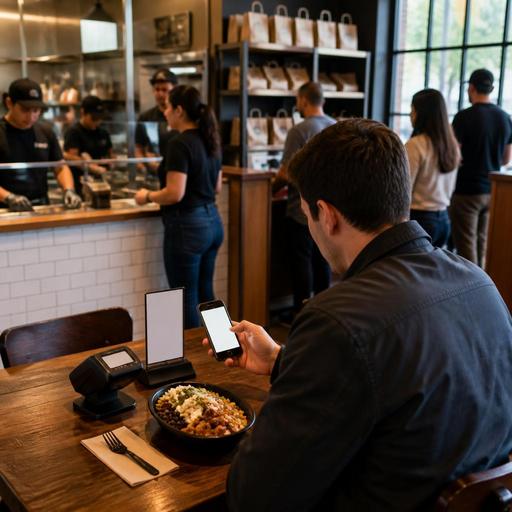
Reducing payment friction in U.S. restaurants with mobile wallets and QR checkout is not just about looking modern. It is an operational decision that can shorten the last step of service, reduce line backups, and make it easier for guests to pay the way they already do in daily life. In a neighborhood cafe, that may mean a commuter taps a phone and grabs a latte without slowing down the morning rush. In a casual dining restaurant, it may mean a table closes out without waiting for a server to run cards back and forth. In a fast-casual shop, it may mean fewer abandoned orders when guests scan, review, tip, and pay from their own devices.
For U.S. operators, payment friction shows up in familiar ways: guests waiting for the check, split-tab confusion, delivery pickup crowds forming near the host stand, and front-of-house teams juggling terminals during peak periods. Mobile wallets and QR checkout can help, but only when they are connected to the real flow of service, your POS stack, tip handling, kitchen timing, and guest communication.
The goal is simple: make paying as easy as ordering, while keeping staff in control of exceptions. That matters in diners, bars, food trucks, hotel restaurants, airport concessions, and multi-location fast-casual brands alike.
Where payment friction usually starts in U.S. restaurant operations
Many payment problems are not actually payment problems. They start earlier in the guest journey and become visible at checkout. If your menu, ordering, and POS workflows are disconnected, the last step becomes slow and error-prone.
- Table service: Servers spend extra trips dropping checks, picking up cards, answering bill questions, and managing split payments.
- Fast-casual counters: Guests pause at the register to ask about modifiers, rewards, receipts, or digital wallet acceptance.
- Takeout and curbside pickup: Staff must match names, confirm items, chase unpaid tickets, and handle last-minute payment links.
- Bars: Tabs stay open too long, card handoff slows closeout, and guests want a fast way to tip and leave.
- Food trucks and stadium or airport venues: Peak lines move only as fast as the payment step, so even a few seconds matter.
A practical first step is to map where the guest pauses before payment. Is the issue waiting for a server, confusion about what was ordered, uncertainty around tip prompts, or a mismatch between online orders and in-store pickup? Once you know that, you can choose the right wallet and QR workflow instead of adding technology for its own sake.
How to use QR checkout and mobile wallets without disrupting service
QR checkout works best when it feels like a natural extension of the meal. In a full-service restaurant, a small table tent or printed check presenter can let guests scan to review items, add a tip, and pay with a phone. The server still stays available for hospitality, but the guest no longer has to wait for the card run. In a busy brunch spot, that can turn tables more smoothly without making the experience feel rushed.
At the counter, mobile wallet acceptance should be obvious and fast. If guests use Apple Pay, Google Pay, or contactless cards in other parts of their day, they expect the same at a sandwich shop, bakery, or boba counter. Make sure your POS hardware, payment processor, and receipt flow are aligned so staff do not have to explain workarounds during a rush.
For takeout, direct online ordering paired with QR payment can reduce congestion around the pickup shelf. A guest who orders ahead, pays digitally, and receives a clear pickup confirmation creates less front-counter interruption than a guest who arrives unsure whether the order went through. In curbside pickup, mobile payment also helps avoid staff running cards to cars, which can create delays and security concerns.
Keep accessibility in mind. ADA-minded access is not just a website issue. If you rely on QR codes, keep an alternative payment path available for guests who cannot or prefer not to scan. Staff should be able to assist without making the guest feel singled out. Clear verbal guidance, reachable payment devices, and simple on-screen steps all support a better experience. Operators should verify current accessibility expectations with qualified advisors or official guidance when updating digital guest flows.
Practical setup checklist
- Confirm your POS and processor support mobile wallets, QR payment links, and real-time check syncing.
- Test split checks, partial payments, voids, and tip adjustments before going live.
- Decide where QR appears: table tent, receipt, counter display, takeout confirmation, or curbside message.
- Train staff on exception handling, not just the happy path.
- Keep one clear backup option for guests who want a physical card transaction or cash payment.
Tip prompts, sales tax, and service charge clarity at checkout
In the U.S., payment design affects guest trust because the checkout screen often includes taxes, tips, fees, and service charges. If that presentation is confusing, payment may be technically fast but emotionally frustrating.
For tipped service, make sure tip prompts match the service model. A full-service restaurant, coffee counter, bar, and hotel room service outlet may each need different tip logic. Staff should understand when guests can add a tip before or after authorization, how tip reporting works in your internal process, and how managers correct mistakes. Operators should verify current tax, payroll, and reporting requirements with qualified accountants, payroll providers, or official guidance because tip treatment and service charge handling can differ by jurisdiction and setup.
Be especially careful to distinguish a voluntary tip from a mandatory service charge in your POS and guest-facing payment screens. That distinction affects guest expectations and internal accounting workflows. The same goes for sales tax presentation on takeout, dine-in, alcohol, and packaged retail items, which can vary by state or local rule. The operational takeaway is to label charges clearly, train staff to explain them consistently, and review receipts as if you were the guest seeing them for the first time.
For larger chains and multi-location brands, checkout clarity also supports broader compliance discipline. If your concept falls under FDA menu labeling rules or other federal, state, or local requirements, your digital menu and payment flow should present information consistently across channels. Verify current obligations with counsel or official guidance before making system-wide changes.
Channel-specific examples for U.S. operators
Neighborhood diner: Add QR checkout at booths for guests who want to leave quickly during the lunch rush, but keep traditional check presenters for regulars who prefer them. Servers save time on card runs and focus on refills and hospitality.
Fast-casual salad chain: Use direct online ordering with mobile wallet support so office workers can place lunch orders in advance, pay on their phones, and grab bags from a pickup shelf without crowding the register.
Sports bar: Let guests close bar tabs with a QR code on the tab sleeve during game-day peaks. Bartenders spend less time on terminal handoffs and more time managing volume.
Food truck: Promote tap-to-pay and wallet acceptance at the service window to keep the lunch line moving. If you use a QR menu, connect it to a simple pay flow so guests are not scanning one code to browse and then waiting for a separate checkout step.
Hotel restaurant: Use QR payment for lobby dining and poolside service where staff may be moving across larger spaces. Guests can review the check on their phones while the server handles multiple sections.
Airport concession: Speed matters most when travelers are watching the clock. Contactless wallet acceptance and QR receipts can reduce line hesitation and help guests move through with less friction.
How to roll out a lower-friction payment system successfully
Start small, measure operationally, and expand only after the basics work. Pilot one dining room section, one cafe counter, or one location first. Watch for real-world issues: Wi-Fi dead zones, staff confusion, guest questions about tipping, or order mismatches between the POS and kitchen display system.
- Track line speed: Look at whether peak counter lines move faster after wallet adoption.
- Track table closeout time: See whether checks are paid faster without hurting guest satisfaction.
- Track takeout bottlenecks: Watch whether prepaid direct orders reduce front-counter interruptions.
- Track exceptions: Note how often staff must step in for split payments, refunds, or accessibility support.
The best systems reduce friction without removing flexibility. Guests should be able to tap, scan, split, tip, and leave with confidence. Staff should be able to override, assist, and reconcile without digging through multiple disconnected tools. That is where integrated restaurant technology matters most: menu, order flow, POS, payments, and kitchen communication should support one another instead of creating extra steps.
Restomas helps operators connect digital menus, QR ordering, payment flows, and day-to-day restaurant workflows in a way that fits real U.S. service models.
