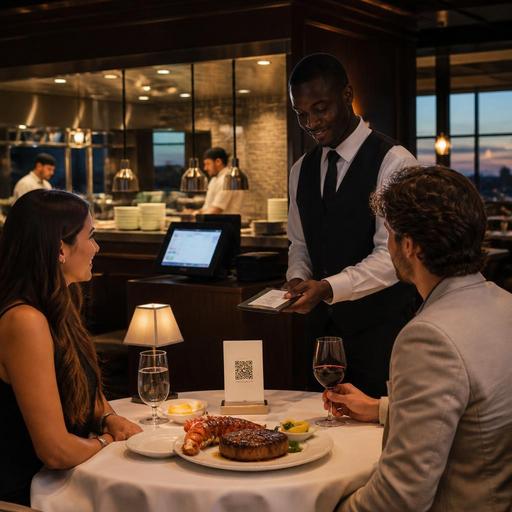
How U.S. Steakhouses and Seafood Restaurants Use Digital Menus for Modifiers, Market Price, and Upsells
For U.S. operators, digital menus for steakhouses and seafood restaurants are no longer just a design upgrade. They are a practical tool for handling complex modifiers, daily market price items, premium add-ons, and guest expectations across dine-in, takeout, curbside pickup, and direct online ordering. If your concept sells ribeyes with temperature choices, lobster with side substitutions, oyster platters, surf-and-turf combinations, or happy-hour bar bites, your menu structure can either reduce friction or create avoidable mistakes.
In many American steakhouse and seafood concepts, the challenge is not simply listing items. It is translating the way guests actually order: rare or medium rare, drawn butter on the side, add crab cake, swap mashed potatoes for asparagus, no shellfish allergy cross-contact request, split check at the table, and ask about market price before confirming. A well-built digital menu helps front-of-house, kitchen teams, and guests stay aligned.
Build Modifier Logic Around How U.S. Guests Actually Order
Modifiers should follow the real sequence of a guest decision, not the back-office sequence of your spreadsheet. In a steakhouse, that often means cut, temperature, sauce, side, and add-ons. In a seafood house, it may mean preparation style, portion size, sauce, side, and shell-on versus peeled where applicable. When the modifier flow feels natural, you reduce ordering hesitation and fewer tickets need manager intervention.
For example, a Chicago-style steakhouse offering a New York strip might set up these required and optional choices:
- Required: temperature
- Required: one side included or no side if sold a la carte
- Optional: au poivre, chimichurri, or blue cheese crust
- Optional: add shrimp, lobster tail, or crab Oscar
- Optional: allergy or preparation note for the kitchen
A Gulf Coast seafood restaurant might structure grilled red snapper with preparation options such as blackened, grilled, or fried, then offer rice, slaw, fries, or seasonal vegetables, followed by extras like extra tartar sauce or a cup of gumbo. That is easier for guests than a long, flat description packed into one paragraph.
Keep modifier sets tight. If every item has ten optional steps, ticket times can slow down and kitchen display system screens become cluttered. Group common choices into reusable modifier sets so the same side list or steak temperature list appears consistently across the menu. This also helps multi-location operators keep standards aligned while still allowing local items, such as a Boston location with chowder add-ons and a Dallas location with larger steak pairings.
Handle Market Price Without Confusing Guests or Staff
Market price is common in seafood and premium beef, but it creates operational issues when it is handled inconsistently. Guests want clarity before they commit, servers need a repeatable script, and online ordering cannot depend on verbal explanation alone. Your digital menu should make market price items visible, current, and easy to update without requiring a full menu rebuild.
Typical U.S. examples include whole lobster, king crab legs, seasonal oysters, dry-aged porterhouse, and certain fresh catch items. If the price changes based on supply, size, or daily purchasing cost, operators should create a workflow that includes:
- One owner or manager responsible for the daily update
- A clear naming format, such as market price or ask current price
- A fast way to push changes to QR menus, direct ordering pages, and staff-facing references
- A server pre-shift reminder so front-of-house quotes match the live menu
- A POS check to confirm the item rings correctly before service starts
If you run takeout and direct online ordering, decide whether market price items should be orderable online, inquiry only, or temporarily hidden when supply is unstable. A raw bar in Manhattan might keep oyster selections visible but disable online ordering for certain market-price platters after 7 p.m. on busy weekends. A suburban steakhouse may allow online ordering for lobster add-ons only while inventory lasts, then automatically mark them unavailable. These are operational choices, not just menu design choices.
If your concept falls under chain-menu labeling rules or local disclosure requirements, verify current federal, state, and local guidance with qualified advisors or official sources before changing how pricing or item information appears. The same caution applies to alcohol pairings, service charges, sales tax display, and accessibility requirements.
Use Upsells That Fit the Check, Not Just the Screen
The best digital menu upsells in American steakhouses and seafood restaurants feel like hospitality, not pressure. Guests already expect premium choices in these categories, so your job is to present them at the right moment. Good upsells match the item selected, the dining occasion, and the service model.
Practical examples include:
- After a filet selection, suggest sautéed mushrooms, lobster tail, or a signature sauce flight
- After a crab cake appetizer, suggest a cup of chowder or a glass-pour wine pairing if alcohol ordering is enabled and locally compliant
- For a seafood boil takeout order, suggest extra corn, sausage, drawn butter, or disposable bibs and wet wipes
- For curbside pickup, suggest family-size salads or dessert add-ons that travel well
- For a hotel steakhouse, suggest a room-friendly bottled beverage or packaged dessert for late arrivals
Avoid stacking too many prompts. One or two relevant suggestions usually outperform a wall of options because the guest can decide quickly. Also think about kitchen throughput. If your Friday night line is already tight, pushing too many labor-heavy add-ons may raise check averages while hurting ticket times. The best upsell is one the kitchen can execute consistently.
Design for Service, Speed, and Accuracy Across Channels
Seafood and steakhouse menus often live in several places at once: printed check presenters, QR table menus, host-stand tablets, direct online ordering, delivery app menus, and POS item libraries. Problems start when these versions drift apart. A side dish is included in one channel but charged separately in another. A market-price item is updated on the dining room QR menu but not on the takeout page. A server promises a substitution that the kitchen display system does not show clearly.
To prevent that, operators should map the item journey from guest selection to final prep. Ask these questions:
- Does the guest see required choices before checkout?
- Does the POS receive the modifier cleanly?
- Can the kitchen display system show the ticket in a readable sequence?
- Are takeout packaging notes tied to the item?
- Can staff quickly mark items unavailable during a rush?
A food hall seafood counter may need bold pickup names and pickup shelf timing. A casino steakhouse may need cleaner split-course pacing notes. An airport seafood bar may need rapid menu availability changes when deliveries run short. A multi-unit brand may need location-specific pricing while keeping the same core modifier logic everywhere. These are strong use cases for centralized digital menu management with local control.
Accessibility also matters. QR ordering and mobile menus should be easy to navigate, readable on a phone, and usable without forcing a guest through unnecessary steps. Operators should review current ADA-related expectations and accessibility best practices with qualified professionals when needed, especially if digital ordering is a major guest touchpoint.
Action Steps for Operators This Week
If you want better results from your steakhouse or seafood digital menu, start small and operational:
- Pick five high-volume items with the most common modifier errors.
- Rewrite each item into a logical order flow with required and optional choices.
- Create one daily process for updating market price and 86ing low-stock items.
- Limit upsells to the add-ons that improve the check and fit kitchen capacity.
- Test the full path on a phone, in the POS, and on the kitchen display system.
- Train servers and hosts on the exact guest wording for substitutions, market price, and add-ons.
- Review takeout and delivery app versions so they match your direct ordering experience.
For U.S. seafood and steakhouse operators, digital menus work best when they mirror real service. Clear modifiers reduce errors, live market price updates improve trust, and thoughtful upsells raise the check without slowing the line. Restomas can help operators organize those menu flows across QR ordering, POS-connected workflows, and multi-location updates in a way that stays practical for daily service.
