How Virtual POS and QR Payments Improve Restaurant Checkout
Virtual POS and QR payment integration for restaurants is no longer just a convenience feature. For many operators, it is becoming a practical way to connect the menu, the order, and the payment step into one cleaner guest journey. Whether you run a cafe, a full-service restaurant, or a multi-service food business with dine-in and takeaway, the way guests pay now affects table flow, staff workload, and how smoothly service feels from start to finish.
Done well, a virtual POS and QR payment setup does more than speed up checkout. It helps reduce handoff errors, gives guests more control, and makes it easier for managers to track what happened at each table. The key is to treat payment integration as part of operations, not as a standalone tech feature.
What virtual POS and QR payment integration really changes
In a traditional payment flow, a guest asks for the bill, a staff member prepares it, returns with a payment device or cash tray, waits for completion, and then closes the table. That process can work, but it creates multiple small delays during busy periods. Each delay takes staff attention away from greeting, upselling, table checks, and issue resolution.
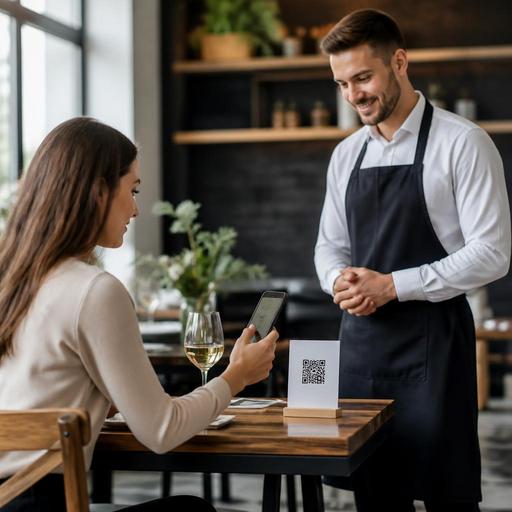
With a virtual POS linked to a QR menu or table-based digital ordering flow, payment becomes part of the same digital path. A guest scans the code, views the menu, places an order where relevant, reviews the bill, and pays from their phone. In other setups, staff still enter the order, but the guest receives a QR-linked payment option at the table. Both models can remove unnecessary movement and reduce the back-and-forth that often slows service.
For example, consider a lunch-focused cafe with a short peak window. Guests often want speed more than ceremony. If they can scan a table QR, confirm items, and pay without waiting for a card terminal, the business can serve more smoothly during rush periods. In a full-service restaurant, the same approach may be used more selectively, such as offering QR payment at the end of the meal while preserving staff-led hospitality throughout service.
Where restaurants benefit most in daily operations
The strongest benefits usually appear in small operational moments that happen hundreds of times per week. Owners should look at friction points across the entire table lifecycle, not just the final payment step.
Faster table closure
One of the most practical gains is quicker table settlement. When guests do not need to wait to ask for the bill, wait again for a device, and wait once more for the transaction to be completed, tables can be turned over more cleanly. This matters in high-demand periods, especially for cafes, brunch concepts, and urban restaurants with limited seating.
Lower staff interruption load
Servers are often interrupted by routine payment requests just as they are handling food delivery or new arrivals. QR payment can reduce those interruptions. That does not eliminate the role of service staff; it gives them more time for higher-value tasks such as checking satisfaction, explaining dishes, resolving dietary questions, or supporting upselling at the right moment.
Cleaner bill accuracy and visibility
When the digital menu, order record, and payment status are connected, there is less room for confusion about what was ordered, what was sent, and what remains open. Managers can review open tables more easily and staff can avoid situations where a table believes it has paid while the check still appears unsettled in the workflow.
Better support for split and flexible payments
Group dining often creates payment friction. If the system allows guests to review and pay their portion more clearly, staff spend less time manually recalculating or running multiple card attempts. Even when full self-splitting is not enabled, a digital payment path can still simplify communication around totals and payment completion.
How to implement without creating guest confusion
The biggest mistake is assuming that adding a QR code automatically improves service. Integration works only when the guest understands what to do and the staff knows when to guide, when to step in, and when to keep the process invisible.
- Define the service model first. Decide whether QR payment is the default, an optional convenience, or mainly for peak hours. A fine dining room may present it differently from a fast casual concept.
- Connect menu, ordering, and payment logic. If the QR menu shows unavailable items or outdated prices, the payment experience will feel unreliable even if the transaction itself works.
- Train staff on guest explanation. Team members should be able to say in one short sentence how payment works, when to use it, and what alternatives are available.
- Keep a fallback path ready. Some guests will still prefer card terminal or cash payment. Digital adoption should reduce friction, not create pressure.
- Test the process at real tables. Check scan speed, mobile readability, bill clarity, and whether guests can complete payment without asking repeated questions.
A practical rollout often starts with a limited section, such as the terrace, lunch service, or takeaway pickup counter. That makes it easier to catch issues before applying the workflow across the whole venue.
Common mistakes owners should avoid
Many payment projects fail not because the technology is wrong, but because the restaurant treats them as isolated tools. Payment has to match menu structure, table management, and service style.
- Poor QR placement: If guests cannot easily see or trust the code, usage drops immediately.
- Unclear bill presentation: Guests should understand charges, modifiers, and totals without needing staff interpretation.
- No staff buy-in: If servers see the system as extra work, they will avoid introducing it.
- Ignoring network reliability: Weak connectivity can turn a convenient payment flow into a frustrating one.
- Over-automating hospitality: Not every concept should remove human interaction from every step.
Another common issue is separating payment from menu maintenance. If prices change, items sell out, or service charges vary by context, the digital menu and checkout logic must stay synchronized. Otherwise, guests lose confidence quickly.
What to measure after launch
Restaurant owners should evaluate QR payment integration through operational signals, not just whether transactions technically process. Useful questions include:
- Are guests asking for the bill less often because they can complete payment directly?
- Are servers spending less time on routine settlement tasks?
- Are table-close delays decreasing during peak periods?
- Are there fewer payment-related misunderstandings at the end of service?
- Do guests complete the process comfortably without repeated staff assistance?
It is also helpful to gather qualitative feedback from both staff and guests. A manager may notice that the biggest improvement is not speed alone, but calmer service flow. For example, if the front-of-house team no longer clusters around payment devices during the lunch rush, they can focus more on arrival management and guest attention.
For multi-service businesses, the value becomes even clearer when dine-in, takeaway, and reservation-linked experiences share connected digital tools. A restaurant using digital menus, order management, and payment workflows together can update information more consistently and reduce manual coordination between teams.
Virtual POS and QR payments are most effective when they support the restaurant’s real operating style. They should make service feel simpler for guests and more controllable for staff, not more technical. Platforms like Restomas can help restaurants connect QR menus, order flow, and payment-friendly digital operations in a way that fits everyday service rather than disrupting it.
