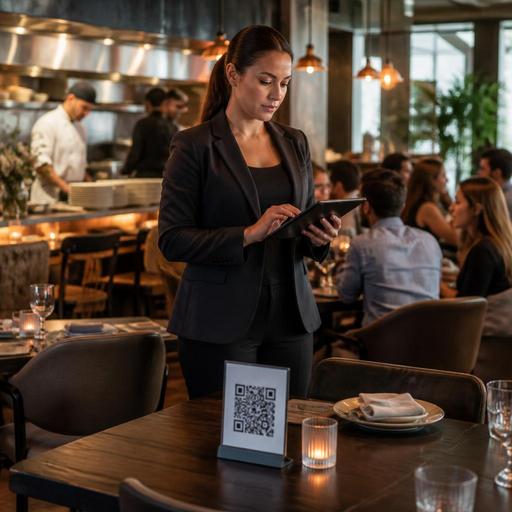
Instant Sold-Out Menu Automation for Faster Restaurant Service
Instant sold-out menu automation is one of the most practical upgrades a restaurant can make when service gets busy, stock moves quickly, and staff cannot afford to manually update every sales channel. When an item is no longer available but still appears on a QR menu, online ordering page, or tablet menu, the result is predictable: disappointed guests, wasted staff time, and avoidable friction between the floor and the kitchen. A better system removes unavailable items immediately or marks them clearly the moment stock runs out, helping teams protect both revenue and guest trust.
Why sold-out mistakes create bigger operational problems than they seem
Many operators treat sold-out items as a minor inconvenience. In reality, they often trigger a chain reaction across service. A guest orders a dish that is no longer available. A server has to return to the table, explain the problem, suggest an alternative, and wait for a new decision. In delivery or pickup, the issue becomes even harder to recover from because the guest is not physically present to adjust the order quickly.
These moments hurt more than speed. They affect confidence. Guests start to question whether the menu is current, whether other items are available, and whether the restaurant is organized. Inside the operation, every unavailable menu item can create extra communication between cashier, service staff, kitchen, and manager.
Common consequences include:
- Longer ordering times during peak periods
- More order edits and voids
- Extra table visits for servers
- Guest dissatisfaction when favorite items cannot be fulfilled
- Pressure on kitchen and front-of-house communication
Restaurants that depend on fresh fish, daily bakery items, limited desserts, seasonal produce, or high-volume lunch specials feel this problem most clearly. If the menu changes by the hour, manual updates are rarely fast enough.
What instant sold-out automation should actually do
Not every menu update process qualifies as automation. A manager editing a PDF, messaging staff in a group chat, or asking servers to verbally warn guests is still a manual workaround. Useful sold-out automation connects stock signals to the menu itself, so item availability changes as part of normal operations rather than as a separate emergency task.
At a practical level, the system should support a few core actions:
- Detect availability changes quickly. This can happen through POS sales, kitchen updates, order management, or manual manager input when stock is physically checked.
- Reflect the update everywhere guests order. If an item is unavailable, the change should appear on QR menus, online ordering pages, and any other guest-facing digital menu.
- Inform staff clearly. Front-of-house and kitchen teams should see the same item status so there is no mismatch between what guests can order and what the kitchen can produce.
- Allow controlled overrides. Managers may want to mark an item as available again after a prep batch is completed or after a substitution is approved.
For example, a cafe that bakes limited croissants each morning can mark pistachio croissants unavailable the moment the last one is sold. A seafood restaurant can remove a daily catch from the digital menu once the final portion is ordered. A burger concept can pause a side dish if prep runs short and restore it later after a new batch is ready.
How to set up a real-time sold-out workflow in your restaurant
The best workflow is simple enough to use during rush periods. If it requires too many confirmations or too much manager involvement, staff will bypass it. Start by mapping where stock truth comes from in your business. In some restaurants, it is the POS. In others, it is the kitchen. In operations with fast-changing prep levels, a designated shift lead may be the most reliable source.
1. Identify which items need automation first
Do not begin with the entire menu. Start with items that sell out often, create the most guest disappointment, or require the most staff explanation. This usually includes:
- Daily specials
- Seasonal dishes
- Limited desserts
- Fresh seafood or meat cuts
- Popular modifiers or add-ons that frequently run out
This narrower rollout makes training easier and helps the team build confidence.
2. Decide whether items should disappear or show as unavailable
Different concepts need different approaches. Some restaurants prefer to hide sold-out items to keep the menu clean and reduce frustration. Others prefer to leave the item visible but clearly marked unavailable, especially when the dish is well known and guests may otherwise think it was removed permanently. Fine dining venues may want to preserve the context of a tasting menu, while quick-service brands may benefit from a cleaner, shorter active menu.
3. Assign ownership by shift
Automation still needs accountability. Someone must be responsible for confirming low-stock reality and correcting mistakes. In many restaurants, the best approach is to assign one role per shift, such as the floor manager at lunch and the kitchen lead at dinner. Ownership prevents the common problem of everyone assuming someone else updated the menu.
4. Build recovery rules for returns and substitutions
Real service is messy. An item may become available again after a canceled order, a backup prep batch, or an approved substitution. For example, if a specific side dish runs out, a manager may choose to keep the main item active with a temporary replacement. Your workflow should define when to pause an item completely and when to swap components without confusing guests.
Guest experience improves when availability is honest and immediate
Guests do not expect every restaurant to have unlimited inventory. They do expect clarity. In fact, a precise sold-out message often builds credibility because it signals freshness, demand, and operational control. Problems begin when the restaurant shows one reality on the menu and another reality at the table or checkout screen.
A strong digital menu experience can guide guests toward alternatives without creating friction. If a mushroom risotto sells out, the menu can continue steering guests to another vegetarian main. If one dessert is unavailable, the remaining desserts become easier to choose because the decision set is accurate. The goal is not just to remove a problem item but to keep ordering momentum intact.
Good availability management also helps staff sound more confident. Instead of apologizing repeatedly, they can say, the menu has already been updated, and these are the dishes currently available. That small shift changes the tone of service from reactive to organized.
How platforms like Restomas support sold-out control without extra chaos
Restaurants need menu management that works in real operating conditions, not just in quiet admin hours. A platform like Restomas can help centralize digital menus, QR ordering touchpoints, and operational updates so unavailable items can be controlled quickly across guest-facing channels. This matters most when teams are juggling dine-in, takeaway, and delivery at the same time.
The practical advantage is consistency. When menu status is managed in one place, staff spend less time repeating the same correction across separate systems. Managers can react faster to real kitchen conditions, and guests are less likely to place orders that need to be edited later. For multi-unit operators, this also creates clearer local control, since one branch may sell out of an item while another still has stock.
If you want to make this process work better in your restaurant, focus on a short action plan:
- Review the last two weeks of items that frequently sold out.
- Choose the top five items that created the most service disruption.
- Set one clear shift owner for availability updates.
- Decide which items should hide and which should remain visible as unavailable.
- Test the workflow during one busy service and note where staff still rely on verbal warnings.
- Adjust the process until the digital menu becomes the trusted source of truth.
Sold-out automation is not only about preventing errors. It is about making the live menu match the live operation. When that happens, service becomes faster, staff communication improves, and guests experience a restaurant that feels current and dependable. If your team is looking for a cleaner way to manage real-time menu changes, Restomas can support that shift through centralized digital menu control and operational simplicity.
