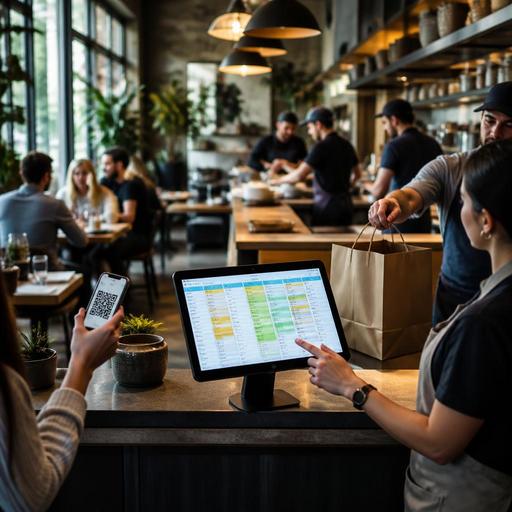
Omnichannel Restaurant Ordering Systems That Keep Every Order in One Flow
Omnichannel restaurant ordering is no longer just a convenience feature. For many restaurants, it is the practical answer to a daily problem: orders arrive from the dining room, QR menus, phone calls, takeaway counters, direct websites, and third-party delivery apps, but the team still tries to manage them through disconnected screens, handwritten notes, and verbal updates. When every channel runs separately, mistakes multiply, service slows down, and staff spend too much time translating information instead of serving guests.
The better approach is to bring every order source into one operational workflow. That does not mean every channel must look identical to the guest. It means the restaurant should manage them from a shared system, with consistent menu data, clear routing, unified order statuses, and fewer manual handoffs. For owners and operators, this creates a stronger foundation for better guest experiences and more reliable service during both quiet shifts and peak periods.
Why fragmented ordering creates bigger problems than most teams expect
Many restaurants add channels one by one. First comes dine-in service, then phone takeaway, then a QR menu, then a delivery marketplace, then direct online ordering. Each channel may solve a short-term need, but over time the operation becomes layered with exceptions. The host writes down pickup names in one place, servers key in table orders somewhere else, and kitchen staff monitor separate tablets for delivery orders. On a busy evening, this setup creates friction everywhere.
A fragmented setup usually leads to the same operational issues:
- Menu inconsistency when item names, prices, modifiers, or availability differ across channels.
- Order entry duplication when staff retype phone or delivery orders into another system.
- Timing conflicts when the kitchen receives too many orders at once without channel-based pacing.
- Guest confusion when pickup times, sold-out items, or special requests are not reflected accurately.
- Reporting gaps when managers cannot see total order volume and performance in one place.
Consider a casual burger restaurant. A guest at table six orders through QR, another customer calls in a family takeaway meal, and a delivery app sends three orders within five minutes. If these all reach the kitchen through different processes, the team must decide priority manually. If one menu version still offers a side dish that sold out an hour ago, someone must call the guest back or substitute without confidence. These are not technology problems alone; they are workflow design problems.
What a unified ordering workflow should include
An effective omnichannel setup is built around one source of truth. That means menu data, item availability, order status, and fulfillment logic should be managed centrally, even if guests order through different touchpoints. The exact tools may vary by concept, but the workflow principles are consistent.
A strong unified ordering workflow should include:
- Central menu management so prices, descriptions, modifiers, and availability update across channels from one place.
- Shared order intake so dine-in, QR, pickup, and delivery orders enter a single operational queue instead of isolated systems.
- Smart routing so orders reach the right station, printer, or kitchen display based on item type and service mode.
- Status visibility so front-of-house, kitchen, and pickup staff can see what is new, in progress, ready, or delayed.
- Channel-specific controls so the restaurant can set different prep times, item availability, or hours for dine-in, takeaway, and delivery.
For example, a cafe may want pastries available for in-store purchase all day, but only show selected items for delivery after lunch to protect freshness and simplify packaging. A central system makes that decision manageable without rewriting the menu in multiple places.
This is also where platforms like Restomas fit naturally into operations. Restaurants often need digital menus, QR ordering, order flow management, and POS-connected updates to work together rather than as separate projects. The practical value is not in adding more screens. It is in reducing repeated work and making each channel easier to control.
How to design channel rules without hurting the guest experience
One common mistake is assuming omnichannel means every channel should offer the full menu, the same timing promise, and the same process. In reality, good omnichannel ordering respects operational differences while keeping the experience clear for the guest.
Start by mapping each channel against kitchen reality:
- Dine-in may support the broadest menu and more custom requests.
- QR table ordering may work best for drinks, repeat orders, desserts, and simple add-ons.
- Pickup may require packaging-friendly bundles and accurate ready-time estimates.
- Delivery may need a tighter menu with items that travel well.
- Phone orders may need a script and a fast way to enter requests into the same order stream.
A pizza restaurant offers a clear example. In the dining room, guests can split toppings across halves, add extra finishing ingredients, and order appetizers in stages. For delivery, the restaurant may limit some customizations, remove dishes that lose quality in transit, and set time windows based on oven load. The guest experience still feels smooth because expectations are clear, and the operation stays realistic.
To keep the experience strong, focus on three actions:
- Show accurate availability rather than apologizing after the order.
- Set honest prep and pickup times instead of overpromising during rush periods.
- Use clear modifier logic so guests can customize without creating kitchen confusion.
When restaurants do this well, guests experience consistency where it matters most: the order is understandable, the timing feels credible, and the final product matches what they expected.
Staff management changes that make omnichannel work in practice
Technology alone will not unify ordering if staff roles remain vague. Restaurants need to define who owns the flow of incoming orders, who handles exceptions, and how the kitchen prioritizes mixed demand. Otherwise, one busy shift can push the team back into verbal coordination and reactive decision-making.
A practical staffing model often includes:
- A clear order monitor role during peak periods, often a shift lead or expeditor.
- Standard rules for order acceptance when capacity tightens.
- A packaging and pickup handoff station separated from dine-in plating when possible.
- Short training for modifiers and special requests so all staff enter orders consistently.
Imagine a brunch venue on Saturday morning. Without role clarity, servers answer takeaway calls while also greeting tables, and the kitchen receives rushed verbal changes. With a unified process, phone orders are entered into the same system as QR and counter orders, one person watches queue timing, and pickup bags are staged in a designated area. The result is calmer service, even before any major increase in sales.
Managers should also review exception handling. What happens when a guest orders an unavailable item through a marketplace? What happens if a table order and a pickup order share the same dish but have different urgency? These decisions should be written as simple operating rules, not solved from scratch each shift.
A step-by-step plan to move toward one ordering workflow
Restaurants do not need to rebuild everything at once. A phased approach is usually safer and easier for staff to adopt.
- Audit all current order channels. List every source of orders, who manages it, and where errors usually happen.
- Clean up the menu first. Standardize item names, modifier groups, prices, and sold-out procedures.
- Choose a central operational flow. Decide where all orders should land and how they should be routed.
- Set channel rules. Define hours, prep times, item availability, and service promises by channel.
- Train staff on one shared process. Focus especially on exception handling, order statuses, and communication between front and back of house.
- Review performance weekly. Look for recurring delays, menu confusion, and channels that overload production at specific times.
The goal is not to force every guest into one ordering behavior. The goal is to let guests choose the channel that suits them while the restaurant runs one clear operational system behind the scenes. That is what makes omnichannel ordering sustainable.
Restaurants that invest in unified digital menus, centralized order management, and better visibility across service modes are better positioned to protect service quality as they grow. If you are reviewing how QR menus, direct ordering, reservations, and order flow fit together, Restomas can help you bring those daily operations into a more manageable system.
