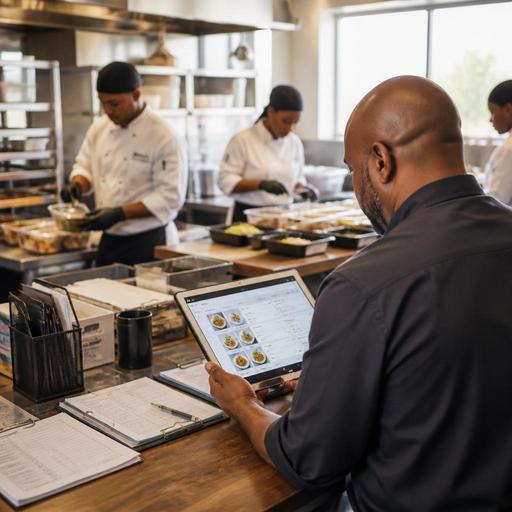
Order and Menu Management Systems for Catering Companies
For catering companies, order and menu management systems for catering companies are no longer just a convenience. They are becoming a practical way to reduce manual errors, keep menus consistent across events, and make communication easier between sales, kitchen, service staff, and clients. Unlike a standard restaurant service, catering involves custom menus, special requests, delivery timing, staffing coordination, and event-by-event planning. That complexity makes digital systems especially valuable when the business wants to grow without creating operational chaos.
Why catering operations need a different kind of menu control
A catering menu is not static. One client may request a corporate lunch with individually packed meals, while another wants a wedding buffet with dietary variations, beverage service, and late-night snacks. If your team manages these details through scattered spreadsheets, chat messages, and handwritten notes, important information can easily be missed.
A strong order and menu management setup helps centralize these moving parts. Instead of treating the menu as a simple list of dishes, the system should let your team manage formats, package options, add-ons, portion logic, allergens, and service notes. This is especially important when the same item appears in different contexts. For example, grilled chicken may be priced and portioned differently for boxed lunches, plated dinners, and buffet trays.
With a digital workflow, the catering company can define menu items once, then adapt them across event types without rewriting every detail each time. That reduces confusion and helps protect margins when prices, ingredients, or portions change.
What an effective catering order workflow should include
The best systems do more than capture an order. They create a reliable path from inquiry to execution. For catering, this means every confirmed event should move through a structured process that connects client communication with kitchen production and service planning.
A practical workflow often includes the following elements:
- Client-facing menu selection: clear packages, optional upgrades, dietary notes, and event date requirements.
- Internal order review: verification of guest count, delivery time, setup needs, staffing needs, and equipment requirements.
- Production mapping: preparation lists, batching plans, pickup or dispatch schedules, and station assignments.
- Change tracking: a visible record of menu edits, quantity changes, and late requests.
- Final service coordination: packing checklists, route timing, setup notes, and post-event follow-up.
Consider a simple example. A client first books coffee service for 40 people, then adds breakfast pastries, vegan options, and branded lunch boxes later in the week. If these updates live only in email, the kitchen may prepare the wrong quantities or miss the packaging requirements. In a centralized system, the latest version of the order is visible to everyone involved, reducing rework and last-minute stress.
How better menu management improves profitability and guest experience
Many catering owners think about menu management as an administrative task, but it directly affects both profitability and guest satisfaction. A poorly managed menu creates hidden problems: underpriced upgrades, inconsistent portions, duplicate purchasing, and service teams working from outdated event sheets.
Better menu management helps in several practical ways. First, it makes pricing more disciplined. When package components and add-ons are clearly defined, your team is less likely to promise extras without charging for them. Second, it supports consistency. A vegetarian canape platter should look and feel the same standard whether the event is for 20 guests or 200. Third, it makes guest communication smoother. Clients can understand what is included, what can be customized, and what requires additional lead time.
For the guest experience, clarity matters. A corporate client planning recurring office catering wants easy reordering. A wedding client wants confidence that allergy notes and service details will not be lost. A conference organizer wants reliable timing and simple approval for menu revisions. In each case, a digital order and menu system reduces friction because information is easier to confirm, update, and share.
This is also where digital restaurant tools can support catering businesses that operate a cafe, production kitchen, or restaurant alongside events. If the same platform can help manage digital menus, order flows, and operational visibility, the business gains a more unified way to run both daily service and special-event production.
Common mistakes catering companies make when digitizing orders
Not every digital setup improves operations. Some businesses simply move their existing confusion into a new software tool. To avoid that, owners should focus on process design before platform features.
Here are some common mistakes:
- Keeping menu names too vague. If items are labeled broadly, staff may not know the exact portion, garnish, packaging, or service style required.
- Allowing too many unmanaged custom requests. Customization is important in catering, but it should be structured through approved modifiers, notes, and pricing rules.
- Failing to separate sales notes from kitchen instructions. The client may need polished language, while the kitchen needs exact production details.
- Not assigning ownership for updates. If anyone can change an order without a clear process, mistakes multiply.
- Ignoring post-event feedback. Menu and order systems improve fastest when teams review what caused delays, shortages, or client confusion.
A useful approach is to audit your last ten catering jobs and identify where errors happened. Did the issue come from menu setup, communication, packing, delivery timing, or staffing? This gives you a practical basis for choosing the right digital workflow rather than chasing features that sound impressive but solve the wrong problem.
A practical action plan for owners and operations managers
If you want to improve catering order management without overwhelming your team, start small and build in stages. The goal is not to digitize everything overnight. The goal is to create a cleaner and more repeatable operating system.
Step 1: Standardize your menu structure
Group your offerings into clear categories such as breakfast trays, boxed lunches, buffet packages, beverage service, desserts, and staffing or rental add-ons. For each item, define portion logic, lead time, dietary labels, and packaging requirements.
Step 2: Build approved modifiers
Instead of handling every request as free-text chaos, create structured options for guest count changes, vegetarian substitutions, premium upgrades, disposable or reusable serviceware, and delivery windows.
Step 3: Create one source of truth for every event
Every team should work from the same finalized event record. This record should include the menu, quantities, timing, contact details, venue notes, and operational instructions.
Step 4: Connect front-of-house promises to back-of-house execution
If the sales team offers a menu variation, the kitchen and operations team must see it immediately in a usable format. This is where integrated digital tools matter more than isolated documents.
Step 5: Review and refine weekly
After each busy week, review which orders created confusion. Update menu templates, item descriptions, and internal checklists based on real operational lessons.
For example, if your team repeatedly forgets beverage ice, serving tongs, or allergen labels, those details should become part of the standard event workflow rather than depending on memory.
Choosing a system that supports growth without adding friction
The right system for a catering company should make work simpler, not more complicated. Owners should look for tools that help manage digital menus, organize order details clearly, support operational coordination, and adapt as the business adds new event formats or service channels.
It is also worth thinking beyond the order form itself. Catering companies often benefit when menu management, reservations or inquiries, order visibility, and operational reporting are connected. That creates fewer blind spots and makes it easier to scale quality across multiple event types.
As catering businesses become more complex, the winners are often the operators who turn menu and order handling into a repeatable system instead of a daily improvisation. A thoughtful digital setup helps teams work with less confusion, protects the guest experience, and gives owners better control over execution.
If your catering business is looking to simplify digital menus, order flow, and service coordination, Restomas offers practical tools that can support a more organized operation.
