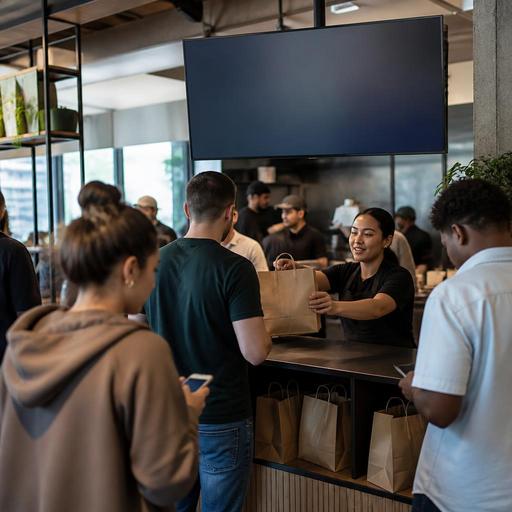
Order Status Screens for U.S. Counter-Service Restaurants
Order status screens for U.S. counter-service restaurants can do much more than display a number. In a busy fast-casual shop, food hall stall, coffee bar, airport concession, or stadium counter, they help guests understand where their check stands, reduce the cluster around the handoff area, and give staff a cleaner workflow during rushes. When operators set them up well, these screens support faster pickup, fewer interruptions at the counter, and better coordination between the POS, kitchen display system, and guest-facing ordering flow.
In the United States, this matters because many counter-service brands now juggle walk-in orders, direct online ordering, delivery apps, third-party drivers, curbside pickup, and scheduled takeout at the same time. A guest waiting for a burger in a suburban fast-casual dining room should not have the same pickup experience as a delivery driver grabbing three bags from a city food hall shelf. The screen strategy should match the service model.
What an order status screen should actually solve
Some operators install a screen because it looks modern, then wonder why the front counter still feels chaotic. The real job of the screen is operational clarity. It should answer a guest's most common question without requiring a cashier or expo to stop working: Is my order still in progress, ready for pickup, or delayed?
For example, imagine a lunchtime salad and bowl concept in Chicago with one cashier, one expediter, and a pickup shelf. If every third guest asks, "Is 148 ready yet?" the team loses focus. A simple status screen that moves orders from received to in progress to ready can reduce those interruptions. In a Texas food hall, the same concept may help guests spread out instead of crowding a narrow pickup ledge shared by multiple vendors.
Strong setups usually solve four problems:
- Counter congestion during lunch and after-work rushes
- Handoff confusion between dine-in, takeout, and delivery app pickups
- Staff interruptions that slow cashiers and expos
- Guest anxiety when wait times are unclear
If your team still calls out every name three times, remakes orders because bags sit too long, or has drivers leaning over the counter to ask for updates, the screen is not just a nice add-on. It may be a workflow fix.
How to design the screen around your U.S. service model
The best screen layout depends on the type of operation. A college-town coffee shop, a mall food court brand, and a hotel lobby grab-and-go outlet all have different traffic patterns.
Fast-casual and QSR counters
For a sandwich or bowl line, use short status stages such as received, preparing, and ready. Keep the screen visible from the ordering line and the pickup shelf. If guests order at a kiosk and then wait near the handoff area, the screen should be readable from both positions.
Food halls and shared pickup zones
In a food hall, guests often place orders from several vendors and stand in a noisy common area. Here, order status screens work best when they clearly identify the vendor and handoff point. If one stall sells ramen and another sells tacos, pickup instructions must be unmistakable. This is also where QR ordering can help by tying the guest's phone confirmation to the same status flow shown on the screen.
Coffee shops and bakeries
Names can work better than numbers in lower-volume environments, but think carefully about noise and privacy. A busy downtown cafe may prefer first name plus order item, while a higher-volume commuter location may find order numbers faster and less confusing. Operators should also think about accessibility and readability, including contrast, font size, and line of sight. ADA-related needs can vary by setup, so review current official guidance and your local requirements when making layout decisions.
Airport, stadium, and venue concessions
In large venues, the screen should support high throughput and quick scanning. Guests may be carrying bags, watching a game, or rushing to a gate. Short identifiers, bold status changes, and pickup shelves organized by order type are more useful than long messages. If alcohol is part of the order, maintain your usual ID-check and local compliance workflow at handoff; the screen should not bypass it.
Operational setup that makes the screen work
A screen only helps if the order statuses are accurate. That means the front-of-house display must be connected to what is really happening in the kitchen or assembly line.
- Map each status to a real step. Do not add extra stages your team will ignore. If the kitchen never updates five different stages, keep it to three.
- Connect the display to your POS and kitchen display system. When the kitchen marks an order complete, it should move automatically to ready whenever possible.
- Separate pickup types. Dine-in guest pickup, takeout shelf, courier pickup, and curbside pickup should not all appear the same if the handoff rules differ.
- Train one owner of the handoff zone. During peak periods, someone should be accountable for the final status and bag placement.
- Use the same language everywhere. If the website says pickup, the text message says ready, and the screen says completed, guests get confused.
A practical example: a five-unit chicken tender chain in Florida might route in-store orders to one screen section and direct online ordering to another. Orders for delivery apps may stay off the guest-facing screen entirely if the main audience is drivers and staff. That avoids a dining room full of guests staring at order names that are not meant for them.
Common mistakes that create more confusion
One common problem is showing too many old ready orders. Guests then crowd the shelf, touch multiple bags, and ask staff to confirm every item. Another is relying on audio callouts even after installing a screen. If your process still depends on constant shouting, the visual system is not doing enough.
Watch for these issues:
- Order numbers that are too long to scan quickly
- Screens placed behind the counter where guests cannot see them clearly
- No distinction between guest pickup and delivery driver pickup
- Ready orders left on shelves too long without escalation
- Inconsistent naming across POS, receipts, SMS updates, and QR ordering
Another U.S.-specific issue is the interaction with tipping and payment flow. At many counter-service restaurants, guests are prompted for a tip on the POS before the order is finished. That makes transparency even more important. If a guest has already paid, added a tip, and is waiting longer than expected, a clear status screen can reduce frustration. Operators should also keep reporting and payroll workflows for tipped staff separate from guest-facing status tools, and verify tax and labor handling with qualified advisors and current official guidance.
How to measure whether the screen is helping
You do not need complicated analytics to judge success. Start with floor-level observations and a few simple operating checks.
Ask your shift leads to track:
- How often guests ask the cashier for order updates
- How many bags sit on the pickup shelf unclaimed
- Whether drivers interrupt the line to ask about app orders
- Whether remakes happen because orders were missed or grabbed late
- How crowded the handoff zone gets during peak windows
If you run multiple locations, compare stores with similar volume. A downtown food hall location may need a different status logic than a suburban strip-center burger shop. Standardize the core workflow, but allow local adjustments for shelf space, line design, and guest mix.
Finally, think beyond the screen itself. The best results usually come from combining status visibility with direct online ordering, QR ordering, accurate prep timing, kitchen display workflows, and clean pickup shelf organization. For chain operators, there may also be broader menu and guest communication considerations, including FDA menu labeling context for covered chains and local accessibility expectations, so confirm current requirements with qualified advisors before making system-wide changes.
When order status screens are tied to real kitchen progress and a clear pickup process, they become less of a gadget and more of a traffic-control tool for modern U.S. counter service. Restomas can help operators connect guest ordering, kitchen workflows, and pickup communication into one cleaner service flow.
