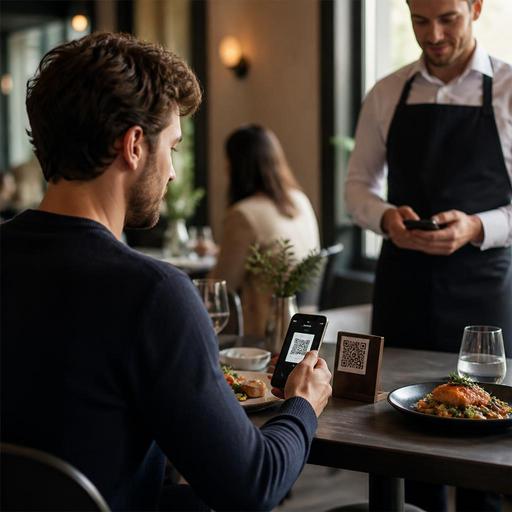
QR Code Contactless Payments for Restaurants: A Practical Setup Guide
QR code contactless payments for restaurants are no longer just a convenience feature. They affect table turnover, staff workload, payment accuracy, and the overall guest experience. For restaurant owners, the real question is not whether guests can scan and pay, but whether the full payment journey is clear, reliable, and easy for both the dining room team and the customer. A smooth setup requires more than placing a QR sticker on the table. It involves menu design, payment flow planning, staff training, exception handling, and operational controls.
Start with the full guest journey, not just the payment screen
Many operators think about contactless payment as the last step of service. In practice, guests judge the experience from the moment they see the QR code. If the code opens a slow page, an outdated menu, or a confusing interface, trust drops before the payment stage even begins.
A better approach is to map the entire sequence from scan to confirmation. For example, a casual cafe might let guests scan, browse the menu, order, and pay on their phones without waiting for staff. A full-service restaurant may prefer a mixed model where guests review the menu digitally, place orders through the team, and use QR payment at the end. Both can work, but the process should match the service style.
Ask practical questions such as:
- What does the guest see first after scanning?
- Can they identify their table easily?
- Is the bill itemized clearly?
- Can they split payment if dining in a group?
- What happens if they want to pay cash instead?
- How do they request help without feeling stuck?
If any of these moments are unclear, staff will spend time solving avoidable problems. Platforms that connect QR menus, ordering, and payment into one flow can reduce friction because guests do not have to jump between separate systems.
Prepare your menu and bill structure for mobile payment clarity
Contactless payment works best when the digital bill is easy to understand. This means your menu data should be clean and consistent. Item names, modifiers, add-ons, discounts, and service charges should appear in a simple format that makes sense on a small screen.
Consider a burger restaurant that offers extra cheese, double patties, side swaps, and sauce add-ons. If those options are poorly organized in the ordering system, the guest may see a final bill that feels unfamiliar or hard to verify. That creates hesitation right before payment. On the other hand, if modifiers are grouped clearly and displayed exactly as ordered, guests can review the bill quickly and pay with confidence.
Restaurant owners should review these areas before launching QR payments:
- Menu naming: Use clear item titles that match what staff say on the floor.
- Modifier logic: Make extras and substitutions easy to read on the final bill.
- Tax and service display: Show charges transparently before the guest confirms payment.
- Out-of-stock handling: Remove unavailable items quickly so guests do not face corrections later.
- Receipt flow: Decide whether the guest receives a digital receipt automatically after payment.
This is where restaurant digitization matters. A digital menu is not only a sales tool; it is also the foundation for accurate mobile billing. If the menu structure is messy, payment problems appear downstream.
Train staff for exceptions, not only normal transactions
The most common mistake with QR code payments is assuming the technology will remove the need for staff involvement. In reality, staff still shape whether the system feels effortless. Guests need reassurance, especially when using a new payment method in a busy dining room.
Front-of-house teams should know how to explain the process in one or two short sentences. For example: You can scan the code to view the menu and pay at the table when you are ready. If you prefer, we can also bring the bill and take payment directly. That kind of language gives guests choice while reducing uncertainty.
Training should focus heavily on exception cases, including:
- A guest scans the wrong table code
- A shared table wants to split the bill unevenly
- A customer pays but the confirmation does not appear immediately
- An older guest prefers card terminal service instead of phone payment
- A server needs to void or correct an item before payment
- The internet connection is weak in part of the dining room
Managers should create a simple floor procedure for each situation. For instance, if a payment confirmation is delayed, staff should know whether to refresh the order screen, check the payment dashboard, or escalate to a supervisor before asking the guest to try again. Clear procedures prevent awkward moments and protect trust.
It also helps to assign ownership. Decide whether the shift manager, cashier, or service captain is responsible for payment exceptions. Without clear responsibility, small issues can bounce between team members and slow down service.
Build controls that protect operations and reduce disputes
Speed matters, but control matters just as much. Restaurants adopting contactless payments should think carefully about reconciliation, refunds, and fraud prevention. The goal is to make payment easier for guests without losing visibility for the business.
Start by checking how your payment flow connects with your existing order management and POS processes. If a guest pays through a QR code, your team should be able to see that status immediately. Delays between payment and order records can create duplicate collection attempts or confusion at checkout.
Operational controls to prepare include:
- Real-time payment status: Staff should see whether a table is unpaid, in progress, or completed.
- Refund permissions: Only designated team members should process reversals or adjustments.
- End-of-shift reconciliation: Managers should compare digital payments with closed checks and exceptions.
- Table identity checks: Use table-specific QR codes or secure session logic to reduce mismatches.
- Audit trail: Keep a clear record of who edited, discounted, or reopened a check.
As one practical example, imagine a family table where one guest pays the bill from the QR page while a server is simultaneously preparing a card terminal because another guest requested it. If the payment state does not update quickly, the restaurant risks confusion or double handling. Integrated digital systems help avoid these situations by making payment status visible across the workflow.
Design the experience around guest comfort and service style
Not every restaurant should present QR payment in the same way. A fast-casual concept may highlight speed and self-service. A fine-casual dining room may want the technology to stay in the background and support hospitality rather than replace it. The best setup respects the brand experience.
Think about placement and wording. A QR code tent on the table should be visible but not intrusive. The invitation to use it should feel helpful, not mandatory. Some guests love paying immediately after dessert without waiting for the bill. Others still value a personal handoff from the server. Good service design allows both.
It is also worth reviewing accessibility. Make sure the QR code is easy to scan in low light, the menu loads clearly on common mobile devices, and the payment flow uses readable text and simple buttons. If your restaurant serves tourists, multilingual menu and payment support can reduce hesitation at the final step.
Finally, test the system during real service conditions. Do not rely only on a quiet back-office demo. Try it during lunch rush, with multiple tables, menu changes, and common guest questions. Observe where people pause, ask for help, or abandon the process. These moments reveal what needs adjustment.
QR code contactless payments work best when they are part of a broader digital restaurant workflow, not a standalone feature. When menu management, ordering, payment visibility, and staff procedures are aligned, restaurants can improve convenience without sacrificing control or hospitality. Restomas supports this kind of connected guest journey by helping restaurants manage digital menus, ordering flows, and service operations in one place.
