QR Code Contactless Payments for Restaurants: A Practical Setup Guide
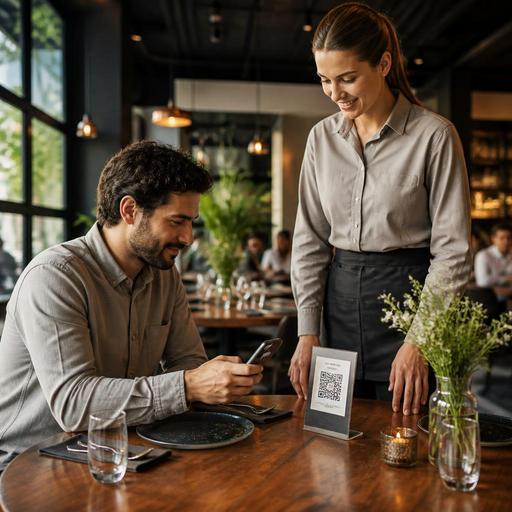
QR code contactless payments for restaurants are no longer just a convenience feature. They are becoming part of how guests expect to browse, order, pay, and leave without waiting for a card machine or a printed check. For restaurant owners, this shift is not only about adding a payment option. It is about preparing the full service flow so guests feel confident, staff stay in control, and operations remain accurate from menu to receipt.
A smooth QR payment experience depends on more than placing a code on the table. The menu has to be clear, the payment steps have to be easy to follow, and the team has to know what happens when a guest wants to split a bill, leave a tip, ask for a printed receipt, or pay after adding one more item. When the setup is incomplete, contactless payments can create confusion instead of speed. When the setup is done well, they can reduce waiting, support table turns, and make service feel more modern without removing hospitality.
Start with the full guest journey, not the QR code alone
Many restaurants begin by asking which payment provider to use. That matters, but the better first question is: what should the guest experience feel like from seating to payment? In a dine-in environment, QR payments work best when they are part of one connected journey.
For example, a guest scans a table QR code, views the live menu, orders items, adds notes where allowed, and then pays from the same flow. In another setup, the guest still orders through staff but pays by scanning the bill at the end. Both models can work, but each one changes service roles, timing, and training needs.
- Table-order-and-pay flow: useful for fast casual, cafes, food halls, and high-turnover dining rooms.
- Staff-order, guest-pay flow: useful for full-service restaurants that want to keep personal ordering but reduce checkout delays.
- Hybrid flow: useful when lunch service is speed-focused but dinner service is more assisted.
Choosing the right flow helps avoid common operational problems. If guests can order and pay on their own, the kitchen and service team need clear visibility into table numbers, item status, and paid versus unpaid orders. If payment happens only at the end, the bill presentation and settlement process must still be fast and easy to understand.
Prepare your menu and payment logic before launch
A QR payment system is only as good as the menu and billing logic behind it. Before launch, review the digital menu as if you were a first-time guest. Category names should be simple. Modifier choices should be limited to what the kitchen can execute consistently. Prices should be current across all channels. If the guest sees a different price on the menu and at checkout, trust drops immediately.
Think through real payment scenarios in advance:
- Can guests pay for the entire table or only their own items?
- Can a table keep ordering after one guest has already paid?
- How are service charges or taxes shown before confirmation?
- How does tipping appear, and is it culturally appropriate for your market?
- What happens if an item sells out after the guest has added it to the cart?
These details matter because payment is the point where confusion becomes friction. A guest may accept a short wait for food, but they are less patient when trying to settle the bill. Restaurants should also review how refunds, voids, and partial adjustments will be handled. If a dessert was unavailable or a drink was entered by mistake, the team needs a clear process for correcting the transaction without creating accounting problems.
This is where connected tools become valuable. A platform that links QR menus, order management, and payment status can reduce manual reconciliation and help staff see exactly what each table has ordered and paid for.
Train staff for exceptions, not just the ideal flow
The biggest mistake in QR payment rollouts is assuming the technology will explain itself. Some guests will understand it immediately. Others will still want reassurance. Staff should not need to give a long technical explanation, but they should be ready to guide the guest in one or two calm sentences.
More importantly, staff training should focus on exceptions. The perfect flow is easy. The difficult moments are what shape guest perception.
Examples of situations to rehearse
- A guest scans the code but prefers to pay by card terminal.
- Two guests want to split the bill unevenly.
- One diner has poor mobile signal or a low phone battery.
- A family wants a printed receipt for expense tracking.
- A server needs to add an item after the guest has opened the payment screen.
- A guest pays but the team does not immediately see the payment status.
Create short scripts and service rules for these cases. For example, servers can say, You are welcome to pay by QR or I can bring the terminal right away. This keeps the experience flexible instead of forcing adoption. Contactless payment should expand choice, not create tension.
Managers should also decide who owns payment troubleshooting during service. In some venues it will be the floor manager. In others it may be the cashier or shift lead. Clear ownership prevents front-of-house staff from giving mixed answers during busy periods.
Set up the dining room for trust and usability
Guests decide in seconds whether they trust a QR code enough to scan and pay through it. Physical presentation matters. Codes should be clean, easy to find, and attached to the correct table. They should not be hidden under condiments, damaged by cleaning products, or printed in a way that makes them difficult to scan in low light.
Just as important is what the guest sees after scanning. The page should load quickly, match the restaurant identity, and clearly show table context if table service is involved. If the first screen looks generic or confusing, some guests will stop before ordering or paying.
Practical preparation steps include:
- Test every QR code in the dining room from different phone models.
- Check lighting conditions during lunch, dinner, and terrace service.
- Make sure table numbers in the system match the physical floor plan.
- Keep a backup payment method visible and available.
- Review the guest language used on buttons, confirmations, and receipts.
Restaurants with outdoor seating should be especially careful. Rain, sunlight, and table movement can quickly affect code readability. Laminated or professionally produced table materials often perform better than temporary paper solutions.
Use QR payments to improve operations, not just speed checkout
The real value of contactless payments is not limited to the last step of the meal. When connected properly, they can improve order accuracy, reduce unnecessary trips by staff, and make service data easier to review. Managers can spot which tables are waiting to pay, which orders are already settled, and where handoff delays happen between service and kitchen.
QR payment data can also support better decisions around staffing and menu performance. If guests regularly abandon payment after adding items, the checkout flow may be unclear. If certain dayparts show frequent assistance requests, the team may need stronger table guidance or a simplified menu structure.
For operators, the goal should be simple: remove friction without removing hospitality. A cafe may use QR payments to handle morning rushes with fewer checkout bottlenecks. A casual restaurant may use them to shorten the wait for the bill during peak evenings. A hotel restaurant may keep traditional service while offering QR payment as a quiet convenience for solo travelers or business guests.
Before going live, walk through the system as a guest, a server, a cashier, and a manager. That full test usually reveals the gaps: unclear modifier names, missing receipt options, table mapping errors, or uncertainty around bill adjustments. Fixing those details early is what turns a QR payment feature into a reliable part of daily service.
Restaurants that want a more connected setup often benefit from using one platform for digital menus, table-based ordering, payment visibility, and operational control. Restomas can support that kind of practical restaurant digitization in a way that fits daily service rather than interrupting it.
