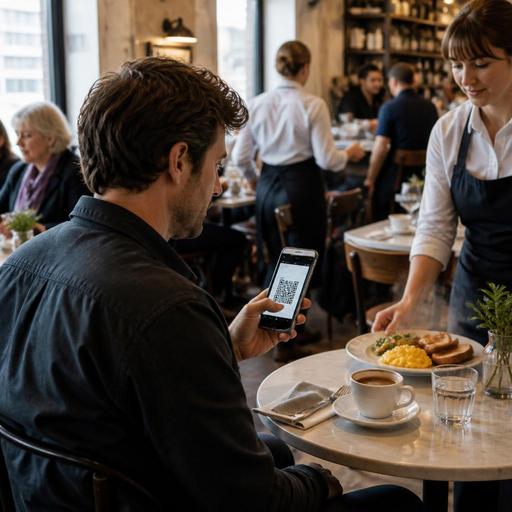
QR Menu Optimization Tips for Breakfast Rush Restaurant Service
The main challenge in QR menu optimization for breakfast restaurants during peak hours is simple: guests want to decide fast, customize easily, and receive their food without delay. Breakfast service moves differently from lunch or dinner. Many guests are on a schedule, tables turn quickly, and the same core items appear in many combinations. A well-optimized QR menu can reduce friction at exactly the moment when your team is under the most pressure. The goal is not to make the menu look more digital. The goal is to help guests order faster, help staff answer fewer repetitive questions, and help the kitchen receive cleaner tickets.
Why breakfast peak hours expose menu friction faster
Breakfast is one of the most operationally sensitive dayparts. Guests often arrive with a clear purpose: coffee now, eggs cooked a certain way, a quick add-on, or a predictable combo before work. If the QR menu makes them search, scroll too much, or decode unclear modifier options, those few lost moments multiply across the room.
In a breakfast setting, friction usually shows up in practical ways:
- Guests ask staff basic menu questions such as whether a combo includes coffee, toast, or juice.
- Popular items are buried under long category lists instead of appearing first.
- Customization is unclear for eggs, bread choice, sides, milk options, or extras.
- High-volume items create kitchen confusion because notes are inconsistent.
- Mobile viewing is slow when the menu is too long or image-heavy.
During the breakfast rush, even a small hesitation can slow table turnover and increase pressure on both front-of-house and kitchen staff. That is why QR menu design for breakfast restaurants should be based on speed, clarity, and repeatable order structure.
Build your QR menu around how guests actually order breakfast
Many breakfast menus are organized by internal logic rather than guest behavior. Operators may separate categories into eggs, bakery, beverages, extras, and specials, but the guest often thinks in a different sequence: drink first, main second, then a side or upgrade. Your QR menu should reflect that natural decision path.
A practical structure might begin with a small set of high-demand sections at the top:
- Most ordered breakfast combinations
- Coffee and morning drinks
- Egg dishes and plates
- Fast handheld items such as breakfast sandwiches or wraps
- Bakery, sides, and add-ons
This does not mean removing variety. It means guiding the guest toward fast decisions. For example, if a large share of weekday orders comes from two-egg breakfasts, omelets, filter coffee, cappuccino, and toast add-ons, those items should be visible immediately without extra taps.
Descriptions also need to be written for speed. Instead of a long paragraph, use short wording that answers the first question a guest will have. For example, a dish description can quickly state what is included: Two eggs, toast, butter, and side salad or Served with hash browns and choice of white or sourdough toast. This reduces the need for staff intervention.
One useful tactic is to treat breakfast modifiers as structured choices rather than free-text notes. Guests should be able to select egg style, bread type, side choice, and drink option from clear menus. That creates consistency for the kitchen and reduces errors caused by handwritten or spoken variations.
Reduce ordering time with cleaner categories and smarter modifiers
If guests need to open too many screens to complete a breakfast order, the QR menu is adding work instead of removing it. The best breakfast QR menus simplify repetitive decisions.
Consider a classic breakfast plate. Instead of forcing the guest to read a full description and then tell a server every preference, the QR menu can present clean modifier groups such as:
- Choose your eggs: scrambled, fried, poached, omelet
- Choose your bread: white, whole grain, sourdough
- Add a side: avocado, sausage, extra toast, fruit cup
- Add a drink: filter coffee, tea, orange juice
This approach does two things at once. It helps the guest complete the order quickly, and it creates more standardized tickets for production. It also supports upselling in a natural way because add-ons are shown at the moment they are most relevant.
Another practical improvement is to separate peak-hour items from slower-prep items. If your kitchen struggles when many guests order made-to-order pancakes with multiple custom toppings at the same time, you do not need to remove the item entirely. But you may want to place it lower in the flow, mark it clearly, or present faster alternatives more prominently during busy periods.
Breakfast restaurants can also benefit from time-sensitive menu management. For example, weekday rush menus may highlight quick combinations and coffee bundles, while weekend brunch menus can support more browsing and higher customization. This is where digital menu control becomes useful: operators can adjust visibility, wording, and item priority without reprinting anything.
Use QR menus to support staff, not replace hospitality
A common mistake is assuming that a QR menu should remove the server from the ordering experience. In breakfast service, that is rarely the best goal. Guests still value a quick greeting, recommendations, and reassurance when they are in a hurry. The QR menu should take repetitive explanation away from staff so they can focus on timing and service.
For example, if guests can easily see which breakfast sets are fastest, which drinks come with free refills, or which items are vegetarian, your staff no longer needs to repeat those details at every table. Instead, they can spend their time doing higher-value tasks:
- Greeting and seating guests efficiently
- Checking whether first-time visitors understand the menu flow
- Confirming allergy or dietary needs
- Monitoring tables that are ready to order but need a final nudge
- Coordinating timing between coffee service and hot food
This is especially important during the morning rush, when one delayed coffee or one unclear egg modification can affect the entire room. A QR menu that connects clearly to order management also helps the team see incoming demand earlier. If multiple tables place similar orders within minutes, the kitchen can batch more intelligently and the floor team can manage expectations.
Platforms such as Restomas fit naturally into this workflow because they combine digital menu control with order handling in a way that supports restaurant operations instead of adding another disconnected tool.
Practical changes breakfast operators can make this week
If you want better results from your QR menu during peak breakfast hours, start with a short operational review rather than a full redesign. Watch where guests hesitate and where staff repeat themselves. Then make focused changes.
Start with your top 10 morning sellers
Move your most ordered breakfast items to the first screen or first category. If guests repeatedly order the same combinations, lead with those combinations.
Rewrite item names for clarity
Use names that reflect what the guest understands immediately. If needed, include the format in the title, such as Two-Egg Breakfast Plate or Breakfast Sandwich Combo.
Limit unnecessary text
Keep descriptions short and useful. Mention what is included, any important choices, and anything that avoids confusion.
Turn common verbal requests into modifiers
If staff constantly hear the same customization requests, those choices belong inside the digital ordering flow.
Review ticket quality with the kitchen
Ask whether QR orders arrive in a format that is easy to prepare. If modifiers are messy, reorganize them for production logic, not just guest browsing.
Adjust for weekday and weekend traffic
Your morning commuter crowd and your weekend brunch crowd do not order the same way. Use digital flexibility to surface the right items at the right times.
Breakfast restaurants do not need a complicated digital strategy to improve peak-hour performance. They need a QR menu that reflects real guest decisions, reduces repetitive questions, and creates clean handoff between table, staff, and kitchen. When that happens, service feels faster without becoming impersonal, and the breakfast rush becomes easier to manage with the team you already have.
Restomas can help breakfast restaurants manage QR menus, ordering flow, and operational updates more smoothly as service patterns change.
