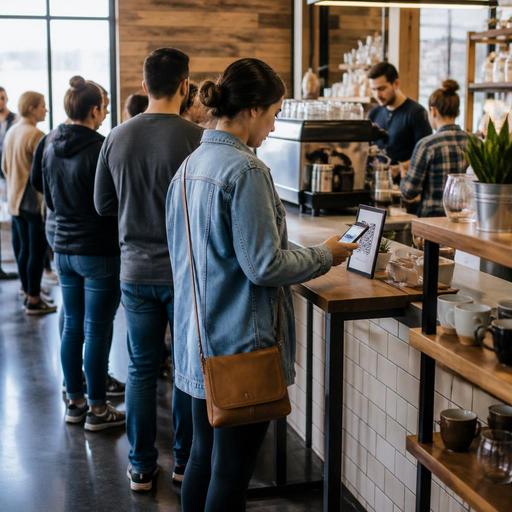
QR Menu Tactics for U.S. Coffee Shops That Keep the Line Moving
QR menus for coffee shops can help U.S. operators move guests through the line faster, but only when the setup matches how Americans actually order coffee: quick decisions, modifiers, loyalty habits, rush-hour pressure, and a strong expectation that payment will be easy. In a neighborhood cafe, airport kiosk, hotel lobby coffee bar, or multi-location fast-casual coffee concept, the goal is not to make every guest scan a code. The goal is to reduce hesitation at the register, shorten ordering conversations when appropriate, and keep the bar flow steady from POS to kitchen display system to pickup shelf.
Too many operators treat a QR menu like a digital PDF taped to the sneeze guard. That rarely helps the morning rush. A better approach is to use QR menus as part of a line-management system: guests browse before they reach the cashier, see popular builds, understand sizes and add-ons, and arrive ready to order. The result is better throughput without making the cafe feel impersonal.
Design the QR menu around line speed, not just menu access
In most U.S. coffee shops, the bottleneck is not brewing alone. It is decision time at the counter. A guest gets to the front and starts asking about the difference between a cortado, flat white, and latte, then adds oat milk, asks for half sweetener, and wants a breakfast sandwich warmed but not too hot. A QR menu should answer the most common questions before that guest reaches the register.
Start by organizing the mobile menu for fast scanning on a phone screen. Put top-selling categories first: hot coffee, iced drinks, espresso drinks, tea, breakfast, bakery, and grab-and-go. Inside each category, lead with the items guests order most often. For example, a downtown Chicago cafe serving office traffic might place cold brew, vanilla latte, drip coffee, and bacon breakfast sandwich at the top during weekday mornings. A college-town coffee bar might highlight iced matcha, breakfast burritos, and alternative milk options first.
Keep item names familiar. If your menu uses house language, add a short plain-English description. Guests in line should not have to decode your concept. If a drink comes in 12, 16, and 20 ounces, show that clearly. If modifiers affect prep time, availability, or price, make that obvious in the ordering flow.
What to include on a line-friendly QR menu
- Clear drink sizes with simple naming and no hidden steps
- Top modifiers first such as milk choice, extra shot, syrup, and temperature
- Popular combinations like coffee plus pastry or latte plus breakfast sandwich
- Out-of-stock visibility so guests do not order an item the bar cannot produce
- Pickup cues that explain where to wait after ordering
- Allergen and ingredient notes presented clearly for operational consistency; verify local and federal guidance where needed
If you operate a chain or larger group, remember that menu labeling rules may apply differently depending on your footprint and service model. Keep the workflow practical, and verify current FDA and local requirements with qualified advisors or official guidance before changing how nutrition or menu information is presented.
Use QR placement to shift decisions earlier in the guest journey
The best QR menu is useless if guests only notice it when they are already at the register. Place codes where people naturally pause. In a U.S. coffee shop, that often means the front door, queue rail, parking-lot pickup sign, communal table, hotel lobby seating area, and the exterior window near a walk-up line.
Think about the order in which guests make decisions. A commuter entering a Boston cafe may need less than 30 seconds to pick between drip coffee and a cappuccino, but a family stopping at a suburban cafe after soccer practice may need more time to compare pastries, kid-friendly drinks, and takeout options. QR access lets both groups browse without tying up your cashier.
For a food hall coffee stall, put the QR code where guests are still deciding between vendors. For a drive-up or curbside-heavy location, include the menu QR near designated pickup spaces so repeat guests can reorder quickly. For hotel coffee bars, table tents near lobby seating can help guests browse before joining the line, especially during conference morning rushes.
Make sure ADA-minded access is part of the workflow. A QR menu should support convenience, not become the only path to ordering. Keep a visible printed menu or overhead board, train staff to assist guests who prefer verbal ordering, and make sure digital menus are easy to navigate on mobile devices. Accessibility expectations can vary by situation, so operators should review current official guidance and local requirements with qualified advisors.
Connect QR browsing to POS, bar workflow, and pickup handoff
Speed at the front counter means little if the bar gets slammed with poorly sequenced tickets. The real win comes when the QR menu supports the rest of the operation. If your digital menu feeds into your POS stack, kitchen display system, or order management workflow, modifiers should route cleanly to the right station. Espresso bar, blender station, warming oven, and pickup shelf all need clarity.
For example, a fast-casual coffee concept in Austin may let guests scan, order, and pay on their phones during the morning rush. That only works well if iced drinks, hot drinks, and warmed food fire in a controlled sequence and the guest receives a clear pickup instruction. Otherwise, you trade register congestion for handoff congestion.
Use these operational checks:
- Separate browse flow from production flow. Guests can explore the full menu, but the production team should receive short, standardized tickets.
- Limit excessive modifier paths. If every drink has too many custom steps, line speed and bar speed both suffer.
- Set realistic item throttles. If the oven can only handle a certain breakfast volume, manage availability in the system.
- Define pickup zones. Use a pickup shelf or counter area that keeps waiting guests away from the order line.
- Train staff on digital order exceptions. Someone needs a routine for guest name issues, remake requests, and delayed orders.
If you accept tips digitally, make sure your prompts fit your service style. A quick-serve coffee bar has a different tipping cadence than a full-service brunch cafe. Operators should also keep tip reporting, service charge treatment, and payroll workflows aligned with their POS and accounting setup, and verify current federal, state, and local requirements with qualified tax and labor advisors.
Build for regulars, delivery, and off-premise demand without confusing the line
Many U.S. coffee shops now juggle in-store orders, direct online ordering, third-party delivery apps, scheduled pickup, and office catering tabs. A QR menu should simplify that mix, not add another disconnected channel.
One practical model is to keep the in-line QR experience focused on fast decisions and fast payment, while offering deeper options for scheduled pickup and larger takeout orders through direct online ordering. A regular grabbing a 16-ounce iced latte should have a two-minute path. An office manager ordering two travelers, pastries, and boxed lunches for a 9 a.m. meeting needs a different path entirely.
For example, a Seattle cafe with a strong commuter base might use QR menus to support order-ahead for pickup shelves between 7 and 10 a.m., while a Miami hotel coffee outlet may use the same system for lobby guests, room-charge-adjacent workflows, and conference break service. A food truck serving espresso at a weekend market might use QR ordering to reduce verbal confusion in a noisy environment, while still keeping one team member available to guide first-time guests.
For multi-location coffee brands, standardize the structure of the QR menu across stores, but allow local variation in inventory, tax settings, seasonal drinks, and fulfillment rules. Store managers should not be editing core menu logic on the fly during peak periods.
Measure whether the QR menu is actually helping
Do not judge the system by scans alone. Measure whether it improves throughput and reduces friction. Watch the line during weekday morning rush, weekend brunch, and weather-driven peaks. Ask cashiers what questions still slow down the check. Review modifier patterns. Check how often guests abandon mobile ordering before payment. Look at remake reasons from the bar.
Good signs include shorter ordering conversations, cleaner tickets, fewer repeated questions about sizes or milk options, and a calmer pickup area. Bad signs include guests bunching at the handoff counter, too many custom notes, or staff constantly explaining how to use the menu.
A useful weekly review for coffee operators includes:
- Most-viewed items versus most-purchased items
- Top abandoned items or categories
- Peak times for scan-to-order activity
- Items causing frequent bar delays
- Guest confusion points reported by cashiers and baristas
When QR menus are built around line movement, they stop being a novelty and become part of a stronger cafe operating system. Restomas helps coffee shops connect QR menus, ordering flow, POS-aware operations, and pickup management in a way that supports faster service without losing the guest experience.
