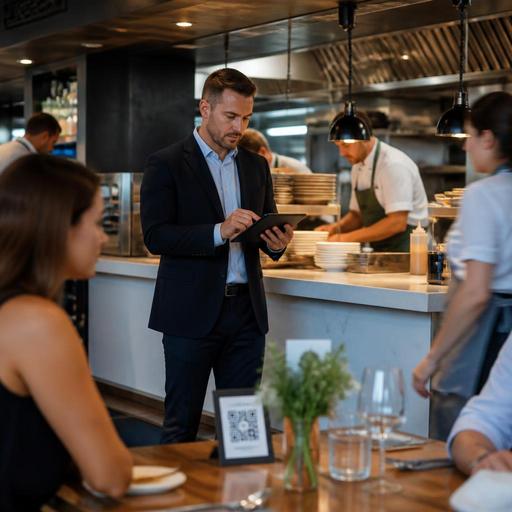
Real-Time Sold-Out Menu Updates for Faster Restaurant Service
When a guest tries to order a dish that is no longer available, the problem is rarely just one missed item. Sold-out menu updates affect service speed, staff confidence, kitchen flow, and the guest’s trust in your restaurant. If an item stays visible on a QR menu, online ordering page, or delivery channel after the kitchen has run out, the team must apologize, suggest replacements, adjust tickets, and calm disappointment that could have been avoided.
For restaurant owners and operators, the goal is not simply hiding an item. The real objective is to build a workflow where menu availability changes the moment reality changes in the kitchen. That means connecting inventory signals, staff actions, and digital menu publishing so guests only see what can actually be served.
This article takes a practical look at how to automate sold-out handling, where restaurants usually break down, and what clear actions you can take to make unavailable items disappear from the menu instantly without creating confusion for staff or guests.
Why sold-out mistakes create bigger operational problems
A sold-out item on the menu creates a chain reaction. The guest places an order based on expectation. The server or cashier has to return with bad news. The kitchen may already have received a ticket that cannot be fulfilled. A manager may need to approve a refund, modify an order, or handle a complaint. What looks like a simple stock issue quickly becomes a service issue.
In a busy lunch service, imagine a cafe runs out of avocado for its best-selling sandwich. If the item still appears on the QR menu and delivery channels, guests continue ordering it. Front-of-house staff then spend time explaining substitutions. Some guests accept a replacement, others ask for a different dish, and some leave frustrated. Meanwhile, the kitchen must pause to interpret edited tickets. This is exactly the kind of avoidable friction digitization should remove.
Removing unavailable items quickly helps restaurants:
- Protect guest trust by showing an accurate menu
- Reduce awkward order corrections
- Keep kitchen tickets cleaner and easier to execute
- Lower pressure on servers and cashiers during peak hours
- Improve consistency across dine-in, pickup, and delivery channels
The key lesson is simple: availability is not only an inventory matter. It is a guest experience and operations matter.
Where restaurants usually lose control of menu availability
Most sold-out problems happen because updates depend on memory, messaging apps, or disconnected systems. A chef tells a server that the sea bass is finished. The server tells two colleagues but not the host. Someone forgets to update the QR menu. A delivery app still shows the dish for another hour. By the time the team notices, several orders need to be fixed.
There are a few common weak points:
Manual communication only
If availability changes are shared verbally, accuracy depends on who heard the message and how quickly they act. This may work in a tiny operation, but it breaks down in rush periods or across multiple shifts.
Separate menus for every channel
Many restaurants still manage in-house menus, QR menus, online ordering pages, and third-party delivery listings separately. In that setup, removing one item can require several manual edits. Delays are almost guaranteed.
No ownership for item status
Teams often do not know who is responsible for marking an item unavailable. Is it the kitchen lead, shift manager, cashier, or owner? If ownership is unclear, updates happen late.
Modifier and ingredient blind spots
Sometimes the item itself is still available, but a critical component is not. A burger may be in stock, but brioche buns are finished. A dessert may be listed, but the topping that defines it is gone. Restaurants need to think beyond full-item stockouts and manage component-level availability too.
How to build an instant sold-out workflow
The most effective workflow is simple enough for a busy team to use in seconds. It should not require long explanations, extra spreadsheets, or multiple dashboard logins. A good sold-out process has three parts: trigger, update, and confirmation.
- Trigger: Someone identifies that an item or ingredient is no longer available.
- Update: The responsible team member marks the item as unavailable in the central menu system.
- Confirmation: All guest-facing channels reflect the change immediately, and staff can see the new status.
For example, a pizzeria runs out of burrata at 8:15 p.m. The kitchen lead taps the ingredient or affected dishes in the menu management system. The burrata pizza disappears from the QR menu, is paused in online ordering, and is flagged on the POS-linked menu view for staff. Servers no longer need to remember to warn every table. Guests simply stop seeing an item that cannot be prepared.
This kind of workflow works best when you define clear rules:
- Decide which roles can mark items unavailable
- Set a backup person for peak hours
- Use one central source of truth for menu status
- Apply updates across all active sales channels
- Restore items just as quickly when prep is replenished
Restaurants using digital menu tools such as QR menus and centralized menu management can make these changes much faster because they are not relying on printed inserts, verbal reminders, or channel-by-channel edits.
Practical examples by restaurant type
Sold-out automation looks different depending on your service model. The principle stays the same, but the operational detail changes.
Quick-service restaurant
A fried chicken shop runs out of spicy tenders during the evening rush. Instead of allowing orders and disappointing guests at pickup, the team pauses the item instantly. Combo meals that depend on spicy tenders are also hidden or switched to a visible alternative. This avoids broken bundles and keeps the line moving.
Full-service restaurant
A bistro offers a daily fish special with limited portions. Once the final portion is fired, the manager marks the special unavailable. It disappears from the QR menu, so late-seated tables do not ask for something the kitchen cannot serve. Servers can focus on recommending available dishes rather than apologizing.
Cafe or bakery
A cafe sells pastries throughout the morning. As trays empty, staff can mark individual items sold out one by one rather than leaving a full bakery menu visible. Guests browsing from the table see what is actually left, which increases confidence in the ordering process.
Multi-channel delivery brand
A virtual kitchen runs several menus from one production line. If one sauce runs out, multiple items across two brands may need to be paused at once. This is where centralized control matters most. One ingredient shortage can affect wraps, bowls, and sides across different storefronts.
What restaurant owners should do this week
If your team still handles stockouts informally, you do not need to redesign the entire business overnight. Start with a focused operational fix.
- List your high-risk items. Identify dishes that sell fast, rely on limited prep, or often run out late in service.
- Map the failure points. Note where stockout information currently gets stuck: kitchen, service, POS, QR menu, or delivery apps.
- Assign one source of truth. Choose the system where availability should be changed first and reflected everywhere else.
- Define who updates sold-out status. Every shift should have a named person responsible.
- Test a live scenario. During a quieter period, simulate an item running out and measure how long it takes to disappear from every guest-facing menu.
- Review substitutions. For items that frequently sell out, prepare approved alternatives so staff can guide guests smoothly if needed.
Also review how your menu is structured. If one ingredient affects many dishes, group those dependencies clearly in your menu management process. This is especially important for specials, seasonal items, and menus with many modifiers.
Ultimately, instant sold-out handling is about accuracy. Guests are more forgiving when a popular dish sells out than when the menu promises something the restaurant cannot deliver. A reliable digital menu protects that trust while making service calmer for the team.
Platforms like Restomas can support this by giving restaurants a faster way to manage QR menus and menu availability from one place, helping operations stay aligned with what the kitchen can actually serve.
