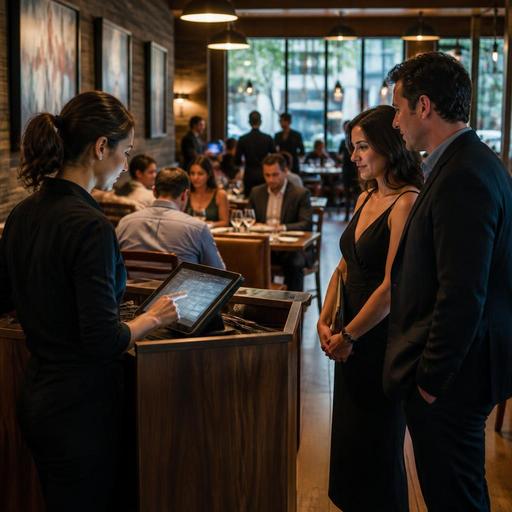
Reservation Confirmation Workflows That Cut No-Shows at U.S. Restaurants
Reservation confirmation workflows that cut no-shows at U.S. restaurants are not just about sending a reminder text. For many U.S. operators, no-shows create empty tables during prime dinner hours, throw off server sections, disrupt kitchen pacing, and reduce revenue on nights when labor is already scheduled. A practical system combines reservation timing, clear guest communication, lightweight friction when needed, and clean coordination between the host stand, POS, and kitchen display system.
Whether you run a neighborhood bistro in Chicago, a brunch spot in Austin, a hotel restaurant in Orlando, or a multi-location steakhouse brand, the goal is the same: protect demand without making legitimate guests feel punished. The best workflows feel organized, polite, and consistent.
Start with reservation rules guests can understand
Many no-show problems begin before the booking is even made. If the reservation page is vague, guests may not understand the hold time, party-size policy, seating window, or what happens if they are running late. Operators should make these details visible at the time of booking and again in confirmation messages.
For example, a fast-casual concept with limited table service might accept reservations only for large parties and private dining, while a fine-casual downtown restaurant may allow standard reservations with a short grace period. A rooftop bar that gets heavy Friday traffic may need a different policy for patio tables than for indoor dining. A food hall stall usually does not need reservations at all, but a connected chef counter inside the same venue might.
- State the grace period clearly: Tell guests how long you can hold the table before releasing it.
- Explain party-size expectations: Note whether incomplete parties can be seated or if the full group must arrive first.
- Set seating duration when needed: This matters for high-demand weekends, tasting menus, and event nights.
- Clarify cancellations: Let guests know how to cancel or modify without calling during service.
- Describe deposit or card-hold rules in plain language: If used, explain when charges may apply and ask operators to verify payment and disclosure requirements with their processor and local advisors.
In the U.S., being direct helps. Guests are used to text confirmations, app notifications, and clear booking terms. If your policy is buried or written like legal fine print, staff will spend the shift arguing about exceptions.
Build a timed confirmation sequence, not a single reminder
One reminder is better than none, but a sequence works better because it catches different guest behaviors. Some people book weeks ahead and forget. Others remember but need a quick way to confirm or cancel from their phone. The most effective reservation confirmation workflows use several touchpoints.
- Immediate confirmation: Send an email or SMS right after booking with the date, time, party size, location, parking or pickup notes if relevant, and an easy modification link.
- Pre-visit reminder: Send a reminder the day before, or earlier for large parties or special events.
- Same-day confirmation: For high-demand periods, send a short same-day prompt asking guests to confirm, modify, or cancel.
- Late-arrival follow-up: If a party has not arrived, a host-triggered text can ask whether they are still on the way before the table is released.
A Manhattan sushi bar with limited seating might require same-day confirmation for every reservation after 5 p.m. A suburban family restaurant may only use same-day prompts on holidays like Mother’s Day. A hotel restaurant can add arrival details for out-of-town guests who are navigating valet, lobby flow, or room-charge questions.
Keep the message simple. A reminder should reduce friction, not create it. Include only the essentials and a clear action. Avoid long blocks of text, confusing links, or too many steps.
Use deposits and card holds selectively
Not every restaurant needs deposits, and using them on every reservation can reduce conversions. But for some U.S. operations, they are a practical tool. Think chef’s counters, tasting menus, holiday brunches, New Year’s Eve seatings, large-party bookings, and hard-to-fill premium time slots.
The key is to match the policy to the risk. A casual diner that sees occasional no-shows for four-tops may solve the problem with better reminders. A destination steakhouse that loses a six-top at 7:30 on Saturday may need a card hold. An airport concession usually works more with walk-in volume, but a private dining room inside an airport hotel may benefit from stricter booking controls.
Operationally, if you use deposits or card holds, make sure staff can answer basic guest questions at the host stand and on the phone. They should know the difference between a deposit, a prepayment, and a fee triggered by a no-show or late cancellation. They should also understand how the amount appears in your payment workflow and how refunds or releases are handled. Because payment rules, disclosures, and state or local consumer requirements can vary, operators should verify the details with their payment provider and qualified advisors.
Connect the host stand, floor plan, and POS stack
No-show reduction is not just a marketing or messaging problem. It is an operations problem. If reservations live in one system, walk-ins in another, and table status in a handwritten notebook, teams react too slowly when guests cancel or fail to arrive.
A better setup connects reservation status to the live floor plan and, where possible, to the POS stack. That allows the host to see which tables are seated, which checks are still open, which reservations are confirmed, and which parties are late. For multi-location brands, standardized workflows matter even more, because one store may be strict while another is loose, confusing both staff and guests.
Useful operating habits include:
- Mark confirmation status visibly: Hosts should be able to sort confirmed, unconfirmed, VIP, and large-party reservations quickly.
- Release tables consistently: Do not let one host hold empty tables for too long while another flips them immediately.
- Sync with server sections: If a six-top no-shows, rebalance the floor so one server is not left with a weak section.
- Use a digital waitlist: When a reservation falls through, the next waiting party can be notified fast.
- Track channel source: Compare no-show patterns from your website, phone bookings, concierge referrals, and third-party reservation channels.
This is especially important in busy U.S. formats like fast-casual concepts with limited reserved community tables, sports bars on game nights, and hotel restaurants serving both locals and overnight guests. The cleaner the handoff between reservation system, POS, and service team, the easier it is to refill lost demand.
Train staff on scripts, exceptions, and accessibility
Even the best workflow breaks down if staff handle it inconsistently. Hosts need short scripts for confirmations, late arrivals, and cancellation requests. Managers need a clear escalation path for exceptions such as weather events, traffic disruptions, flight delays, or guests who call from the parking lot. In the U.S., hospitality often means being firm on policy while still sounding human.
For example, if a Boston restaurant has a 15-minute grace period, the host can say, We can hold the table for 15 minutes, and if anything changes, please reply to the text link so we can help. If a Nashville brunch party is 20 minutes late, staff should know whether to split the group, move them to the next available table, or release the reservation and place them on the waitlist.
Accessibility matters too. Some guests prefer email over SMS, some may use screen readers, and some may need to call rather than tap a mobile link. Keep reservation and confirmation paths easy to understand and ADA-minded in design and communication. Accessibility expectations can depend on your systems and local circumstances, so review your setup with qualified professionals when needed.
Finally, measure what happens. Track no-shows by daypart, party size, booking channel, and special event type. You may find that Saturday patio bookings no-show more often than indoor dining, or that large-party brunch reservations need earlier reconfirmation. These patterns help you tighten the workflow without overcorrecting.
Reducing no-shows is really about making it easy for guests to keep their plans, easy to cancel when they cannot, and easy for your team to recover the table when demand changes. Restomas helps restaurants organize reservations, guest communication, and service workflows in one operational flow.
