Reservation Confirmation Workflows That Reduce No-Shows in U.S. Restaurants
No-shows drain labor, reduce table turns, and create avoidable revenue gaps, especially during busy dinner service. For many operators, reservation confirmation workflows are one of the fastest ways to reduce empty tables without making the guest experience feel rigid. Whether you run a neighborhood bistro in Chicago, a brunch spot in Austin, a hotel restaurant in Orlando, or a multi-unit steakhouse group, the goal is the same: confirm real intent, make arrival easy, and fill cancellations fast.
In the U.S., the best approach is usually not a single rule. It is a sequence: clear booking policies, timely reminders, simple confirmation options, smart waitlist handling, and front-of-house follow-through tied back to the POS and table management flow. The details matter because a Friday 7:30 p.m. four-top behaves differently from a weekday lunch reservation at a fast-casual concept with counter pickup and limited seating.
Start with a reservation policy guests can actually understand
Many no-show problems begin before the guest ever receives a reminder. If your booking rules are buried, vague, or inconsistent by channel, guests are more likely to treat the reservation as tentative. Keep the policy short and visible at the time of booking, whether the reservation comes from your website, Google business profile, a host stand tablet, or a phone call entered manually.
A useful policy usually answers four questions:
- How long the table will be held after the reservation time
- How guests can confirm, modify, or cancel
- Whether large parties require a card hold, deposit, or event agreement
- How late arrivals affect seating or table time limits
For example, a Brooklyn Italian restaurant may hold a two-top for 15 minutes, while a Las Vegas Strip-adjacent restaurant may use tighter timing on peak weekends because demand is higher. A suburban family restaurant might allow more flexibility for early dinner reservations but require stronger confirmation for parties of eight or more.
If you use deposits, card holds, service charges, or prepayments, present them clearly and verify current state, city, card-network, and platform requirements with qualified advisors or official guidance. Operators should also make sure payment prompts and cancellation terms are easy to understand before the guest completes the booking.
Build a reminder sequence that matches how U.S. guests actually respond
One reminder is often not enough. The strongest workflows use a timed sequence with a clear action in each message. The point is not to overwhelm guests. It is to make confirming easier than forgetting.
A practical reminder cadence
- At booking: Send an immediate confirmation by text or email with date, time, party size, location, and cancellation link.
- 24 to 48 hours before: Ask the guest to confirm, modify, or cancel in one tap.
- Day of reservation: Send a shorter reminder with parking, valet, hotel entrance, or pickup details if relevant.
- For large parties: Add a human follow-up call from the host team.
This matters in real U.S. operating environments. A downtown Washington, D.C. restaurant may need to remind guests about garage access. A hotel restaurant near a convention center may need to confirm whether the party is dining before or after an event. An airport concession with bookable premium seating may need especially tight arrival timing because guest schedules change quickly.
Text messages often outperform email for same-day action because they are seen faster, but guest preference matters. Make sure your system records opt-ins, communication preferences, and reservation notes consistently. If you operate in multiple states or cities, verify messaging and privacy requirements locally and through your service providers.
Use segmentation instead of treating every reservation the same
Not every booking deserves the same friction level. A smart operator applies more controls only where the risk is higher. That keeps the process guest-friendly while protecting peak inventory.
Consider segmenting reservations by:
- Party size: A two-top on Tuesday is different from a ten-person birthday dinner on Saturday.
- Daypart: Weekend brunch and prime-time dinner usually need stricter confirmation than weekday lunch.
- Channel: Direct website reservations may behave differently from third-party discovery platforms.
- Guest history: Repeat guests with strong attendance records may need less friction.
- Location type: Food halls, hotel restaurants, stadium venues, and suburban dining rooms all have different arrival patterns.
A Nashville brunch concept, for example, might require confirmation for all Saturday and Sunday reservations, while only placing card holds on parties of six or more. A multi-location sushi group in California might allow easy self-service changes for regulars but flag repeat no-show behavior for manager review. A food truck with limited reserved catering pickup windows may use prepaid slots because production and staffing are tightly timed.
If you maintain guest notes or track attendance history, use that data carefully and consistently. Train hosts and managers on how to apply the policy fairly so one location does not become stricter or looser than another without a reason.
Connect reservations to host stand, kitchen, and table-turn workflows
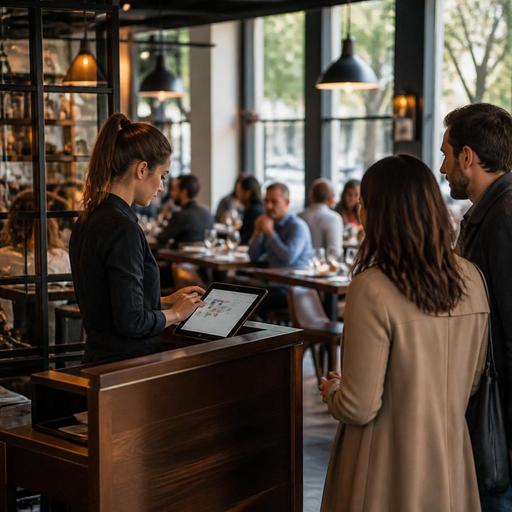
Reducing no-shows is not only about messages. It is also about what your team does when the reservation clock starts. The host stand should know which tables are confirmed, which are at risk, and which can be released to the waitlist. If that information lives in separate tools, empty tables stay empty longer.
Operationally, the best workflow links reservations with table status, POS pacing, and the kitchen display rhythm. Here is a practical example: a busy Boston seafood restaurant sees that a 6:45 p.m. four-top has not confirmed and has not arrived by 6:55. The host can trigger a quick call, mark the table as at-risk, and prepare to seat a waitlisted party by 7:00 if the grace period expires. The kitchen benefits too because covers become more predictable, helping expo and line cooks pace tickets.
This is especially important for:
- Fast-casual concepts with limited dine-in seating: Reservations may be rare, but timed event seating or chef pop-ups need strong coordination.
- Hotel restaurants: Walk-in traffic, room service demand, and reservations can collide at the same time.
- Stadium and airport venues: Guest timing is affected by event schedules, security lines, and boarding windows.
- Multi-location groups: Standardized host workflows help managers compare performance across stores.
Make sure your team also distinguishes between no-shows, late arrivals, and guest-initiated cancellations. Those are different operational problems and should not be lumped into one bucket when you review performance.
Fill canceled tables faster with waitlists and direct rebooking
Even with strong confirmations, some cancellations are healthy. They give you time to resell the table. The key is moving fast. A good waitlist workflow should allow the host or system to contact the next guest immediately and give a short response window.
For instance, a Miami rooftop restaurant can text a waitlisted couple that a 8:15 p.m. table just opened and ask for a quick yes. A neighborhood grill in Denver can offer an earlier seating to a family already planning takeout, converting an off-premise order into an in-house check. A direct online ordering customer who frequently chooses curbside pickup might also be a good target for future reservation invites during slower dine-in periods.
To tighten this process:
- Keep waitlist messaging short and action-oriented
- Show hosts the next best table match by party size and timing
- Let guests rebook themselves without calling the restaurant
- Track the most common cancellation windows so staffing can adjust
Review patterns weekly. If your no-shows spike after reservations made through one channel, or if one store consistently has more abandoned large-party bookings, the answer may be better messaging, a different deposit threshold, or stronger host follow-up rather than more blanket restrictions.
Accessibility matters here too. Confirmation and cancellation paths should be simple on mobile, readable, and workable for guests using assistive technology. Operators should review ADA-minded digital access practices with qualified web and accessibility partners and confirm current expectations for their market and systems.
Reducing no-shows is really about reducing uncertainty. When guests can confirm in seconds, hosts can act on real-time status, and managers can spot patterns by shift, reservation systems become a revenue protection tool instead of just a digital guestbook. Restomas can help operators bring reservations, guest messaging, and front-of-house workflows into one practical operating flow.
