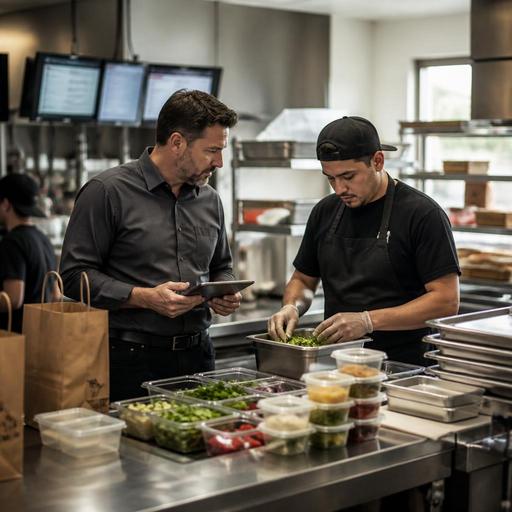
Restaurant Waste Tracking for U.S. Kitchens: Prep Loss, Spoilage, Returns, and Remakes
Restaurant waste tracking for U.S. kitchens is not just a food cost exercise. It is an operating discipline that helps owners and managers see where margin disappears during prep, on the line, at expo, and after a guest sends a plate back. For American restaurants dealing with rising ingredient costs, delivery app pressure, labor scheduling challenges, and multi-channel ordering, a simple waste log can become a powerful decision tool.
A neighborhood diner, a fast-casual salad shop, a hotel restaurant, and a food truck all create waste for different reasons. One may over-prep soup before a slow Monday lunch. Another may remake burgers because modifiers were missed on the POS ticket. A coffee shop may toss pastries at close because par levels were set for Saturday traffic, not Tuesday. The goal is not to blame staff. The goal is to identify patterns early enough to fix purchasing, prep, training, menu design, and order flow.
Define the four waste categories before you start tracking
Many operators say they track waste, but the numbers are too vague to act on. If everything is labeled as waste, you cannot tell whether the problem started with forecasting, execution, or guest communication. Start by separating losses into four categories and using those same labels in every shift log.
- Prep loss: trim, overproduction, expired batch prep, or portioning mistakes made before service.
- Spoilage: product that becomes unusable because of time, temperature, storage, rotation, or shelf-life issues.
- Returns: food sent back by a guest because it was not acceptable, whether due to quality, temperature, timing, or expectation mismatch.
- Remakes: food made again because the first item was wrong, fired too early, rung incorrectly, or damaged in packing for takeout or delivery.
These categories matter because the action steps are different. Prep loss may point to par levels and knife skills. Spoilage may point to cooler organization, date labeling, or delivery receiving practices. Returns may point to menu descriptions, server communication, or consistency. Remakes often reveal breakdowns between QR ordering, direct online ordering, third-party delivery apps, the POS, and the kitchen display system.
Build a shift-level waste log your team will actually use
The best waste system is the one your staff can complete during a busy shift. A clipboard near prep, a waste button on a POS workflow, or a manager tablet tied to inventory can all work if the process is fast. Keep each entry simple and consistent.
- Record the item name and portion size.
- Choose the waste category: prep loss, spoilage, return, or remake.
- Enter the quantity and estimated cost using your current recipe or inventory costing method.
- Add a short reason code such as over-prepped, dropped, wrong modifier, guest complaint, expired, or delivery damage.
- Note the station, shift, and employee role involved, such as prep, grill, pantry, bar, expo, or packing.
For example, a suburban sports bar might log five chicken tender remakes on Friday night because sauce selections from QR ordering did not print clearly at the fry station. A fast-casual bowl concept may see repeated avocado spoilage in one location because deliveries arrive just before the lunch rush and sit too long before proper storage. A hotel breakfast outlet may discover recurring prep loss from cut fruit that was produced for banquet overflow but never used on the restaurant line.
If you run multiple locations, use the same reason codes everywhere. That makes it easier to compare stores fairly and spot whether one unit has a local training issue or whether a system-wide menu item is causing avoidable loss.
Use waste data to fix ordering, prep, and menu execution
Waste logs become valuable when they change tomorrow's decisions. Review trends by daypart, station, channel, and menu item. A lunch-heavy downtown cafe may need different prep pars than a suburban dinner-focused grill. An airport concession may have sharp traffic swings tied to flight banks. A food truck may need tighter batch cooking because weather and event timing can change demand fast.
Prep loss and spoilage fixes
Look first at forecast accuracy. If your team regularly throws out mac and cheese, sliced tomatoes, or house-made dressings, the issue may be production planning rather than product quality. Tighten pars by weekday, weather pattern, and sales channel. Separate dine-in, takeout, curbside pickup, and delivery demand when forecasting. Delivery marketplaces can create sudden spikes in a few high-photo items, while direct online ordering may produce more scheduled pickup orders that are easier to prep around.
Also review shelf-life handling. Are date dots consistent? Are backup pans being opened too early? Is the walk-in organized so first-in, first-out is realistic during a rush? Even simple changes like smaller prep batches, clearer container labeling, and a mid-shift line check can reduce spoilage without slowing service.
Returns and remakes fixes
Returns and remakes often come from communication gaps. Check whether menu descriptions set accurate expectations. If a guest returns a spicy chicken sandwich because the heat level was not obvious, that is different from a burger remake caused by an omitted cheese add-on. One is a menu communication issue; the other is an order-entry or kitchen execution issue.
In U.S. operations with tipped staff, returns can also create table-service friction because servers may comp items, adjust checks, or involve managers while managing other tables. Build a clear comp and void workflow in the POS and train managers on what should be documented. Operators should also verify current tax, service charge, and tip reporting treatment with qualified advisors and official guidance, since comped items, service charges, and tipped workflows can be handled differently depending on the situation and location.
For off-premise orders, review packaging and handoff. If fries arrive soggy or shakes spill in a courier bag, you may see returns or refunds that look like food waste but are really packaging and dispatch issues. A pickup shelf without clear staging can also lead to the wrong bag leaving the store, which creates a full remake.
Connect waste tracking to your POS, KDS, and inventory routines
Waste data is most useful when it is connected to the systems your team already uses. If a remake starts with a wrong modifier from online ordering, the fix may be in the menu build, not on the grill. If spoilage is high on one protein, the issue may be ordering frequency or transfer visibility between locations. If guest returns spike on one entree, compare ticket times and expo notes before changing the recipe.
In practical terms, operators should look for a workflow that connects:
- POS data to identify voids, comps, and remake patterns by item and shift.
- Kitchen display workflows to catch missed modifiers, duplicate fires, and timing breakdowns.
- Inventory visibility to compare purchased product against sold product and logged waste.
- Digital ordering channels to see whether direct ordering, QR ordering, or delivery apps generate more corrections.
- Manager reporting so location leaders can coach with evidence instead of guesswork.
For chains and larger groups, this also supports menu governance. If a limited-time item creates unusual remakes across several stores, the issue may be recipe complexity, unclear build steps, or packaging mismatch. For operators subject to menu labeling requirements, make sure any recipe or portion changes are reviewed carefully and verified against current official guidance where applicable.
Turn waste reviews into a weekly management habit
Do not wait for monthly inventory to discover a problem. A short weekly review is usually enough to find the biggest leaks. Pull your top waste items, top reason codes, and top stations involved. Then assign one operational fix per issue.
A practical weekly agenda might include reviewing produce spoilage at prep, remake rates on online orders, guest returns by menu item, and whether labor scheduling affected execution. If your Friday dinner team is consistently producing more remakes than your Tuesday lunch team, the answer may be staffing mix, expo support, or training depth rather than recipe quality alone.
Keep the tone focused on process, not punishment. Line cooks, prep teams, bartenders, and servers are more likely to log waste honestly when they know the data will be used to improve pars, station setup, ticket clarity, and guest experience. Over time, better waste tracking protects margins, reduces kitchen stress, and improves consistency across dine-in, takeout, curbside pickup, and delivery.
Restomas helps operators bring ordering, kitchen workflows, and reporting into one clearer daily system, making waste patterns easier to spot before they become routine.
