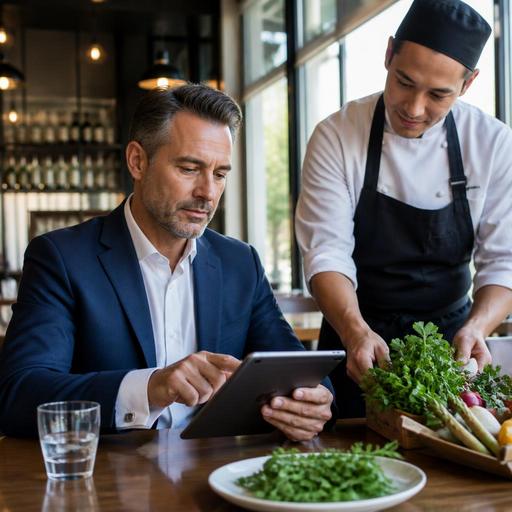
Seasonal Menu Updates Without Reprints: A Practical Restaurant Workflow
Seasonal menu updates without reprints are no longer just a convenience for restaurants. They are a practical way to move faster, reduce confusion, and keep guests informed when ingredients, pricing, or featured dishes change. For restaurant owners and operators, the real advantage is not only saving paper. It is building a menu process that lets the kitchen, front of house, and management stay aligned while seasonal items come and go.
Many restaurants still treat menu changes like a design project that starts from zero every time. A spring salad replaces a winter soup, a limited dessert appears for six weeks, or a market fish changes twice in one weekend, and suddenly the team is editing files, calling printers, marking paper menus by hand, or asking servers to explain outdated items table by table. That approach creates friction for both staff and guests.
A better system is to treat menu updates as an operational workflow. When your menu is digital, you can swap items, adjust descriptions, hide sold-out dishes, and publish seasonal sections quickly. The goal is not to change the menu more often just because you can. The goal is to change it accurately, with less effort, and without creating service problems.
Why seasonal menu changes become operational problems
Seasonal menus are exciting for guests, but they often expose weak internal processes. A chef may finalize new dishes before photos are ready. A manager may approve prices before allergen notes are confirmed. A server may learn about a removed item only after the first guest asks for it. None of these issues are really about creativity. They are about coordination.
Consider a neighborhood bistro introducing an asparagus risotto for spring. If the printed menu still shows the mushroom risotto for another week, servers must explain the swap at every table. If the online menu shows both dishes, guests may order something the kitchen no longer preps. If delivery listings are not updated, the problem spreads across channels. One small seasonal change can create several guest-facing inconsistencies.
Digital menu management helps because it turns one update into a controlled process across touchpoints. Instead of changing a PDF, reprinting inserts, and messaging staff separately, the operator updates the live menu once and makes sure the same item details appear where guests actually order or browse.
Build a menu structure that is easy to edit
The fastest seasonal updates come from good structure, not last-minute speed. If your menu is difficult to edit, every small change feels bigger than it should. Start by organizing your menu so seasonal items can be added, moved, or hidden without affecting the whole layout.
Use stable categories with flexible seasonal sections
Keep core categories consistent, such as starters, mains, desserts, beverages, or brunch. Then create a clear seasonal area for limited-time offers. This makes it easy to highlight new dishes without redesigning the full menu. A cafe might keep coffee, breakfast, and bakery sections permanent while adding a short summer specials section for cold brew variations, fruit pastries, and chilled desserts.
Separate item data from visual design
Each menu item should have clean, editable fields: name, description, price, modifiers, allergens, availability, and optional photo. When these details live in a manageable system rather than a static file, updates take minutes. For example, if a pumpkin soup returns in autumn with a new garnish and price, you should be able to edit only those fields instead of rebuilding the page.
Prepare reusable templates
Templates reduce delays. Create a standard format for seasonal items so staff know exactly what information is required before anything goes live. A simple template can include:
- Dish name
- Short guest-facing description
- Price
- Allergen and dietary notes
- Availability window
- Suggested upsell pairing
This helps chefs and managers avoid incomplete updates that later cause service mistakes.
Create a fast approval process before publishing
Restaurants often lose time not in editing the menu, but in waiting for decisions. A seasonal dish may be ready, but the team still needs agreement on naming, pricing, portion language, or allergen wording. If approvals happen informally over chat or during service, errors become more likely.
A simple approval flow keeps updates fast and controlled:
- Chef or menu lead submits the new item details
- Manager reviews price, availability, and placement
- Front-of-house lead checks clarity for guest communication
- Final menu update is published in the live system
- Staff receive a short shift briefing
This process does not need to be bureaucratic. It just needs ownership. When one person is responsible for publishing the final version, the team knows which menu is current.
A practical example is a seafood restaurant running a market catch special. The chef decides the fish based on supplier availability, the manager confirms pricing, and the service lead checks that the description is simple enough for guests. Once approved, the item goes live on the digital menu, replacing yesterday's version instantly. No paper insert, no crossed-out line, no mixed messages.
Use live availability to avoid guest disappointment
One of the biggest advantages of digital menus is not seasonal branding. It is real-time control. Seasonal items often depend on limited supply, prep capacity, or same-day freshness. If an item sells out early, leaving it visible creates frustration and extra work for servers.
Instead, use live availability settings to hide or mark items when they are not available. This is especially useful for:
- Daily desserts with limited portions
- Market fish or butcher specials
- Weekend brunch items
- Holiday drinks and limited bakery items
- Regional produce that arrives inconsistently
Imagine a cafe offering a strawberry tart only while the day's batch lasts. A digital menu allows the manager to switch the item off as soon as it sells out. Guests see the current offer, and the service team avoids apologizing repeatedly. The result is a smoother guest experience and a more credible menu.
This is also where platforms like Restomas fit naturally into operations. If your menu, ordering flow, and table-side browsing are connected, a seasonal update can appear consistently without separate manual edits across multiple guest touchpoints.
Train staff to support the menu, not compensate for it
When menus are outdated, staff become the correction layer. They explain substitutions, clarify prices, warn about sold-out items, and manage guest disappointment. That is exhausting and unnecessary. A better menu workflow lets staff focus on hospitality.
Before launching seasonal changes, give the team a short practical briefing. They do not need a long meeting. They need the right information in a usable format:
- What is new
- What has been removed
- Which items are limited
- What pairings or upsells to suggest
- What guest questions are most likely
For example, if a restaurant replaces a heavy winter pasta with a lighter summer version, servers should know not only the ingredients but also how to position the change. They might explain that the new dish is built for warmer weather, has a brighter flavor profile, and pairs well with a specific glass of wine. That is a sales opportunity created by clarity, not by pressure.
It also helps to keep a brief internal checklist for every seasonal launch:
- Confirm all item details are updated
- Check allergen and dietary labels
- Review pricing and tax display if relevant
- Hide discontinued items
- Test the guest view on mobile
- Brief front-of-house and kitchen teams
When this routine is repeated each season, updates stop feeling disruptive.
Make seasonal menu changes part of a wider digital system
The most effective restaurants do not treat menu editing as an isolated task. They connect it to inventory awareness, ordering channels, reservations, and guest communication. If you are promoting a seasonal tasting menu for weekend bookings, your reservation notes, pre-order options, and menu display should reflect the same offer. If a dish is removed because an ingredient is unavailable, the change should be visible immediately wherever guests browse.
That is why restaurant digitization matters beyond convenience. A digital menu is most useful when it supports operational consistency. Seasonal updates then become a normal part of service management rather than a recurring emergency.
Start small if needed. Move one seasonal section to a digital format, define who approves changes, and create a launch checklist. Once the team sees how quickly accurate updates can go live, the process becomes easier to repeat. Restomas can support this kind of practical menu workflow by helping restaurants keep digital menus current, clear, and aligned with daily operations.
