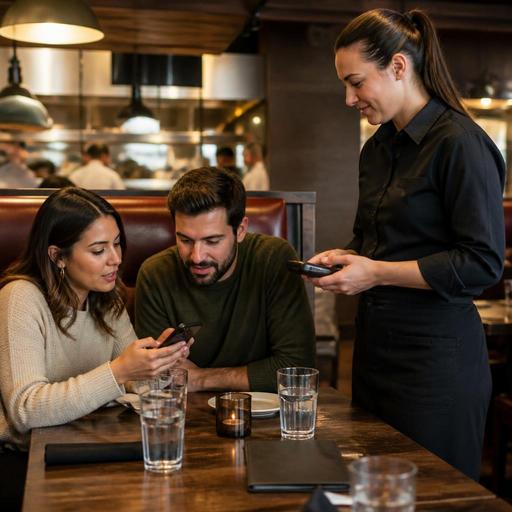
Table-Side Ordering for U.S. Restaurants: A Guest Convenience, Not a Server Replacement
Table-side ordering for U.S. restaurants works best when operators treat it as a support tool, not a server replacement. Guests may love the speed of scanning a QR code, opening a menu on their phone, and sending in another round without waiting for a check-in. But in most American service models, hospitality still depends on people: greeting the table, explaining modifiers, handling allergy questions, pacing courses, recovering mistakes, and guiding tips and payment expectations in a way that feels natural. The smartest approach is to use table-side ordering to remove friction while keeping staff focused on the moments that matter most.
Where table-side ordering fits in U.S. service models
Not every restaurant should use the same workflow. A neighborhood brunch spot in Chicago, a fast-casual taco shop in Austin, a hotel restaurant in Orlando, and an airport bar in Denver all have different guest expectations. Table-side ordering can help in each setting, but the role it plays should change.
- Full-service restaurants: Use QR ordering for reorders, dessert, another drink, or easy payment at the end of the meal while servers keep control of the guest relationship.
- Bars and breweries: Let guests open a tab, order another round, and close out from their seat, while bartenders and servers still check IDs, answer questions, and monitor service.
- Fast-casual and QSR dining rooms: Guests can order from the table after finding a seat, reducing lines at the counter during lunch rushes.
- Hotel food service: Table-side ordering helps travelers who want speed, but staff should still be available for room charge questions, menu details, or special requests.
- Stadium, airport, and high-volume venues: It can reduce congestion and help guests avoid missing the game or boarding call, especially when paired with runner workflows.
In the U.S., the key question is not whether digital ordering is modern. It is whether the setup matches the service promise your guests believe they are paying for.
Protect the hospitality moments that technology should not replace
Many operators adopt table-side ordering because they want faster turns, fewer order-entry bottlenecks, and better labor efficiency. Those are real benefits. Problems start when the system quietly removes the human moments that drive satisfaction and repeat visits.
For example, at a casual grill, a server may notice that a family with kids needs guidance on portion sizes, allergy concerns, and timing. At a sports bar, guests may need help splitting a tab by seat or understanding pitcher and wing specials. At a diner, regulars may expect a familiar greeting and coffee refill before they ever look at a phone. If table-side ordering forces every interaction into self-service, the restaurant may save steps while losing warmth.
A better model is to define which moments stay human:
- Greeting and seating: Staff welcome the guest, explain how ordering works, and offer a printed menu if needed.
- First order support: Servers handle questions, substitutions, dietary concerns, and upsell naturally.
- Digital convenience during the meal: Guests can reorder cocktails, sides, dessert, or coffee from the table.
- Recovery and exceptions: Staff resolve missing items, comps, remakes, and timing issues directly.
- Farewell: Whether the guest pays on their phone or through a handheld device, the final interaction still feels personal.
This hybrid model is often a better fit for U.S. restaurants than a full self-service shift, especially where tipped staff play an important role in service quality and sales.
Set up the operational details before you put QR codes on tables
Table-side ordering can create new confusion if the back-of-house and front-of-house workflows are not mapped first. Before launch, operators should test the full path from scan to kitchen display system to expo to table delivery to payment closeout.
Menu and modifier structure
Your digital menu should match how guests actually order. A burger concept in Dallas should make add-ons, cheese choices, side swaps, and temperature notes clear. A pizza shop in New Jersey should separate half-and-half toppings, crust choices, and dipping sauces cleanly. If modifiers are messy, digital ordering will create more mistakes, not fewer.
POS and kitchen routing
Orders should flow into the POS and kitchen display system with clear source labels so staff know whether a ticket came from a server, the bar, a delivery app, or a guest’s phone at table 14. This matters in busy operations where dine-in, takeout, curbside pickup, and direct online ordering all run at the same time.
Table identification
Make sure table numbers, seat mapping, and runner instructions are consistent. In a large patio, rooftop bar, food hall stall, or hotel lounge, vague location data can slow delivery and frustrate guests. If a guest orders from a QR code but later moves seats, staff need a simple way to update the destination.
Payment, tipping, and check handling
American restaurants need to think carefully about tipping workflows. If guests order and pay from their phones, does the experience still allow tips in a way that feels clear and fair? Can guests split checks, keep an open tab, or add another item after paying? How are gratuities, service charges, and sales tax displayed and explained? These are operational design questions first, and operators should verify current federal, state, and local rules with qualified advisors and official guidance where tax, wage, or tip reporting issues may apply.
Accessibility and guest choice matter just as much as speed
In the U.S., table-side ordering should never assume every guest wants to use a smartphone. Some guests may have low vision, limited dexterity, language barriers, older devices, dead batteries, or simply a preference for talking to a server. ADA-minded access in practice means offering choices, keeping assistance available, and making sure digital tools do not block service.
Simple steps help:
- Keep printed menus available.
- Train staff to explain the process without making guests feel uncomfortable.
- Use high-contrast menu design and simple navigation.
- Make sure guests can still order through a server at any point.
- Provide a clear path for allergy and dietary questions.
For multi-location operators, standardizing these choices matters. A guest should not find a smooth, flexible experience at one location and a rigid phone-only experience at another.
How to roll out table-side ordering without hurting service
The safest rollout is a limited, measured one. Start with one use case instead of changing the whole dining room at once. For example, a casual Mexican restaurant might begin with patio drink reorders. A suburban family restaurant might use QR payment first, then add dessert ordering later. A wing shop with a pickup shelf may keep counter ordering for most guests while allowing dine-in guests to reorder beer and appetizers from the table during game nights.
Use a practical launch checklist:
- Choose the first use case: reorders, payment, full ordering, or bar tabs.
- Test on real shifts: lunch rush, dinner peak, weekend brunch, and slow periods.
- Train scripts for hosts and servers: one clear explanation, no pressure.
- Watch ticket times and error patterns: especially modifier mistakes and missed table drops.
- Review guest feedback: not just speed, but comfort and clarity.
- Adjust labor deployment: fewer order-entry steps may free servers for sales and hospitality, not necessarily reduce headcount.
Chains and larger groups should also consider menu labeling and consistency issues if they operate across many units. If your concept falls under federal, state, or local menu labeling requirements, verify display expectations and current rules with qualified advisors or official guidance before changing how item details appear digitally.
Done well, table-side ordering helps restaurants serve faster without acting like hospitality is optional. It can support servers, reduce friction, improve reorder capture, and fit smoothly into modern U.S. POS and kitchen workflows when operators design it around real guest behavior instead of replacing human service. Restomas can help restaurants connect QR ordering, POS flow, payment, and service operations in a way that supports the floor instead of working against it.
