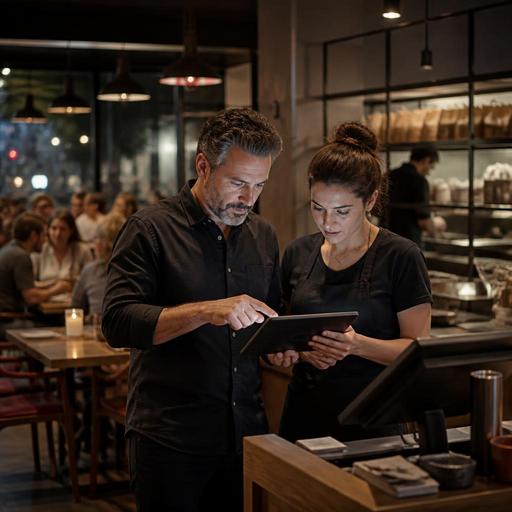
Tip Pooling Visibility for U.S. Restaurants Without Giving Payroll Advice
Tip pooling visibility for U.S. restaurants is not just a payroll question. It is an operations question that affects trust, shift morale, guest experience, and how confidently managers close out checks at the end of the night. Whether you run a neighborhood diner, a fast-casual salad shop, a sports bar, a food truck, or a multi-location full-service brand, your team wants to understand where tips come from, how they are tracked, and what managers can see before data reaches payroll. The goal is not to make software act like a legal advisor. The goal is to create clean, visible workflows and then confirm your pay practices with qualified payroll, tax, and labor advisors and current official guidance.
Why visibility matters before payroll starts
Many operators first think about tips when payroll is due, but confusion usually starts much earlier. A server may wonder whether a QR order left at the table counted toward the same pool as a card tip added after a check presenter. A bartender may ask whether bar tabs closed at the POS feed the same report as online takeout orders. A cashier at a fast-casual counter may not know whether a guest tip from a kiosk is grouped with tips from the pickup shelf station or handled separately.
When teams cannot see the flow of tip data during service, managers spend closeout time answering the same questions over and over. That creates friction at the exact moment when labor is tight, side work still needs to be done, and the kitchen is trying to finish the last tickets. Visibility helps because it separates three different tasks that often get mixed together: collecting tips, reporting tips by channel, and applying your approved tip distribution and payroll process.
For example, a Chicago burger bar might have dine-in tabs, delivery app orders, direct online ordering, and QR reorders for another round of drinks. If all four channels land in different places, staff will assume the process is unfair even if the final distribution is correct. Operators do better when each channel is labeled clearly and managers can review a shift-level summary before anyone leaves.
Map every tip source in your operation
Start by listing every place a gratuity can appear in your business. This sounds basic, but many U.S. restaurants discover hidden complexity once they include digital ordering and multiple service styles. A hotel restaurant may have room service, lobby bar tabs, breakfast buffet checks, banquet service charges, and cafe takeout. An airport concession may have counter orders, self-order kiosks, and mobile pickup. A food truck may take card payments on a handheld POS while also accepting pre-orders through a direct ordering link.
Create one operational map that shows where a tip originates, where it is visible, and who reviews it during the shift. Include at least these categories if they apply:
- Dine-in card tips added on a guest check
- Cash tips collected by servers or bartenders
- QR ordering tips from table-side or counter ordering
- Direct online ordering tips for takeout or curbside pickup
- Third-party delivery app tips as reported through marketplace dashboards
- Kiosk or counter-service tips in fast-casual and QSR settings
- Large-party checks, private dining, or event-related charges
- Service charges that may be tracked differently from voluntary tips
That last item matters. In the U.S., operators should not assume service charges and tips are treated the same way operationally or for reporting purposes. Your system should label them distinctly, and your team should understand the difference in plain language. Verify current federal, state, and local rules with qualified advisors because treatment can vary and the details matter.
Build manager dashboards around questions staff actually ask
Most tip disputes are not complex legal disputes. They are simple visibility problems. Staff members usually want answers to practical questions: Did the tip post? Which station earned it? Was it attached to my shift? Was it from a pickup order or a dine-in check? Did a void or refund change the amount? A useful dashboard should answer those questions quickly.
For a full-service restaurant in Dallas, that might mean a shift report showing separate buckets for dining room checks, bar tabs, patio QR orders, and takeout. For a fast-casual bowl concept in Phoenix, it might mean manager access to tip totals by counter, kiosk, and direct web pickup. For a multi-location pizza brand, it might mean store-level visibility into direct online ordering tips versus delivery marketplace reporting so store managers are not reconciling from screenshots and emails.
Keep the dashboard operational, not interpretive. In other words, show what happened without having the software tell employees what they are legally owed. Good visibility tools can:
- Timestamp each tip by order source and payment method
- Connect the tip to a check, tab, order number, or station
- Separate open checks from closed checks
- Show refunds, voids, and adjustments clearly
- Distinguish voluntary tips from service charges
- Export clean shift data for payroll or accounting review
This approach also helps with tip reporting awareness. Managers can identify missing closeouts, duplicated entries, or channel mismatches before the payroll team has to fix them later.
Design a closeout workflow that reduces end-of-night disputes
The cleanest tip pooling environments usually have a repeatable closeout routine. The routine does not need to be complicated, but it should be consistent across every shift and every location. If you operate in more than one state, consistency matters even more because local labor rules, reporting expectations, and service models may differ. A standard workflow helps your managers collect the same information every time, then escalate any local compliance questions to the right advisor.
- Freeze the shift data. Set a clear point when checks, tabs, QR orders, and takeout orders for that shift are considered final for review.
- Review by channel. Compare POS, direct online ordering, and delivery app reports separately before combining anything for internal review.
- Flag exceptions. Note refunded checks, manual card adjustments, reopened tabs, or delayed marketplace updates.
- Confirm role-based visibility. Let servers, bartenders, or counter leads see the transactions relevant to their shift without exposing unnecessary payroll data.
- Export a clean record. Send approved data to payroll, bookkeeping, or your accountant using one standard format.
Picture a suburban brunch restaurant in Atlanta. The morning manager closes out patio QR orders, dine-in checks, and a rush of takeout pancakes from direct online ordering. Instead of telling staff, “Payroll will figure it out,” the manager can show what posted in each bucket, what is still pending, and what was escalated for review. That alone can lower tension.
Train teams on transparency, not legal interpretation
Training is where many operators go too far or not far enough. Going too far means managers explain payroll or labor rules they are not qualified to interpret. Not going far enough means staff have no idea how digital tips move through the business. The better path is to train around process.
Give teams a short script for each service model. In a full-service steakhouse, explain how card tips on checks, bar tabs, and QR dessert orders appear in end-of-shift reporting. In a coffee shop, explain how counter tips, app-based pickup tips, and cash in the jar are logged or reviewed operationally. In a food truck, explain how handheld POS tips and pre-order pickup tips are reconciled after service.
Also remember guest-facing clarity. If you use QR menus or online ordering, the tipping screen should be easy to understand and accessible. Keep ADA-minded access in view by making digital paths readable, usable, and supported by staff when a guest needs help. If you are a chain subject to menu labeling rules or other federal, state, or local requirements, keep those compliance workflows separate from tip visibility workflows so staff are not mixing unrelated responsibilities.
Finally, document who answers what. Managers can explain system steps, where data appears, and when a closeout is final. Payroll partners, accountants, or legal advisors should answer technical questions about tax treatment, tip credit issues, reporting obligations, or local labor rules. Operators should verify current requirements with those qualified experts and official guidance.
Restomas helps restaurants centralize ordering, POS-connected workflows, and channel visibility so operators can make tip activity easier to review before it reaches payroll.
