Using Guest Notes in U.S. Restaurants Without Privacy Confusion
Guest notes in U.S. restaurants can improve service, speed, and repeat visits, but they can also create privacy confusion if operators collect too much, store it too long, or show it to the wrong team member. For restaurants using reservations, QR ordering, direct online ordering, delivery apps, POS systems, and kitchen display workflows, the goal is simple: capture only the notes that help the guest experience and make sure staff know how to use them appropriately.
In practice, guest notes are everywhere. A neighborhood diner may note that a regular wants decaf after 3 p.m. A fast-casual salad shop may save a pickup preference for curbside pickup. A hotel restaurant may flag that a guest needs a quieter table. A sports bar may mark that a regular tabs out at the bar before moving to a patio table. These details can be useful, but they should never become a messy catch-all field that mixes service preferences, payment issues, personal assumptions, and sensitive information.
The operational question is not whether to use notes. It is how to use them in a way that helps servers, hosts, cashiers, kitchen teams, and managers without making guests uncomfortable. If your operation handles accessibility requests, payment data, alcohol service, employment matters, or regulated information, verify current federal, state, and local requirements with qualified advisors and official guidance before setting policy.
Decide what belongs in a guest note and what does not
The most common problem is that restaurants treat guest notes like an unlimited comment box. That usually leads to inconsistent entries, oversharing, and confusion across shifts. A better approach is to define approved note categories and train staff to use plain, service-focused language.
Good uses for guest notes
- Service preferences: booth preference, patio preference, high chair needed, extra napkins with takeout, curbside pickup vehicle color if your workflow uses it.
- Order handling details: dressing on the side, no utensils in takeout, separate checks requested often for a business lunch group, pickup shelf versus handoff at counter.
- Hospitality reminders: birthday dessert preference if the guest volunteered it, favorite NA beverage, quieter seating request, allergy communication workflow note when relevant to service steps.
- Operational routing: call on arrival for hotel lobby pickup, ring door at office catering drop-off, send runner to gate area in an airport concession if the venue workflow allows it.
What should stay out of guest notes
- Subjective labels: rude guest, bad tipper, difficult family, sketchy customer.
- Unnecessary personal details: medical assumptions, family issues, relationship status, appearance comments, or anything a guest would be surprised to see written down.
- Sensitive payment details: full card information, charge dispute narratives, or internal fraud comments better handled in secure payment tools.
- HR-style staff commentary: do not use guest profiles to document staff conflicts or shift problems.
For example, a coffee shop with regular mobile orders may need a note that says, prefers oat milk if almond is out; call before substitution. That is useful. A note that says, complains a lot and watches every charge, creates risk and does not help service.
Build note rules for every channel guests use
U.S. operators often collect notes from several places at once: reservation platforms, the POS, online ordering, QR menus, delivery apps, catering requests, and text-based customer service. Privacy confusion starts when the same guest has different notes in different systems and nobody knows which one is current.
Create a simple map of where notes enter the business and where they should appear. For many restaurants, the best setup is to separate notes by purpose.
- Reservation notes: seating, timing, occasion, accessibility-related service requests, and party management.
- Ordering notes: item modifications, pickup instructions, curbside handoff, and packaging preferences.
- Loyalty or CRM notes: repeat guest preferences that improve future visits.
- Manager-only notes: service recovery follow-up, refund status, or direct outreach history kept out of general staff view when appropriate.
A multi-location burger brand should not let one store write freeform notes that instantly become visible to every location without standards. A guest who likes extra pickles at a suburban drive-up unit may not expect that note to appear at an airport concession or stadium kiosk. Franchise and multi-unit teams should decide which notes stay local and which can travel across locations.
This is where a digitized workflow helps. If your POS, reservation system, QR ordering, and order management stack can structure notes by category, staff spend less time guessing. Restomas-style workflows are most useful when they reduce random free text and show the right note to the right team at the right moment.
Train staff to explain notes clearly to guests
Guests usually do not object to notes when the reason is obvious. They get uncomfortable when staff appear to know too much or when there is no clear explanation for why something was saved.
Give front-of-house teams a short script. For example:
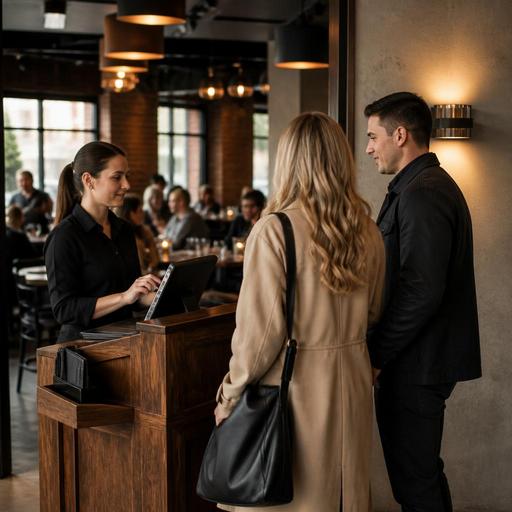
- Host stand: I can add a note that you prefer a booth when available.
- Takeout counter: We can save that you usually want utensils left out of the bag.
- Cafe cashier: If you want, I can note your pickup preference so the line moves faster next time.
This kind of language is specific, optional, and easy to understand. It is much better than silently typing comments into a screen while the guest watches. Staff should also know when not to save something. If a guest mentions a temporary need, such as today we need space for a stroller, that may belong only on that reservation, not in a lasting profile.
For ADA-minded service, the safest operational habit is to record only the service detail needed to fulfill the request, not extra assumptions about the guest. If your restaurant serves alcohol, handles age checks, or manages hotel guest data, keep note practices aligned with your broader operating policies and verify current legal requirements locally.
Limit visibility, retention, and copy-paste habits
Many privacy issues are not caused by collecting notes. They happen because too many people can see them, old notes never get cleaned up, or staff copy them from one system into another without context.
Set practical rules such as:
- Role-based access: hosts see seating notes, kitchen staff see only prep-relevant order notes, managers see service recovery notes.
- Retention review: remove stale notes that no longer improve service, especially one-time event details.
- No duplicate note chains: avoid copying the same guest comment into the POS, reservation tool, and shift log unless each team truly needs it.
- Manager review for exceptions: complaints, refund issues, chargeback concerns, and safety incidents should follow a manager process, not live forever in a guest note field.
A food truck is a good example. If the operation uses text ordering for office parks and festivals, a note like call when parked on 3rd Street side may help for that event. It probably should not remain attached to the guest forever. A hotel restaurant may keep a room-service preference for breakfast setup, but should review whether it is still useful after checkout.
Turn guest notes into better service, not bigger risk
The best guest note system is boring in a good way. It is structured, limited, and directly tied to service. It helps a server handle a repeat guest smoothly, helps a kitchen display system route prep notes accurately, and helps takeout staff manage pickup shelves and curbside pickup without awkward phone calls. It does not become a shadow file full of opinions and random details.
Start with three actions this week: define approved note categories, decide which systems should store which notes, and train staff on one-sentence guest explanations. Then review a sample of existing notes from your POS, reservations, and online ordering channels. Delete what is vague, outdated, or inappropriate. If your brand operates in multiple states or handles chain-level policies, confirm your workflow with qualified advisors and official guidance so your practices match current local requirements.
When guest notes are handled well, they support hospitality across dine-in, takeout, direct online ordering, and multi-location operations without creating unnecessary privacy confusion.
Restomas can help operators organize digital ordering, reservations, and service workflows so useful guest notes reach the right team without adding chaos.
